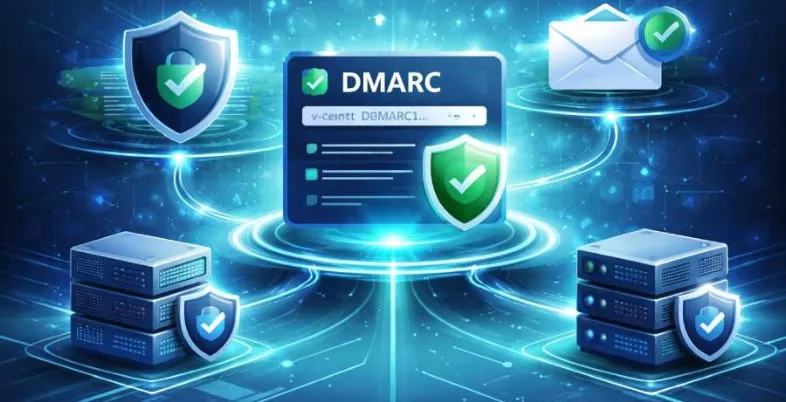
A DMARC Record Generator makes it easier for domain owners to establish email authentication by guiding them in crafting precise DMARC policies without the need for technical expertise. By integrating SPF and DKIM, it enhances defense against phishing and spoofing, while also boosting the overall security and deliverability of emails.
Understanding Email Authentication: The Role of DMARC
With the rise of digital communication, ensuring email security has become a vital concern for domain owners. Email authentication systems are crucial in shielding users and organizations from threats like phishing, spoofing, and other email-related attacks. At the heart of contemporary email verification is DMARC (Domain-based Message Authentication, Reporting, and Conformance), a framework aimed at establishing trust and authenticity in email exchanges.
DMARC collaborates with SPF and DKIM to verify that emails come from their claimed domains, minimizing misuse and bolstering sender integrity. For companies that send a significant number of emails, robust DMARC implementation enhances delivery rates and safeguards brand image. Major email service providers such as Gmail and Yahoo now mandate strict adherence to DMARC, making it vital for secure and dependable email transmission.
The Importance of DMARC in Protecting Against Email Threats
As cyberthreats targeting email systems become more sophisticated, the need for comprehensive email authentication solutions has never been greater. Threat actors often exploit weak domain configurations to impersonate organizations, targeting customers with phishing attacks, malware distribution, and business email compromise (BEC) schemes.
Implementing a DMARC policy effectively thwarts these attacks by placing the domain owner in control. By publishing a DMARC DNS record, an organization can instruct receiving mail servers on how to handle unauthenticated emails—whether to take no action (policy none), quarantine suspicious messages, or outright reject them. Over time, these enforcement policies (policy quarantine, policy reject) form a powerful blockade against imposter emails.
DMARC compliance also delivers the advantage of in-depth visibility. Aggregate reports and forensic reports provide actionable data on the authentication status of emails using XML-based reports and data analysis. These DMARC reports help administrators audit the performance of their email domain, track down misconfigurations, analyze headers for inconsistencies, and ensure overall email health. Monitoring through a DMARC management platform or delivery center becomes instrumental as organizations scale up their mail streams.
What is a DMARC Record and How Does it Work?
A DMARC record is a critical DNS entry that empowers a domain to enforce and monitor standardized email authentication. The DMARC record, stored as a TXT record in the DNS zone, outlines how receiving servers should validate incoming emails and instructs them on enforcement actions if authentication checks fail.
Record Parameters and Syntax
The DMARC record syntax is composed of several parameters:
- v=DMARC1: Specifies the DMARC protocol version.
- p=policy: Indicates the enforcement action: none, quarantine, or reject.
- rua=report email address: Where to send aggregate reports.
- ruf=report email address: Where to send individual failure reports or forensic reports.
- adkim & aspf: DKIM and SPF alignment requirements.
- fo (Forensic options): Triggers for failure report generation.
- pct: Percentage of mail to which the policy is applied.
An example DMARC DNS record might look like:
“`
v=DMARC1; p=quarantine; rua=mailto:DMARC-aggregate@example.com; ruf=mailto:DMARC-forensic@example.com; adkim=s; aspf=s; pct=100
“`
When recipients’ servers receive an email, they perform a DMARC check by verifying SPF alignment and DKIM signatures against this record. If a message fails both checks and DMARC alignment is not achieved, the server will enforce the specified DMARC policy—helping reduce exposure to email abuse.
DMARC publishing also initiates a continuous flow of aggregate data to the specified email addresses. Organizations then use DMARC reports to collect data, making it possible to perform domain audits and respond to potential threats quickly.
Challenges in Manually Configuring DMARC Records

Complexity and Risk of Syntax Errors
Manual DMARC record creation involves understanding and accurately writing DMARC syntax, setting record parameters, and ensuring seamless DNS publishing. Misconfiguration can inadvertently disrupt legitimate email delivery, leading to important messages being quarantined or rejected, damaging business operations, and harming sender reputation.
Alignment with SPF and DKIM
DMARC’s effectiveness is heavily dependent on proper SPF and DKIM setup. Failing to align SPF or DKIM records results in DMARC policy enforcement on otherwise legitimate emails. Coordinating spf record generator and DKIM Inspector tools to produce correct authentication records is, therefore, essential.
Testing and Validation Difficulties
A key aspect of DMARC record management is robust validation and diagnostics. Without strong tools for DMARC check, record validation, and diagnostics, administrators risk publishing flawed records that go unnoticed until email delivery is impacted. Manual analysis of blacklists, domain overview data, and monitoring can become unmanageable for large mail streams.
Handling Reports and Data Analysis
Manually interpreting XML-based DMARC reports, aggregate reports, and forensic reports requires technical expertise. Converting raw XML data into actionable insights often involves a secondary tool such as an XML-to-Human converter. Without automation, the process is lengthy and error-prone, hampering ongoing defense against email abuse.
Introduction to DMARC Record Generators: What They Are and How They Help
Features and Advantages of DMARC Record Generators
Automation and Usability
A leading DMARC record generator enables even non-experts to generate DMARC record entries by asking straightforward questions about the domain and email policy preferences. This automated process reduces the margin for error in DMARC record creation and instantly produces ready-to-publish DNS records.
Comprehensive Testing and Validation
Tools such as MxToolbox SuperTool, dmarcian, and DMARC Inspector offer robust DMARC check, record validation, and diagnostics features. They analyze headers, perform DNS lookup, and check blacklists to ensure that the DMARC DNS record meets best practices before publishing. Report delivery center and API support may also be available for continuous monitoring.
Centralized Reporting and Data Analysis
Integration with a DMARC management platform or delivery center consolidates aggregate reports, failure reports, and forensic reports into graphical dashboards. Entities like the DMARC Domain Checker, SPF Surveyor, and DKIM Validator further automate routine audits, improving the email health of your domain.
Deployment and Ongoing Monitoring
Many DMARC record generator services—like DMARC generator—also offer deployment services, policy recommendations, and ongoing DMARC publishing management. Advanced platforms may support policy escalation from none to quarantine to reject as DMARC compliance improves, guided by continual domain overview and monitoring.
Community and Support
In addition to self-service generators, numerous resources—such as dmarc.io, DMARC Academy, MSP Program forums, and the dmarcian community—help organizations stay up to date with evolving email security landscapes. Best-in-class solutions may provide alert integration (Alert Central), API connectivity, and XML-to-Human converter tools for actionable data analysis.
By leveraging a modern DMARC record generator, organizations close the gap between intent and implementation—ensuring that every email sent under their domain is authenticated, policy-aligned, and fully protected against evolving threats.
Key Features to Look for in a DMARC Record Generator
Selecting a reliable DMARC record generator is crucial for enhancing both email security and delivery rates. The top tools streamline the process of creating records, check the parameters, and guarantee that DMARC DNS records are published correctly.
- Comprehensive DMARC Record Generation Features: An effective DMARC record generator allows for flexible policy options, including none, quarantine, and reject, while providing straightforward management of reporting settings. It guarantees that all essential DMARC fields are accurately set up without the need for complicated manual input.
- Automated DNS Syntax Verification: Trustworthy tools perform automatic validation of DMARC syntax and identify mistakes before the records are published. Real-time DNS checks ensure complete compatibility with your domain’s DNS configuration.
- Seamless Integration with Existing Security Protocols: A strong DMARC solution seamlessly collaborates with SPF and DKIM for proper alignment. Integrated validation of SPF and DKIM enhances the overall email authentication process.
- Reporting and Monitoring Tools: Sophisticated generators gather and interpret DMARC aggregate and failure reports. Monitoring capabilities transform XML data into easily digestible insights and offer ongoing alerts regarding email health.
- Scalability and Advanced Management Features: DMARC tools designed for enterprises can handle multiple domains and intricate email systems. APIs, automation, and centralized management facilitate consistent DMARC compliance on a large scale.
Step-by-Step Guide: Creating a DMARC Record Using a Generator

Establishing a secure DMARC record with a generator reduces manual errors and accelerates the path to robust email authentication. The following workflow uses DMARC generator as an example:
1. Domain Overview and Authentication Records
Start with a thorough domain audit. Ensure existing SPF and DKIM records are present and functioning. Utilize tools like SPF Surveyor or DKIM Inspector to validate these records.
2. Input Core DMARC Parameters
Access your chosen DMARC record generator. Enter your domain, select your desired DMARC policy (none, quarantine, or reject), and specify alignment preferences for SPF and DKIM. Integration with a DMARC wizard will often pre-fill common fields to reduce misconfiguration risk.
3. Configure Reporting Addresses
Input the reporting email address for aggregate reports and, if desired, addresses to receive forensic reports and failure reports. Be aware that some providers, like Gmail and Yahoo, have specific requirements for receiving these reports.
Detailed Reporting Options
At this stage, you can decide whether to collect data via aggregate data or enable individual failure reports. Platforms like DMARC Management Platform and DMARC Inspector assist with report mailbox configuration and monitoring.
4. Record Syntax and Validation
Before you publish a DMARC record, use the built-in validation feature. Record validation will catch syntax errors and offer a policy recommendation based on your email configuration and goals.
5. DMARC DNS record Publishing
Copy the generated DMARC record. Publish it into your domain DNS as a TXT record, ideally using your DNS provider’s management interface or with assistance from deployment services. Wait for DNS propagation and perform a DMARC check with SuperTool or DMARC Domain Checker to confirm the record is active.
6. Ongoing Monitoring and Adjustments
Once deployed, monitor aggregate reports leading from the DMARC record creation. Use solutions like Delivery Center or dmarc.io for ongoing domain overview, email configuration tracking, and blacklists checks. Regularly revisit your DMARC policy as you gain trust in your mail streams and aim for stricter DMARCenforcement.
Best Practices for Implementing and Maintaining DMARC Records
- Initiate with No Policy and Increase Stringency Slowly: Commence with p=none to observe email interactions and evaluate insights prior to applying more stringent measures.
- Align Authentication Methods Effectively: Ensure SPF and DKIM settings are correctly configured to enhance DMARC performance and minimize inaccuracies.
- Facilitate In-Depth Reporting: Direct DMARC reports to a monitored email account and utilize converters for easier report review.
- Conduct Frequent Domain Assessments: Regularly check domains via lookup and blacklist tools to ensure DMARC remains effective.
- Utilize Trustworthy DMARC Management Solutions: Efficiently handle multiple domains through platforms that automate both analysis and policy modifications.
Key Takeaways
- Utilize a robust DMARC record generator to automate accurate DMARC record creation, validation, and publishing in your domain DNS.
- Start your DMARC deployment with a none policy to collect aggregate reports and understand your mail streams before escalating enforcement.
- Integrate DMARC with SPF and DKIM to achieve strong email authentication and DMARC alignment for improved email security and compliance.
- Use monitoring tools and perform regular domain audits to maintain email health and swiftly respond to email abuse or delivery issues.
- Leverage centralized DMARC management platforms for efficient, scalable deployments across multiple domains, ensuring streamlined monitoring and policy enforcement.