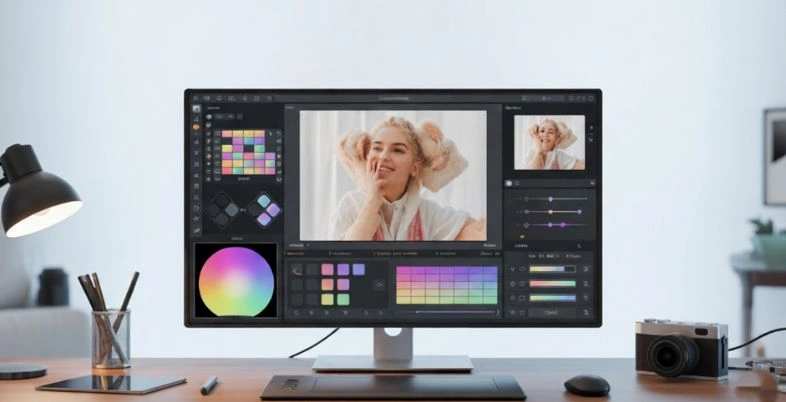
A single photo has the power to capture emotions, tell stories, and leave a lasting impression. Whether it’s a casual selfie, a travel memory, or a product image for your business, the right edits can completely transform the final result. This is where photo editing apps become essential tools for anyone who wants their images to stand out.
With easy-to-use features like brightness adjustment, color correction, filters, cropping, and retouching, these apps help turn simple photos into eye-catching visuals. Many modern apps also offer advanced options such as AI-powered enhancements, background removal, object editing, and creative overlays, making professional-quality editing accessible even to beginners.
Designed for convenience and creativity, photo editing application allow users to edit anytime and anywhere directly from their smartphones or computers. Whether you’re enhancing personal photos or creating polished content for social media or business, the right editing app helps you achieve stunning results with minimal effort.
Why You Need the Best Photo Editing Apps in 2026
Time to forget the days when people simply added a built-in camera filter to a dark image and called it a day. Images are perceived by people 60,000 times quicker than texts and therefore your image is your first impression. Using a new, AI‑powered editor instead of old software gives you three big benefits:
- Increases Online sales: high quality product images build trust and confidence. Studies indicate that the presence of clear detailed photos reduces chances of return and increases sales.
- Develops Brand Stability: Content creators and local stores must have a stable appearance. The right application will allow you to apply brand-specific colors and textures across your feed.
- Faster Work: You do not have to spend long hours behind the computer anymore. New features enable you to make professional edits on your phone within a few seconds, using AI.
Now that we have learned what good pictures can do to business, we will talk about the apps you will want to download today
List of Top 10 Photo Editing Apps for Mobile, PC and Mac
Getting the software you need on all the devices can be essential in a contemporary visual approach whether you are editing while roaming on a train ride home or sitting in a professional studio. The following are the top 10 photo editing applications:
A. The Best Mobile Photo Editing Apps
Photo editing on mobile has shifted from easy fun filters to professional color-grading filters. These are the 5 best mobile editing apps that can make your editing incredibly powerful:
1. Snapseed
Snapseed is a well-known, Google-owned, photo editor that several mobile photographers adore. It supports an extremely easy to pick-up gesture-based interface and conceals a set of professional tools behind clean and simple design.
Key Features:
- 29 tools and filters including Healing, Brush, Structure, HDR and Perspective.
- Allows non-destructive RAW file editing
- Easy control points allow making specific adjustments.
Best For:
- Professional mobile photographers.
- Small business owners
- Manually operated users not requiring a subscription
Price:
- free (No advert, no watermarks, no upgrades)
2. Adobe Lightroom Mobile
Lightroom is the most suitable when it comes to professional tools. This powerful photo editing app delivers the mighty color features of the desktop application to your phone, in addition to Adobe cloud services.
Key features:
- Advanced color grading
- Custom presets
- Batch editing
- Sync images across all devices with the cloud
- Highly accurate AI masking tool
Best for:
- Professionals and influencers.
- Those photographers who handle huge collections.
Prices:
- Free basic plan; Premium subscription of about $9.99 a month (it involves cloud storage and high quality AI masking).
3. Canva

Canva primarily is a graphic designing software; however, it has powerful photo editing features. This is designed to transform raw photos into polished marketing content within a short period of time.
Key features:
- AI tools such as background remover, Magic Edit, and Poster Making.
- Large collection of templates and design.
- Quickly resize images for social media
Best for:
- Social media managers
- E-commerce sellers
- Marketing visuals by non-designers
Prices:
- Free basic version; Canva Pro $14.99/month (unlocks AI tools and brand kits)
4. VSCO

VSCO is the best app when it comes to getting a particular vibe, whether it is moody, vintage, or cinematic. It expanded through its community of users that are fond of its film-like presets that replicate Kodak Portra and Fujifilm.
Key features:
- Film‑style presets
- advanced editing features
- Split-toning
- Ad-free community platform for inspiration
Best for:
- Creators who want cinematic or vintage looks
Prices:
- free basic filters, VSCO Pro (approximately $29.99/year) will provide you with access to all of the presets and access to advanced video features
5. Photoroom
Photoroom works well with product photographs. It isolates the subject and removes untidy backgrounds as well as positions the products in smart but professional content with the help of AI.
Key features:
- Auto background removal
- AI generated backgrounds for products.
- Batch editing
- Quick resizing for marketplaces
Best for:
- Small business owners
- Salespeople that demand clean product images online.
- boutique shops
- Etsy sellers
Prices:
- Free basic (with watermarks); Photoroom Pro (approximately $9.99 per month)
B. The Best Photo Editing Software for PC and Mac
Quick edits and sharing are best done with mobile apps, but most photos require deep retouching, working with a large number at once, or high-level design, which is best done using desktop apps. The following are the five PC and Mac apps that have been dominating the market in Photo Editing:
6. Adobe Photoshop
Photoshop is the most well-known photo editor in the world. It transformed the process of picture editing. It operates in layers and has the ability to edit practically everything in a photograph.
Key Features:
- Layer‑based editing
- Advanced masking tools
- Typography
- Neural filters and generative AI
- seamless adding or removing elements using text prompts
Best for:
- Digital artists
- Professional retouchers
- Graphic designers
Price:
- Subscription-only, starting at $22.99/month
7. Adobe Lightroom Classic

Lightroom Classic is a digital darkroom that helps photographers. It allows you to gather, sort, process and archive large amounts of RAW photographs in your hard drive.
Key Features:
- Arrange photos
- Have a catalogue
- Non‑destructive RAW editing
- Batch processing
- AI enhancements
Best for:
- Event photographers
- Portrait photographers
Price:
- Only subscription, available via the Adobe Photography Plan of $11.99/month.
8. Skylum Luminar Neo
Luminar Neo is a modern photo editing application based on AI. It turns hard edits, a multi-step editing process, like changing the sky or smoothing skin, into simple and easy sliders.
Key Features:
- AI sky replacement
- AI skin and face retouching tools
- Lighting adjustments
- Automatic powerline/ dust spot removal
Best for:
Beginners and intermediate photographers
Price:
- subscription around $11.9/month and one time licence purchase is about $119.
9. Affinity Photo 2
The closest direct competitor of Photoshop is Affinity Photo 2 developed by Serif (which was acquired by Canva). It operates a bit like Photoshop and is based on layers but you do not have to spend money on a monthly subscription.
Key Features:
- Unlimited layers
- Edit RAW files
- Merge HDR and panoramic stitching
- Blazing-fast performance without bloatware
Best for:
- Budget-conscious
- professionals
- Hobbyists
- Freelance designers
Price:
- one-time purchase of $69.99; it’s often on sale
10. Capture One Pro
One of the high-end alternatives of Lightroom is the Capture One Pro. It began with Phase one cameras and is popular among commercial and fashion photographers due to its color accuracy and tethering.
Key Features:
- Advanced colour grading wheel
- Layer‑based adjustments
- Good RAW conversion
- Reliable tethered shooting for the studio
Best for:
- Best among studio, fashion and detail-oriented photographers and require high quality.
Price:
- Subscription at $24/month or one time license at $299.
Mobile and desktop have numerous good alternatives. Where to spend time and money can be a matter of confusion. Let us find out how to select the correct one.
Mobile vs. Desktop: How to Choose the Right Editing Platform
The most important factor when selecting the most preferable photo editing programs is not about finding a great program, but to pick one that suits you and your lifestyle.
Mobile Apps
- Best For: Social media creators.
- Ideal use case: Social media content, quick edits, on the go posting
- Advantages: Edit anywhere, fast and portable, effortless social sharing.
- Disadvantage: Lack of accuracy, small screen, not suitable when making complicated edits.
Desktop Software
- Best For: In print media, commercial editing as well as by professional photographers.
- Ideal Use Case: RAW images, detailed work or high resolution image
- Advantages: Strong performance, fine retouching, improved color grade, handles large photo collection.
- Disadvantages: Not so portable and slower to post something.
Hybrid Approach
- Best for: Contemporary creators of content, work flow efficiency.
- Ideal use case: Create big projects at the desk, and share in-store previews at a faster pace.
- Advantage: Flexible, combines mobile’s speed with desktop capabilities.
- Disadvantages: Requires managing files across devices
It is important to learn about your hardware requirements, but you also have to consider the software technology itself, namely, how AI is transforming the game.
Essential AI Features to Look for in Photo Editors
We are in the middle of a technological shift where photo editing has moved from “adjusting what was captured” to “generating what wasn’t.”. In order to make your workflow future-proof, ensure that your app of interest has the following modern AI capabilities:
- Generative Fill and Erase: It is available on applications such as Photoshop or Canva and enables you to apply a circle around an undesirable subject (such as a photobomber) and remove it immediately. The AI uses some logical decisions to form the missing background so that the edit is not seen.
- Intelligent Subject Masking: The days of manual tracing of a subject are over. In modern apps (such as Lightroom or Luminar Neo), people, skies, or particular objects can be immediately recognized in one click, and only edited with a click of a button.
- AI Noise Reduction: Remove high‑ISO photos shot in dark environments. AI denoise filters (e.g. in Lightroom or DxO PhotoLab) reconstruct grainy photographs pixel by pixel, and eliminate noise without any damage to the sharp edges of hair or texture.
Conclusion
The most appropriate photo editing apps would be determined by what you need to do, your level of expertise, and the devices you are using. In this blog we have listed the top 10 apps that are currently available. Some of these include lightweight mobile apps such as Snapseed, Canva, and VSCO as well as heavyweight desktop software such as Adobe Photoshop, Lightroom Classic, and Affinity Photo. We have also discussed the way AI is accelerating the creative process.
Images influence the way individuals perceive your brand and art. With the appropriate tools, either on your computer or your phone, you make every photo you post look good,make it interesting, and draw attention. Use free trials and experiment with various interfaces and select a software that is easy to edit.
FAQs
1. Which Is The Most User-Friendly Photo Editing Application?
Canva is user-friendly, and does not require you to be a designer, it is built with barebone templates. On PC, Luminar Neo makes otherwise complicated tools to friendly AI sliders. Snapseed is soft and simple to operate on mobile.
2. Are There Any Completely Free Photo Editors Without Ads Or Watermarks?
Yes. Snapseed by Google is the most appropriate free mobile. It offers professional tools and no payments. On PC, Gimp is an open source, completely free software that can be used to replace Photoshop.
3. Do Professional Potographers Edit Their Photos With Mobile Photo Applications?
Yes. Although they do intensive editing with desktop software, Adobe Lightroom Mobile is the standard in the industry when it comes to working on the go. It allows them to sync RAW files, presets, and edit anywhere.
4. Am I Required To Subscribe To a Good Photo Editing Program Every Month?
No. Adobe is based on a subscription, but other high-end desktop applications like Affinity Photo 2 and Luminar Neo can be purchased and used indefinitely. There are also very good free versions of many mobile apps.