Creating a logo can feel overwhelming, especially if you’re not a designer, or if you’re busy trying to finish everything before you launch.
That’s where logo makers shine. These logo makers give users pre-made templates so they won’t have to build everything from scratch. And among the crowd of tools available today, Design.com stands out because it aims to give everyday users the power to create clean, compelling brand visuals without stress.
In this review, we’ll walk through what Design.com actually is, how to use it, the most useful features, pros and cons, pricing, and whether it’s the best logo maker tool to add to your branding toolkit.
What is Design.com?
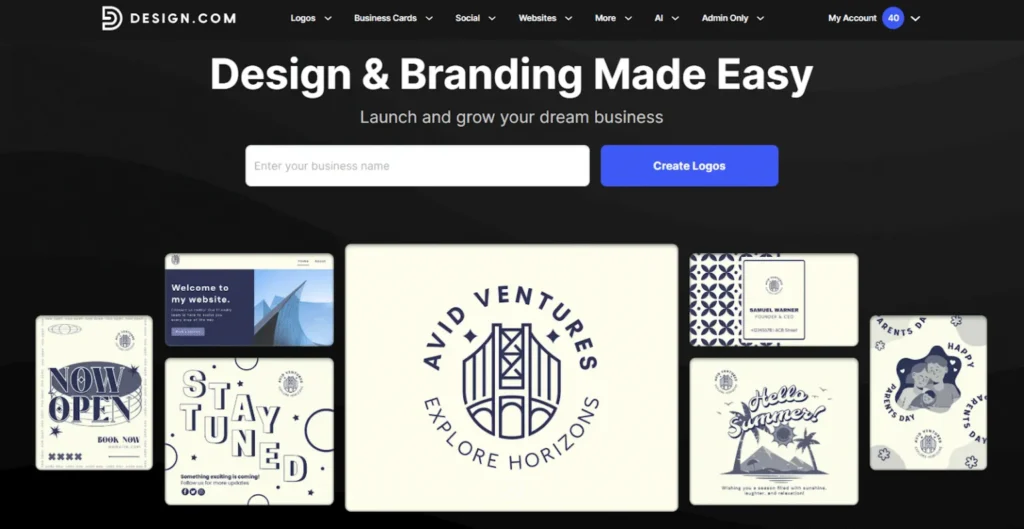
Design.com is an all-in-one branding and design platform built to help individuals and businesses create professional visuals quickly and easily.
At the center of the platform is its flagship logo maker tool. The tool offers thousands of ready-to-edit, designer made templates that can easily be customized through their editing tool. This means anyone, even without any design experience, can create a polished logo design.
Design.com also has an AI logo generator for an even faster logo creation process. Users just need to input a short description about their business, e.g., “A calming wellness spa” or “A retro-inspired diner,”and they’ll get logo designs based on that in just a few seconds. Since the AI studies your industry, niche, and keywords, users are sure to get 100% on-brand designs.
Beyond the logo maker itself, Design.com also offers tools for business cards, social media graphics, websites, and other branding essentials. This makes them the ideal platform for users who are looking to get all their brand assets in one place.
Now that you know what the platform is built around, let’s walk through how the logo maker actually works in practice.
How To Use the Design.com Logo Maker Tool
Making a logo in the tool is extremely easy. Here’s a quick look at how to get started:
1. Go to the logo maker page https://www.design.com/logo-maker and type your business name.
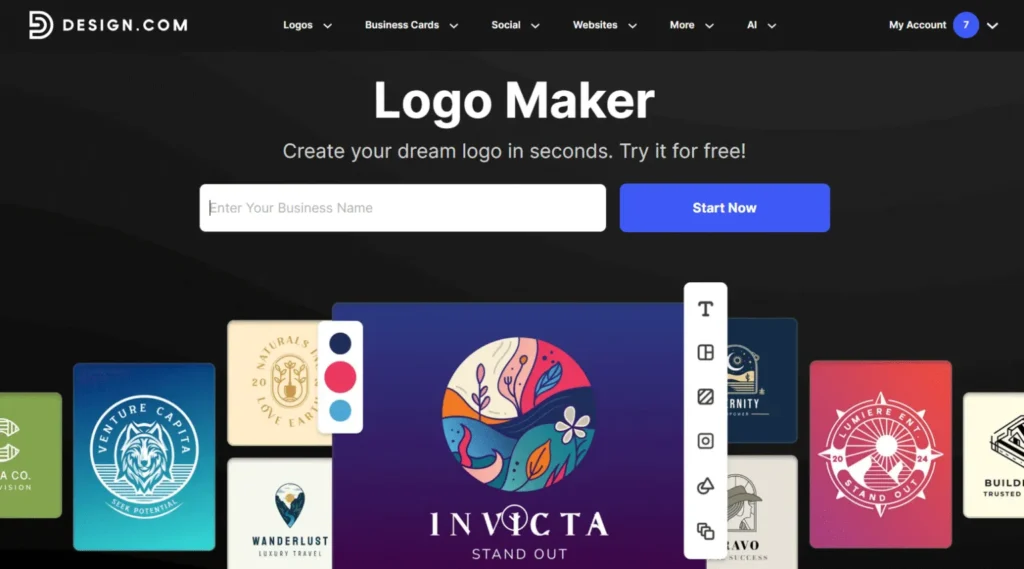
2. Browse the templates or filter by logo style/color/keyword to find a design.
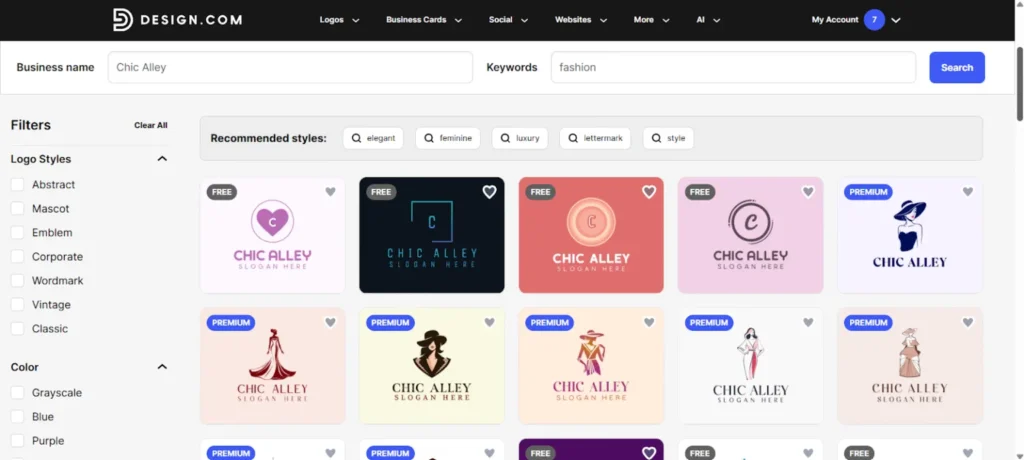
3. Click the design you like the most. Then select your preferred color variation.
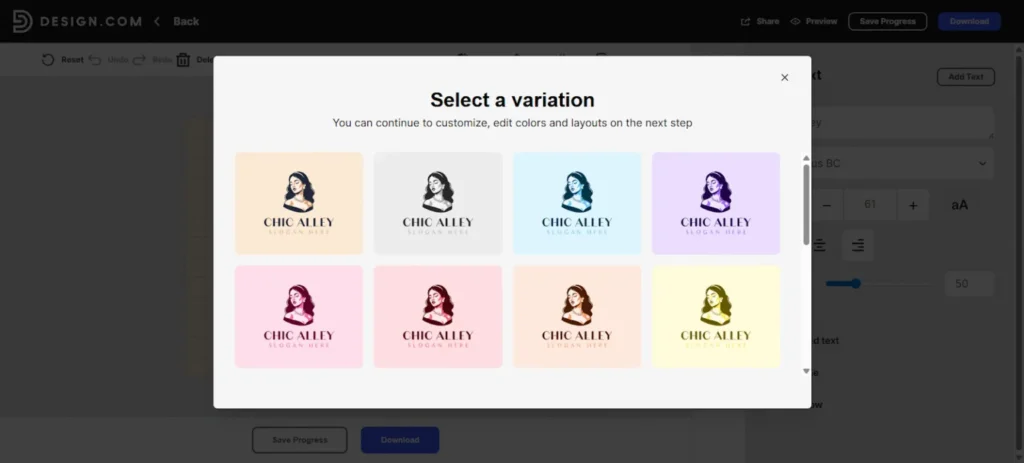
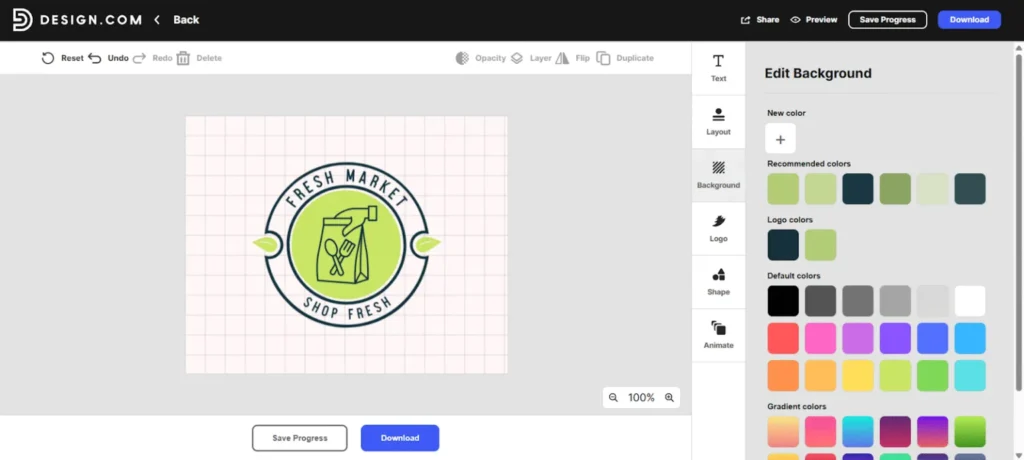
4. You’ll be transferred to the editor. Here you can change fonts, colors, layout, icon, spacing, or add a tagline. You can even add animations if you want to make them look more dynamic.
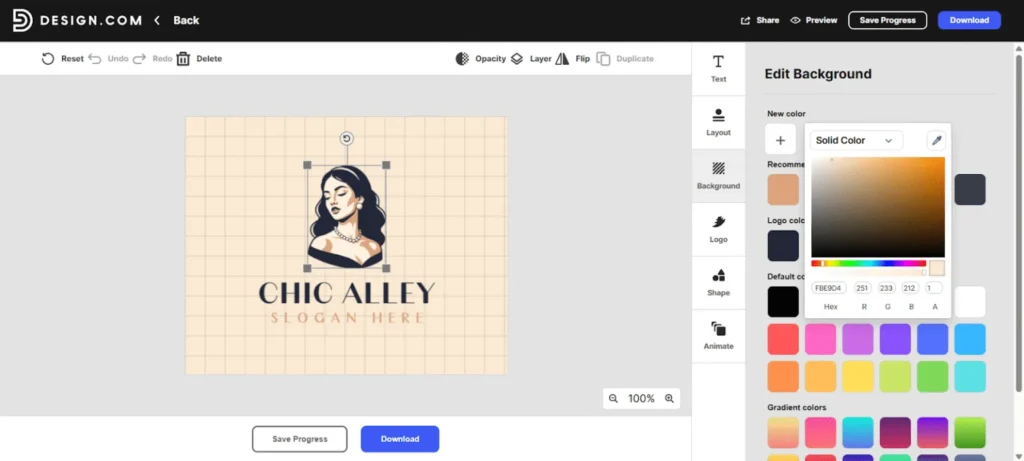
5. Once you’re happy with the look, you can click “Download” to get your logo. You can also preview how the logo will look across different platforms first to see if you are satisfied with it or if you want any changes.
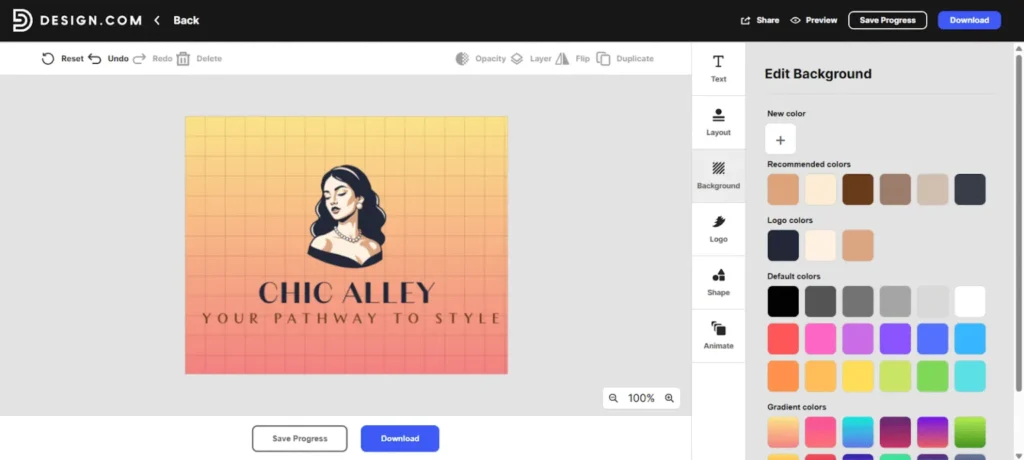
The finished logo can then be downloaded in the following formats:
- Raster files, including .png and .jpg
- Vector files including .svg, .eps, and .pdf
- Animated files, including .gif and .mp4
How to Use the Design.com AI Logo Maker
If you’re starting from a blank slate, Design.com’s AI logo maker can help spark ideas in seconds. Here’s how to use it:
1. Go to https://www.design.com/ai-logo-generator. Enter a short description of your business. Let the AI generate a wide range of logo concepts instantly.
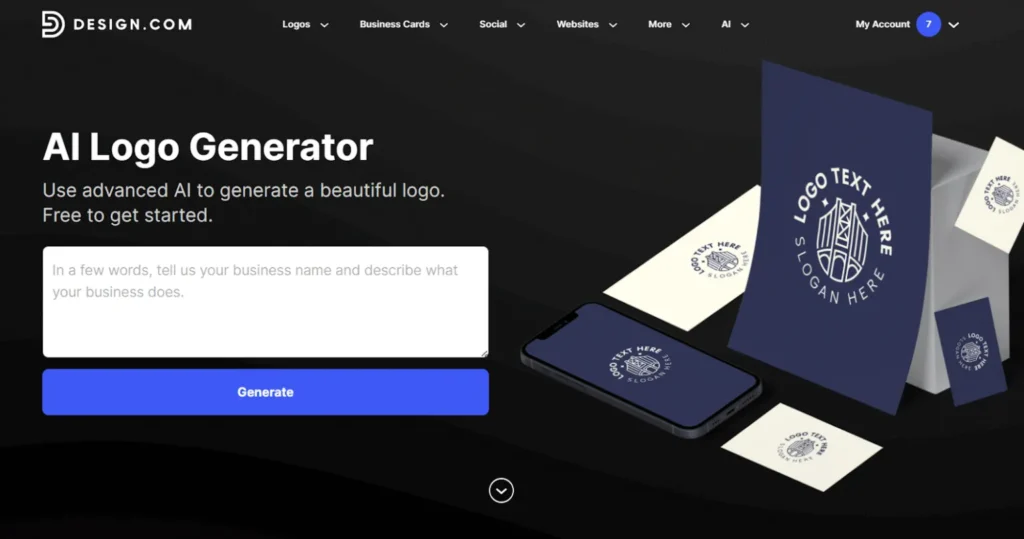
2. From there, you can browse the generated logos to see the version you like most. You can also refine your prompts or keyword.
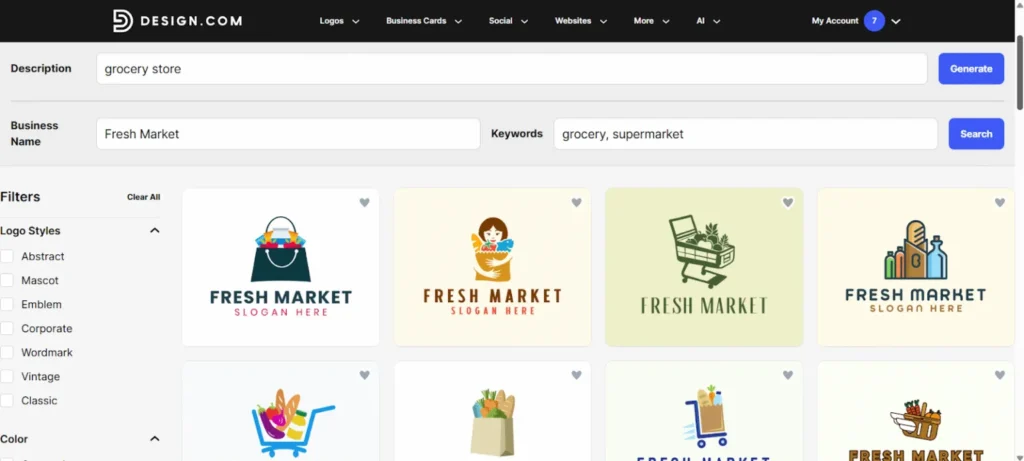
3. You can then refine your chosen design with the same intuitive editor as the standard logo tool.
4. Happy with the look? Click “Download” to get your logo.
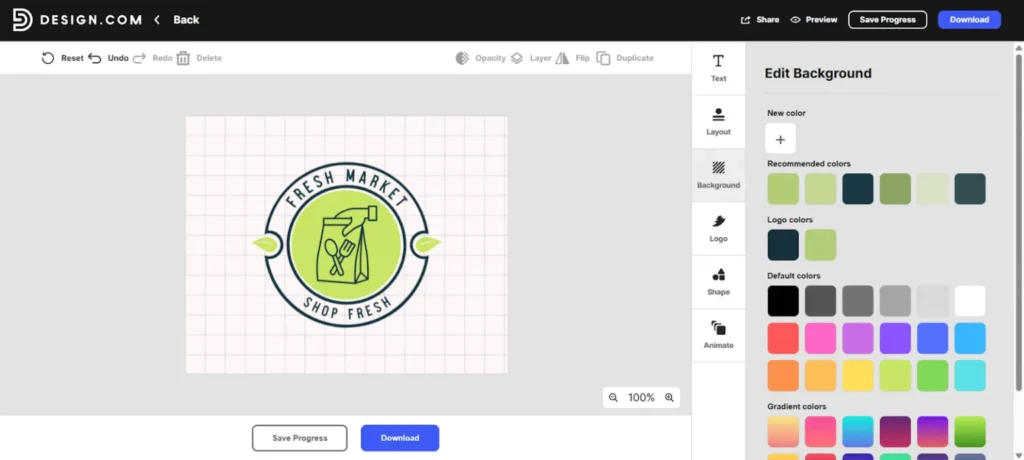
The AI generator is especially useful if you’re not sure about your brand direction as it gives you multiple creative options that you can shape into a final logo. The generated logo also comes in multiple hi-res formats, ensuring you can use your logo for print and digital marketing.
Key Features of Design.com
Design.com packs a variety of features aimed at making logo creation simple, flexible, and fun. Some standout features include:
- Extensive Logo Template Library: You get access to over 350,000+ handcrafted logo templates across industries. Whether you want something modern, playful, corporate, or minimalist, their library helps you find a strong starting point.
- Exclusive Fonts and Custom Shapes: Design.com has over 525+ exclusive fonts and 62,000+ custom vector shapes that can only be found in their library. This ensures that each design you make is unique and not generic.
- Smart AI Logo Generator: If you prefer automated inspiration, the AI generator offers fast, diverse logo ideas using just a few words. It’s perfect when you feel stuck or want to explore different themes before committing to a final design.
- Beginner-Friendly Drag-and-Drop Editor: Once you select or generate a design, customizing it is easy. You can adjust colors, fonts, icons, layout, and spacing with simple tools — no advanced skills required.
- Real-World Mockups: Seeing your logo in action helps you make better decisions. The platform provides previews on business cards, websites, and more.
- Brand Kit Creator – Once you have your logo, the platform can instantly create matching designs for social media, business cards, email signatures, and more.
- Multiple Branding Tools in One Place: Design.com also offers social media templates, posters, email signatures, presentations, and more to help maintain visual consistency.
Pros of Design.com:
Here are some reasons why Design.com shines as the best logo maker tool:
- World’s largest library of logos: The platform boasts 350,000+ logo templates to choose from. This makes it easy for users to find what they need, no matter what style or industry they are going for.
- Easy for non-designers: The editor is intuitive, and the templates are created by top designers all over the world thus reducing the risk of ending up with a “beginner-looking” logo.
- Very fast results: You can create a polished logo in minutes, which is perfect for new businesses, quick launches, or campaigns that need a fast turnaround. Their AI logo generator can even make the conceptualization and design process even faster.
- Affordable pricing: Compared to hiring a designer or buying a full brand package elsewhere, Design.com offers budget-friendly options that still deliver professional-level assets.
- Great for building a full brand kit: If you want more than a logo, you can easily extend its design and style to your social media graphics, business cards, and websites. This makes it easy to achieve a cohesive and 100% on-brand look across your marketing materials.
- Commercially safe: Every logo is vetted for originality and commercial rights, ensuring you can use it without worry.
Cons of Design.com:
- Less suitable for complex designs: May feel basic for users who want highly advanced editing features.
- Potential extra costs: Some premium templates require subscription.
Design.com Pricing
How much does using Design.com costs? Here’s a guide for you:
| Plan | Monthly | Annual | What’s Included |
| Free | $0/month | $0/month | Design.com is free to use and access. There are also free logos available, but some premium designs will require a subscription to use. |
| Starter | $15/month | $5/month | Logo Pack only |
| Value | $24/month | $6/month | Logo Pack + Website |
| Premium | $29/month | $7/month | Logo Pack + Website + More features |
Design.com lets you browse, edit, and design logos for free. There are also free logos available to download, free of charge and with no watermarks.
However, if you want to use some of the premium templates, you will need to pay for a subscription. Prices vary depending on the plan you choose.
Conclusion
Design.com is a great choice if you want a simple, beginner-friendly, and quick way to create a professional-looking logo without hiring a designer. The platform balances ease of use with an impressive range of features from their powerful AI logo generator to a large catalog of customizable handcrafted templates. If you’re launching a new business, testing ideas, or need polished branding quickly and affordably, Design.com delivers excellent value.
FAQS
1. What is Design.com?
Design.com is a leading logo creation platform tailored for startups, entrepreneurs, and small businesses that want a fast, simple way to design professional-looking logos. It offers the best logo maker tool with its extensive collection of customizable templates, a powerful AI logo generator capable of producing on-brand designs within seconds, combined with a beginner-friendly editor.
2. What types of templates does Design.com offer?
Beyond logos, Design.com includes templates for websites, social media graphics, business cards, flyers, email signatures, presentations, QR codes, and more. You can find everything you need to build a cohesive visual identity.
3. Do I need design experience to use Design.com?
Nope! The platform is built with beginners in mind, offering beginner-friendly tools that make it easy to create polished designs without any professional training.
4. Is Design.com free to use?
Design.com includes both free and paid options. You can design at no cost, though some premium templates may require payment.
5. Can I download and use my logo for commercial purposes?
Absolutely. Once you’ve finalized and downloaded your logo, you can use it freely for your business across digital platforms and printed materials.