

Most competitor research starts as a spreadsheet and a Monday morning habit. Somebody opens five rival websites, copies the prices into a tab, glances at the blogs for anything new, and sends a summary round before lunch.
That works for a while. Then the list grows to forty competitors, the company starts selling in three more countries, and the Monday habit turns into a two-day job nobody wants. The numbers are stale before the slide deck is finished.
At that point you have a choice. You can keep sampling a handful of pages and hope they’re representative, or you can collect the data properly: every page that matters, on a schedule, from the places your customers buy in. This article covers the second option. It looks at what to collect, how to run it, and where tools like rotating residential proxies earn their place.
Start With the Questions, Then Pick the Pages
The fastest way to drown in data is to scrape everything a competitor publishes and work out the purpose later. Go the other way round. Write down the decisions the data is supposed to feed.
A pricing manager wants to know when a rival undercuts a key product. A content lead wants to know which topics a competitor has started covering. A founder wants to know whether the “Pro” plan next door quietly lost a feature. Those are three different page lists and three different checking frequencies.
Once you have the questions, map each one to specific URLs. Fifty well-chosen pages checked every day will tell you more than five thousand pages checked whenever someone remembers.
What to Capture on the Pricing Side
A price on its own is close to useless. A product listed at $49 with free shipping is cheaper than the same product at $45 plus $6 delivery, and your tracker should know that.
For each product or plan, try to record:
- The list price and any sale or strikethrough price
- Currency, and whether tax is included
- Shipping cost and delivery estimate, where they’re shown
- Stock status
- Promo banners, coupon codes and bundle offers on the page
- For software, the plan name, the limits attached to it and the annual discount
Then add two fields people forget: the time you collected it and the location you collected it from. Without those, you can’t tell a real price change from a regional difference.
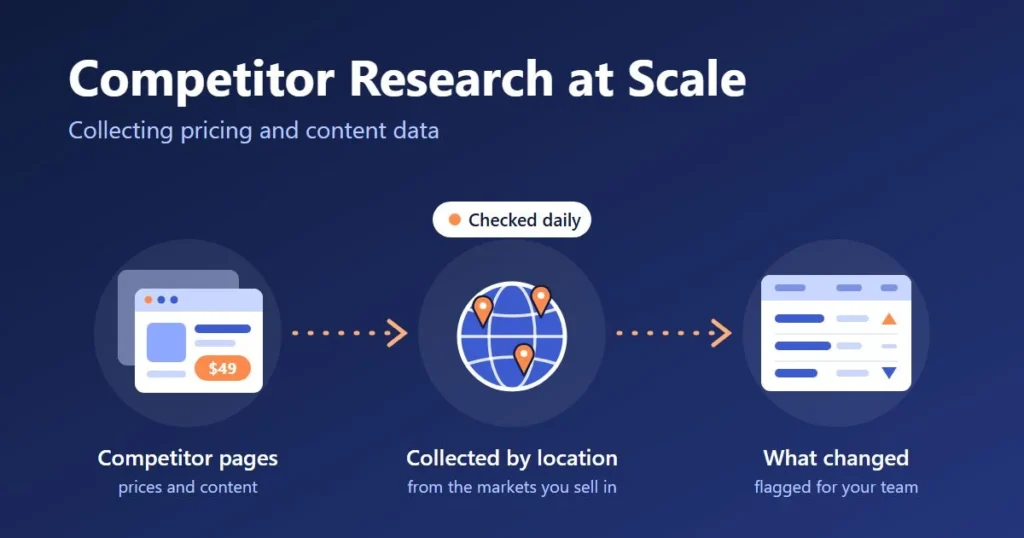
Content Data is the Half Most Teams Skip
Pricing gets the attention because it maps straight to revenue. Content changes move slower, but they show you where a competitor is heading months before the results turn up in anyone’s traffic report.
The cheapest signal is the XML sitemap. Check it daily and you get a list of every new URL a competitor publishes, often with the date it was last modified. New landing pages usually mean a new campaign or a new audience. A burst of articles around one topic means somebody over there has decided to rank for it.
Beyond that, capture page titles, meta descriptions, main headings, word count and the publish or update date. Keep the previous version every time, because the interesting part is the difference. A homepage headline that changes from “for small teams” to “for enterprises” is a strategy memo you didn’t have to go looking for.
Where Collection Breaks Once Volume Goes Up
Fetching ten pages from your office connection is fine. Fetching ten thousand is where things get awkward, and it helps to know how it fails before you get there.
The obvious failures are rate limits and blocks. Sites notice when one address asks for hundreds of pages in a few minutes, and they answer with CAPTCHAs, error pages or a flat refusal. Addresses that belong to cloud servers tend to get this treatment sooner than home connections do, since ordinary shoppers don’t browse from a data center.
The less obvious failure is worse. The page loads without complaint, but it isn’t the page your customers see. Stores change prices, currency, stock and shipping depending on where the visitor appears to be. If your collector sits on a cloud server in Virginia, you’re recording the Virginia version of a retailer that sells mostly in Germany. Nothing errors out. You just end up with a tidy dataset that’s wrong.
Where Rotating Residential Proxies Come in
Both problems, the blocks and the wrong-region pages, come from sending every request from a single address in a single place. That’s the gap rotating residential proxies fill. Your collector sends its requests through a pool of home internet connections instead, and the address can change on every request or stay put for a while, depending on the setting.
Two things follow. Your requests are spread out, so no single address is leaning on a site. And you get to choose where each request appears to come from, which is what makes a regional price check trustworthy.
A few settings matter for competitor research in particular.
Rotation on every request suits independent page fetches, like pulling two thousand product pages where each one stands alone.
Sticky sessions keep the same address for a stretch. You need that for anything with steps, such as adding an item to a cart to see the real shipping cost.
Location targeting decides how detailed your regional view is. Country level is enough for currency and catalog differences. City level matters for delivery fees, local stock and anything a retailer prices store by store.
To give a sense of what’s on offer, ProxyEmpire lists a pool of more than 30 million residential IPs in 170+ countries, with country, region, city and ISP targeting, and bills by the gigabyte with rollover on eligible plans. It also has a $1.97 trial, so you can run a small test against the sites you care about before committing to a plan.
A word on cost. You pay for traffic, so page weight matters. Say a product page comes to around 300 KB as plain HTML and you fetch 10,000 of them a day: that’s roughly 3 GB a day. Load the same pages in a full browser with every image and script and the figure climbs quickly. Block images and fonts in your collector unless you need them.
A Setup a Small Team Can Run
You don’t need a data engineering department. A sensible first version has six parts:
- A list of URLs, each tagged with the competitor, the product or topic, and the markets you want to check it from.
- A scheduler that fetches each URL as often as its question deserves. Prices and sitemaps daily, legal and about pages monthly.
- A parser that pulls out the fields you defined earlier.
- A table that stores every observation with its timestamp and location. Never overwrite the old value.
- A comparison step that flags what changed since last time.
- A short digest sent to the people who can act on it.
Python with a framework like Scrapy handles steps two and three for plain HTML pages, and a browser automation tool such as Playwright covers the sites that build their prices with JavaScript. If nobody on the team writes code, there are no-code automation tools that do the same job with a point-and-click setup. Before you pay for one, check that it lets you add your own rotating residential proxies.
Start with one competitor and fifty URLs. Get that running cleanly for two weeks before you add the rest.
Keeping the Numbers Honest
Automated collection fails quietly. A competitor redesigns a product page, your parser grabs the “was” price where it used to grab the “now” price, and for a month your dashboard shows them 20% more expensive than they are.
A few habits catch most of this. Check a random sample of rows by hand every week against the live site. Hold any price change above a threshold you choose until a person has confirmed it. Track the success rate per site, so a sudden drop tells you a layout has changed or a block has kicked in. And treat a missing value as missing, never as zero.
Stay on the Right Side of the Line
Collecting publicly visible prices and published content is ordinary market research. Retailers were walking into each other’s shops with a notepad long before anyone had a website. The online version still has rules, though.
Stick to pages anyone can see without logging in. Keep your request rate modest enough that you aren’t a burden on the site. Leave personal data alone. Read the site’s terms, and if you work in a regulated industry or plan to republish what you collect, ask a lawyer before you build, not after.
From Data to a Decision
Collection is the part that’s easy to obsess over. What counts is whether anyone does something different on Tuesday because of what arrived on Monday.
So keep the output small. A weekly note with the five changes that matter beats a dashboard with four hundred rows nobody opens. Give each type of change an owner: pricing moves go to whoever sets prices, new content themes go to whoever plans the editorial calendar.
Get that right and the Monday update stops being a chore somebody dreads. It becomes the one email people read before their first coffee.