
Unanswered phone calls can result in lost opportunities, but with a voicemail transcription service, you can convert voice messages to text in a flash. As we move into 2026 and AI speeds up and improves the accuracy of your transcriptions, we’ve compiled the 10 top Business Voicemail Transcription Services to make sure you never miss a call again.
From solo entrepreneurs to growing businesses, these services save time, increase productivity, and reduce the chance of missed opportunities, so let’s explore the top picks and find the right one for your business.
What Is Business Voicemail Transcription? (And How It Works)
When someone leaves a voicemail on a business phone system, the audio recording is automatically processed by software that turns speech into text. The transcript is then delivered to the business—usually by email, SMS, or inside a phone/CRM app.
How It Works (Step by Step)
- Caller leaves a voicemail: a customer or client speaks after the call goes unanswered.
- Audio is recorded: The phone system stores the voicemail as an audio file.
- Speech-to-text processing: The recording is sent to a transcription engine (often AI-based speech recognition). It analyzes the audio, identifies words, and converts them into text.
- Transcript is generate: The system produces a written version of the message. Some services also add punctuation, speaker separation, or timestamps.
- Delivery to business: The transcript is sent to the business via email, app notification, or dashboard—often alongside the original audio.
Why Businesses Use It
- Faster response times:Staff can scan messages instead of listening to them one by one.
- Improved efficiency: Easy to prioritize urgent messages.
- Accessibility: Helpful in noisy environments or for people who prefer reading.
- Record keeping: Text is easier to search, store, and share than audio.
Things To keep In Mind
- Accuracy can vary depending on audio quality, accents, or background noise.
- Proper nouns (names, brands) may be misheard.
- Sensitive industries may require secure or compliant transcription tools.
How to Choose the Right Voicemail Transcription Service?
Selecting the appropriate voice mail transcription service is not a matter of simply selecting the most popular service, but what service fits your workflow, budget, and accuracy requirements. The following are the main considerations:
1. Transcription Accuracy
Choose a service that promises (ideally 90%+) highly accurate AI‑powered transcription, as well as the ability to deal with noise, accents, and technical terms.Low accuracy will require re‑listening or editing, undoing the benefits of automation.
2. Right Place, Right Time
Select a service that delivers text via a medium you use, like email, text message, CRM (e.g., Salesforce, HubSpot), or your phone system inbox. If the text of voicemails is only sent to a separate app you don’t use, you won’t benefit.
3. Integration With Your Phone / PBX System
Make sure the service talks to your phone system (mobile app, VoIP / PBX, or customer service platform). An isolated tool that doesn’t integrate with your main business phone line can lead to data silos and more administration.
4. Security and Data Privacy
Choose a provider that offers encryption in transit and at rest, and has a clear policy for dealing with sensitive information or customer data. This is particularly relevant for industries where confidential information may be left on voicemail, such as healthcare, finance, or the law.
5. Cost and Scalability
Look at per‑user, per‑minute, or bundled‑in plans, and whether costs increase dramatically if your team or call volume increases.A low “first‑tier” plan is useless if you outgrow it fast or if you need to upgrade to much higher‑tier plans for important features (such as a multi‑line phone).
Quick Comparison Table of Business Voicemail Transcription Services
| Service | Type | Voicemail Transcription | Key Strengths | Limitations | Best For |
| Upfirst | AI voicemail + call handling system | Yes (AI-based summaries + transcripts) | Smart voicemail summaries, fast AI response, modern automation | Newer platform, fewer enterprise integrations | Startups, AI-first teams |
| NextPhone | AI business phone system | Yes (built-in AI transcription) | All-in-one phone + AI receptionist + transcription | Higher pricing vs basic VoIP tools | Small businesses needing automation |
| Dialpad | Unified communications (VoIP + AI) | Yes (real-time AI transcription) | Strong AI voice intelligence, live call + voicemail transcription | Advanced features may need higher plans | Sales teams, remote businesses |
| RingCentral MVP | Enterprise UCaaS platform | Yes (AI transcription on most plans) | Very robust system, video + messaging + VoIP integration | Can be complex and expensive | Medium to large businesses |
| Aircall | Cloud call center system | Yes (via integrations/AI tools) | Great CRM integrations, call center workflows | Not ideal for solo users | Sales & support teams |
| Nextiva | Business VoIP platform | Yes (available on higher tiers) | Reliable phone system + CRM features | Transcription not on all plans | SMBs needing full phone system |
| Ooma Office | Small business VoIP | Yes (basic transcription) | Affordable, easy setup, good for small teams | Limited advanced AI features | Small offices, startups |
| Grasshopper | Virtual phone system | Yes (included voicemail transcription) | Simple, cheap, great for solo entrepreneurs | No advanced collaboration tools | Freelancers, solopreneurs |
| Google Voice | Basic VoIP service | Yes (basic transcription) | Free/low cost, easy integration with Google Workspace | Less business control & features | Individuals & very small teams |
| GoTranscript | Human + AI transcription service (not VoIP) | Yes (manual + AI transcription) | Very high accuracy, human-reviewed option | Not a phone system, pay-per-minute cost | Legal, medical, high-accuracy needs |
List Of Top 10 Business Voicemail Transcription Services in 2026
1. Upfirst

Website: https://upfirst.ai/
Up first is an AI-based virtual receptionist that can automatically pick up incoming calls 24/7, so companies do not miss a lead, making it one of the most efficient business voicemail transcription services for small teams. It serves as a front office receptionist, welcoming callers, recording essential information, and making or putting calls on hold when necessary. Each interaction will be summarized, recorded, and transcribed for your team. The service is aimed at being affordable and simple to install, primarily for small businesses that do not have a full-time receptionist or call-handling system.
Best for: Small business
Key Features
- 24/7 call answering, AI-powered, and with a human-like virtual receptionist.
- Transcriptions of all conversations, call summaries, and recordings of calls.
- Call forwarding, schedule appointments, and text-message follow-ups.
- Business phone number and spam-call blocking.
- Multilingual (35+ languages) and artificial intelligence (AI) memory of frequent callers.Google Calendar and Zapier integrations to automate workflows.
Pros:
- Extremely low entry and easy installation of SMBs that require 24/7 call coverage.
- Every plan has all the core functionality (answering, forwarding, scheduling, transcriptions, multilingual support).
Cons
- Poor native CRM and phone-system integrations, other than Zapier and simple calendars.
- Most effective in inbound-only call handling; it is not a complete outbound phone system.
Pricing
- starter: $24.95/user per month
- Premium:$59.95/ Month
- Pro:$159.95/ Month
2. NextPhone

Website: https://www.getnextphone.com/
NextPhone is an answering service utilizing AI to answer inbound calls to small and service-based businesses, with a natural-sounding AI voice that picks up your calls 24/7 and forwards more complex or urgent calls to your team. It is like a virtual receptionist that answers calls, makes appointments, and filters spam, thus you will never miss another opportunity-generating call.
Best For: small agencies,small buisness
Key Features:
- Call answering 24/7/365 with AI-powered natural-sounding responses.
- Infinite inbound calls on a flat rate plan (no per-minute or per call fees).
- Immediate and emergency-call forwarding to your phone.
- SMS and email follow-ups, message taking, and spam filtering are specifically designed to suit trades and service businesses.
- Calendar system and CRM system to manage leads and appointments.
Pros:
- All too predictable, no unexpected bills in peak times, flat-rate pricing.
- 24/7 coverage and powerful call-handling capabilities that are optimized towards SMBs that arrange their services on a case-by-case basis, such as contractors and field-service businesses.
Cons:
- Greater initial monthly fee than certain per-minute and freemium plans, whereas it is more appropriate in greater-volume SMBs.
- Only restricted to certain areas (mainly the U.S. and Canada), which might not be applicable to all international enterprises.
Pricing
- $199 per month.
3. Dialpad
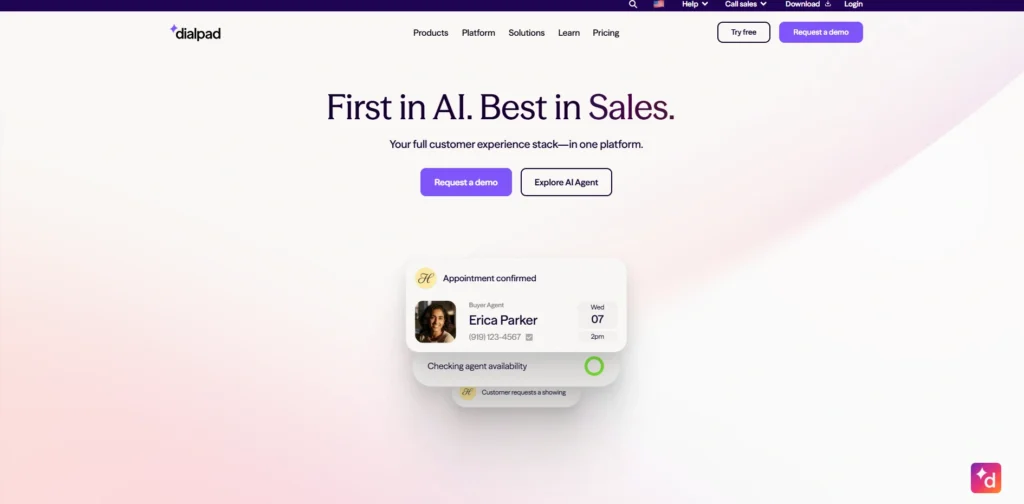
website: https://www.dialpad.com/
Dialpad is an artificial intelligence-driven cloud communications system that provides VoIP voice and messaging, video calls, and contact center services to businesses. It uses AI to provide real-time transcription, summarizing of calls and analytics to facilitate team and customer communication. It was founded in 2011 and is scalable to small teams and enterprises, and has a seamless integration process with Google Workspace and CRMs.
Best For: Small to medium businesses
Key Features
- All plans include unlimited domestic calling, SMS/MMS and team messaging.
- AI based applications such as real time call transcription, voicemail summaries and speech analytics.
- Video conferences of 150 participants (Standard plan) and CRM integrations (Pro+).
- Higher levels: 24/7 support, multi-office management, and SSO.
- Google/Microsoft integrations, reporting and real-time analytics.
- 99.9% uptime and unlimited scalability options are available only to an enterprise.
Pros:
- Artificial intelligence and competitive prices were offered even on the basic plans.
- Powerful scalability and integrations to expand teams.
Cons:
- No texting to Dialpad-to-Dialpad customers; additional charges on certain add-ons.
- Enterprise pricing entails the sales quotes, which are not transparent.
Pricing
- Standard:$15 user/month
- Pro:$25 user/month
4. RingCentral MVP

website: https://www.ringcentral.com/
RingCentral MVP is a business phone service, HD video conferencing, and team messaging in one application. It facilitates unlimited audio conferencing and video conferencing of up to 100-200 participants, depending on the plan. The system is desktop, mobile, and web-based to allow employees to communicate anywhere.
It is also compatible with common applications such as Microsoft 365, G Suite, Slack, Salesforce, and Zendesk, making it one of the most advanced business voicemail transcription services for enterprise-level communication. RingCentral MVP is marketed as a solution that businesses can use to manage calls, messages, and meetings in a single system, as opposed to using various tools.
Best for: small to medium-sized companies.
Key features:
- Single app unified messaging, video, and VoIP phone.
- HD video conferencing and support of up to 100-200 participants.
- In most countries, it has unlimited audio conferencing using dial-in numbers.
- Business telephone services like IVR, call queue and sophisticated call handling.
- Connections to Microsoft 365, Google Workspace, Slack, Salesforce, Zendesk, and more.
- Multi-site management, permissions, and analytics (on advanced levels) administration tools.
Pros
- End-to-end messaging, video, and phone on any device.
- Powerful third-party integrations and adaptable strategies to expand teams.
Cons
- Very small teams can find higher-tier plans to be costly.
- Certain users complain of call-quality or audio-clarity problems periodically.
Pricing:
- Core:$20/user/month
- Advanced:$25/user/month
- Ultra:$35/user/month
5. Aircall

Website: https://aircall.io/
Aircall is a virtual phone system that substitutes traditional desk phones and can be implemented in minutes. It provides a common inbox, call routing, IVR, voicemail, and call recording, enabling the teams to manage both inbound and outbound calls.
The platform is built to operate with tools such as Salesforce, HubSpot, Zendesk, and many others, minimizing context switching, making it a strong option for businesses that rely on help desk software to manage customer support efficiently. It also has in-built analytics, queues, and team features like warm transfers and shared numbers. Its web and mobile applications have remote agent capabilities without additional hardware, which attract startups and mid-sized teams.
Best for: small to medium-sized businesses.
Key features:
- Phone system, local, toll-free and virtual numbers in various countries, in the cloud.
- Call routing, IVR, queues, ring groups, and warm transfers to effectively handle calls.
- Integrations with native CRM and help-desk (e.g. Salesforce, HubSpot, Zendesk, Slack).
- Performance monitoring: call recording, analytics and dashboards.
- Sales teams: Power dialer and voicemail drop (only in more advanced plans).
- WhatsApp messaging and SMS/MMS in the most important markets.
Pros
- Simple installation and high uptime of 99.99% and high quality HD voice.
- Good CRM and help-desk integrations and good sales and support team analytics.
Cons
- On the high-end side, relatively expensive price per seat as compared to some competitors.
- Minimum Seat (Essentials/Professional: 3 users; Custom: 25).
Pricing
- Essentials: $30 per user/month
- Professional:$50 per user/month
- Custom: quote‑based
6. Nextiva
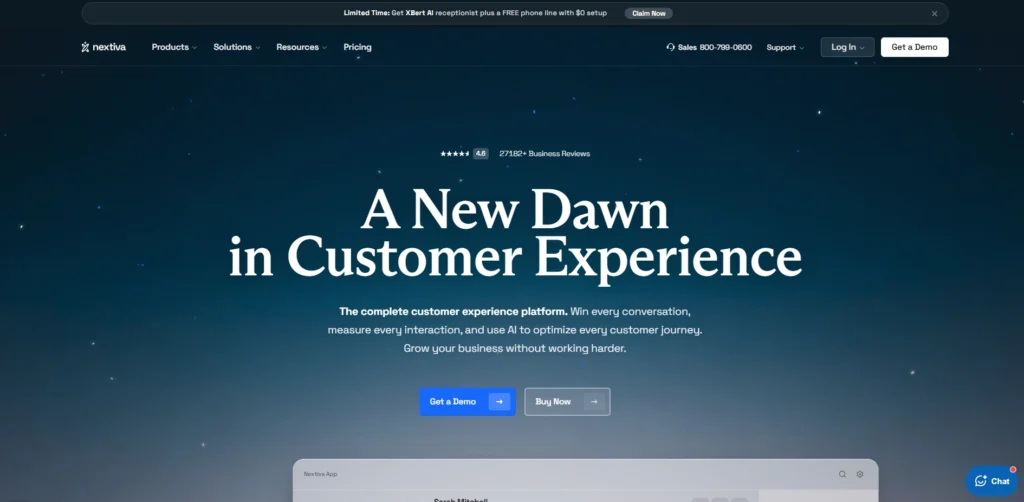
website: https://www.nextiva.com/
Nextiva is a team collaboration solutions, customer experience, and VoIP phone systems provide that is a full-fledged cloud-based unified provider of unified communications. It has more than 100,000 customers, providing them with trustworthy, scalable solutions such as voice calls, video conferencing, SMS, and CRM integrations, making it one of the most reliable business voicemail transcription services for growing companies.
It was established in 2006 with 24/7 U.S.-based support, 99.999% uptime, and AI-powered features to improve productivity. Its platform integrates cross-channel communications, enabling teams to simplify their operations without any on-premise hardware.
Best For: small to medium companies
Key Features
- Unlimited domestic calls, SMS and video conferencing (45 minutes on the basic plans).
- Higher call routing, IVR, voicemail transcription, and analytics.
- Omnichannel enablement and CRM integrations (e.g., with MS Teams) are enabled on higher levels.
- Artificial Intelligence (AI) applications, such as bots, skill-based routing, and workforce management.
- Toll-free numbers, call recording and screen sharing.
Pros
- Unlimited users and 24/7 support.
- Consistent performance, simple to install, and powerful integrations.
Cons
- Premium pricing over competitors, particularly for entry-level restrictions.
- Premium tiers exclusively have advanced CRM features and longer videos.
Pricing:
- Core:$15/user/mo
- Engage:$25/user/mo
- Scale:$75/user/mo
7. Ooma Office
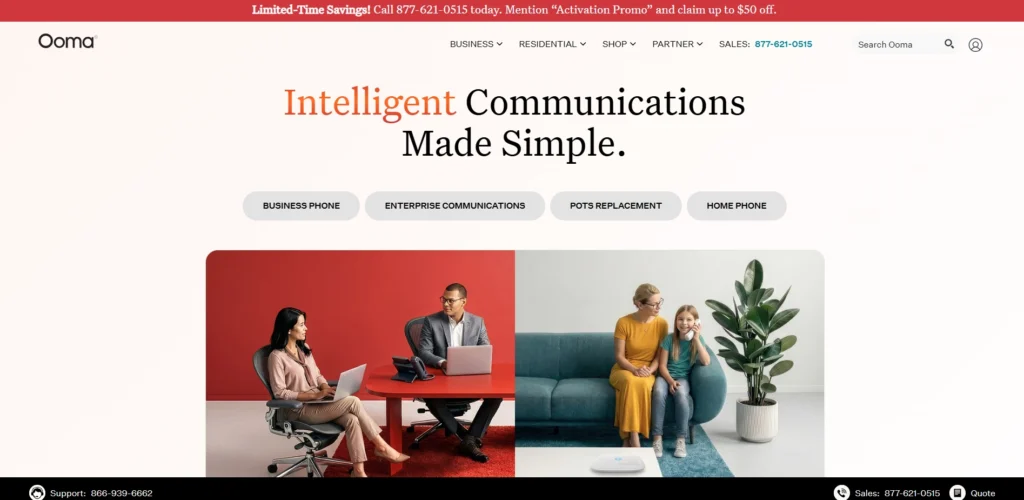
Website: https://www.ooma.com/
Ooma Office is a cloud-based VoIP Office phone system, tailored to businesses with affordable, scalable communications at no contract. It gives limitless calling within the US, Canada, and Mexico, a free business number per user, and more than 50 essential services such as virtual extensions and ring groups. The platform allows multi-site deployments, remote working, mobile and desktop applications, and porting numbers at no additional charge.
It is especially easy to configure through its web portal and can be trusted in its daily activities. Pro plans include features such as video conferencing and analytics to improve teamwork. In general, it is more focused on simplicity and cost reduction of expanding teams.
Best For: Simple requirements of small to medium businesses.
Key Features:
- Unlimited local calling (US, Canada, Mexico) and 50 or more standard VoIP features such as call forwarding and voicemail.
- On-the-go desktop and mobile apps to support calls, messaging, and video meetings.
- Flexible routing with ring groups, multi-site support, and free number porting.
- Video conferencing (up to 25 people in the Pro plan) and call recording.
- Text messaging (up to 250 messages/month in Pro; 1,000 in Pro Plus).
- Easy account management and analytics on higher levels through the web portal.
Pros
- Clear, no contract pricing that suits small teams that grow.
- Base plan that has many features and is easy to set up.
Cons
- Little texting and video in entry plan versus competitors.
- None of the annual discounts and prices are fixed in monthly rates.
Pricing
- Essentials: $19.95/user/month
- Pro:$24.95/user/month
- Pro Plus: $29.95/user/month
- Enterprise:Custom Pricing
8. Grasshopper

website: https://grasshopper.com/
Grasshopper is a virtual phone system for solopreneurs and small businesses that gives them business numbers, extensions, and call management features without the expense or complexity of hardware. Grasshopper’s service is based on VoIP and is available through mobile and desktop apps. It was launched as a low-cost alternative to traditional PBX phones and focuses on being simple for startups and freelancers, with US/Canada calling.
Its key features include calling forwards, voice mail transcription, and texting that make a business look larger than it is, making it one of the most practical business voicemail transcription services for small teams. No contracts. Easy number porting. Overall, a good choice for remote or mobile teams that just need basic communication.
Best For: Small businesses, solopreneurs, and startups.
Key Features
- Unlimited business local, toll-free, or vanity numbers with unlimited calling/texting to US/Canada.
- Extensions and simultaneous ring on multiple devices.
- Voicemail, transcription, custom greetings, and virtual fax.
- VoIP/WiFi calling on mobile and desktop apps with detailed call reports.
- Incoming call controls and instant responses to missed calls.
Pros
- Low entry cost and no hidden fees for keeping it simple
- Easy to set up and good support for small teams and single users
Cons
- Only available in the US/Canada. No smart integrations or analytics if you’re scaling
- Add-ons are required in most cases and can double the cost that’s apparent in the plan
Pricing
- True Solo:$14/month
- Solo Plus: $25/month
- Small Business:$80/month
9. Google Voice

Website: https://workspace.google.com/
Google Voice is a cloud-based business phone service by Google that allows users to handle calls, texts, and voicemail under a single number. Its voicemail transcription option transcribes voice messages into text and allows you to read as opposed to listening. Especially helpful is its integration with Gmail, Calendar, and Meet since it can be used by teams already using Google Workspace. Google Voice is commonly selected because of its cheap price and user-friendly installation, instead of its advanced contact-center capabilities. It is suitable for simple business calling, call forwarding, and message management.
Best For: Small business
Key Features
- Voicemail transcription.
- Forwarding of calls to many devices.
- Infinite domestic calls and US text on business plans.
- Integration of Google Workspace with Calendar, Gmail, and Meet.
- Higher plans, auto-attendant, and ring groups.
- Standard and Premium plans include call recording.
Pros
- Small team prices are affordable.
- Simple installation and good integration with Google applications.
Cons
- Minimal high-end capabilities versus complete contact-center systems.
- Higher plans have some features like auto-attendant, ring groups and call recording.
Pricing
- Starter: $10 per user/month,
- Standard:$20 per user/month
- Premier:$30 per user/month.
10. GoTranscript

website: https://gotranscript.com
GoTranscript is an expert transcription company that concentrates on high-quality human transcription and AI-assisted audio/video to text conversion, and voicemails, making it one of the most trusted business voicemail transcription services for professional use. It is available in more than 60 languages, provides quick turnaround, and serves companies that require quality transcripts of meetings, interviews, or customer voicemails (verbatim or clean). The platform gives great attention to security (HIPAA/GDPR compliant) and has added features such as closed captioning and bulk discounts.
Best For: Small to medium enterprises
Key Features:
- 99 percent precision with human transcribers who are experts in working with complex audio, such as voice mails.
- AI mail summary, extraction, and sentiment analysis tools.
- Turnaround: 5-day standard to 6-12-hour rush.
- Accepts 60 or more languages and various export formats (TXT, DOCX, SRT).
- Discounted sales and loyalty cards for repeat customers.
Pros:
- Multilingual and high accuracy to suit professional voicemail requirements.
- Economical when used by large numbers or in large volumes and discounted.
Cons
- Difficult pricing levels and possible delivery delays.
- The quality of AI is lower than that of its competitors, and it should be frequently edited.
Pricing:
- $35/month for 2100 minutes
AI-Powered vs Human Voice Mail Transcription — Which Is Better?
Voice mail transcription AI is fast and cost-effective, whereas human transcription is accurate on difficult audio. The decision is based on priorities such as urgency and versus precision.
1. Accuracy Insights
Human transcribers understand context, slang, and speaker overlap more effectively, with almost perfect results in research (e.g., 99.6% v. 93.6% AI). In controlled environments, AI excels; however, in the case of real-world voicemails containing background noise, it usually needs editing.
2. Speed and Cost
AI can process voicemails in a few seconds at a very low cost, which is suitable for large volumes of calls, such as customer service. People are slower and more expensive but have ready-to-use output with no edits.
3. When to Choose Each
Use AI to make routine, clear voicemails to save time and money. Make critical calls that require perfection in detail to be done by humans, such as sales follow-ups or compliance. Balancing between AI and human review is a hybrid.
How to Set Up Voice Mail Transcription for Your Business (Step-by-Step)
1. Check your phone system
Make sure your business phone system can transcribe voicemail. VoIP systems may have it built in or as an option. Others require a certain level of service or a linked transcription service.
2. Turn on voicemail
In your phone system, ensure voicemail is turned on for the main line, individual extensions or the departments you want. Create voicemail boxes for sales, support and other departments, if required.
3. Enable transcription
Turn voicemail transcription on in the voicemail or messaging settings. This is typically located under voicemail, call settings, or integrations. If prompted, select whether you want to enable transcription for all users or only certain extensions.
4. Choose the language
Choose the transcription language your customers typically speak. This makes it more accurate, particularly for names, accents, and technical terms.
5. Set delivery options
Select where you want the transcript to appear:
- Email.
- SMS.
- Mobile app notification.
- Admin dashboard.
Some businesses also send the audio and text transcript via email.
6. Leave a clear greeting
Keep your voicemail greeting brief and professional. Have the caller say their name, company, phone number, and purpose of the call. This makes it easier to transcribe.
7. Test it
Make a test call to your business phone and leave a voicemail. Make sure you receive the transcript, and that the text is to good to use.
8. Train your team
Train employees to read the transcript, respond promptly to the caller, and resolve any misunderstandings if the text is not clear enough. And explain how to deal with confidential messages, which may be overheard more easily when texted.
9. Review and improve
Check the quality of the text after a week. If the text is inaccurate, consider a different language, greeting, or provider.
Voicemail Transcription Accuracy — What to Expect
Voice mail transcription is usually sufficient to get a sense and urgency of a message, but not 100 per cent accurate and must be considered as a convenience rather than an absolute record.
Typical Accuracy Range
In favorable conditions, most current AI-powered voicemail-to-text systems can have an accuracy of 80-95 percent on general speech.
Business grade platforms (such as RingCentral, Dialpad, or Google Voice-like services) tend to fall in the 90%-95%, whereas free or bare bones can fall around 80%-85%.
What you may count on.
- Transcription of phone numbers and comparatively simple phrases is at about 95-99 percent accuracy, as systems are skewed to retrieve important contact information.
- It is also possible to deduce intent, names, and even simple context without replaying the audio despite some misheard words.
When Accuracy Drops
The accuracy generally decreases when there is:
- Background noise or low volume.
- Powerful accents, rushed speech, or multiple speakers speaking in overlapping voices.
- Rare technical, medical, or industry-specific words.
These situations can have accuracy to the mid to 80s or lower, and you may have odd or garbled words or [inaudible] like placeholders.
Human vs AI Transcription
- AI voice email transcription: Results are delivered within a few seconds to minutes; accuracy is normally 80-95%, and it is cost-effective in daily business activities.
- Human transcription: Provides 99 percent or above but requires hours and requires more cost (usually, $1-$2 per minute); more suitable in legal, medical, or very sensitive documents.
Is VoiceMail Transcription Secure? (Privacy & Compliance)
Voice transcription can be safe, but it will depend on how the service provider manages data, the security measures it has, and whether it will comply with your privacy and other rules (such as GDPR, HIPAA, or industry-specific regulations).
How voicemail Can be Secure Through Transcription?
- Encryption: Major services encrypt audio and text of voicemail messages (via HTTPS/TLS), as well as data at rest (e.g, with AES-256), such that even if the data is intercepted, it cannot be read.
- Access controls: Authorized platforms have role-based access controls, and thus only authorized users or teams are allowed to view or export transcripts.
- Retention and deletion: A lot of compliant systems allow you to define short retention periods and automatically delete recordings and transcripts when they are not in use to minimize exposure.
Important Privacy and Compliance Concerns.
- Voicemail=personal or PHI: When messages contain personal identifiers, health information (PHI), or financial information, they should be considered as confidential information by laws like GDPR, HIPAA, or financial-industry regulations (e.g., FINRA).
- Minimum-necessary handling: Laws such as HIPAA mandate that unnecessary copying or forwarding of text versions be avoided, and that voicemails contain only minimum necessary PHI and only be accessed by those with a need to know.
- Consent and notice: Certain states demand that all parties must consent to the recording or transcribing of calls; you need to inform the callers that you will record and transcribe their voicemail.
Conclusion
The selection of the appropriate voicemail transcription service is reduced to the size of your business, the cost you are willing to pay, and your business requirements. Upfirst stands above the rest as the best fit in small businesses and solopreneurs who want to have an affordable 24/7 AI-based call answering with quality transcription at 24.95/month, without the complexity required to set it up and multilingual features, making it one of the most reliable Business Voicemail Transcription Services available today.
To grow SMBs that require powerful integrations with CRMs such as Salesforce, Dialpad, or RingCentral, MVPs perform well with AI-based real-time precision (90-95%), unlimited calling, and can scale to $15-25/user/month. In case of the ultra-tight budget constraint or if you are within the Google ecosystem, Google Voice provides basic and efficient transcription at only $10/user/month, and high-volume users may want GoTranscript at 99% human-assisted quality with $35/month with 2100 minutes. Free trial Test along your workflow–focus on accuracy, integrations, and security to get all the stress-free, searchable voicemails that increase response and productivity.
FAQ
Q.1 What Is a Business Voicemail Transcription Service?
Business voicemail transcription services use AI to instantly turn voicemail audio into readable text. Review voicemails on the go via email, app notifications, or CRM integrations, with the best services accurate to 95%+ for clear business calls. Otter.ai and Rev are top options.
Q.2 How Accurate Are Voicemail Transcription Services?
The best business voicemail transcription tools achieve 98%+ accuracy for noise-free voicemails by using advanced AI, including speaker identification and noise cancellation. Notta and Fireflies.ai are best for accents and technical jargon, but accuracy drops 5-10% in noisy environments. Test with your own voicemails.
Q.3 What should I Look For In A Voicemail Transcription Tool?
The best business voicemail transcription services offer real-time transcription, multi-language support, and CRM integrations (e.g., Salesforce, HubSpot). Look for keyword alerts, mobile apps, and security features (HIPAA/GDPR compliance). Bonus features include sentiment analysis & auto-actionable insights.
Q.4 Are Voicemail Transcription Services Secure For Sensitive Business Data?
Yes. The best services (e.g., Otter.ai, Notta) offer end-to-end encryption, SOC 2 compliance, and data retention controls. Avoid free services that lack audits; enable two-factor authentication, and read the privacy policy for how voicemails are handled.
Q.5 Can The Transcriptions Be Integrated With My Business Tools?
Most of them will. You can find integrations for Zoom, Slack, Microsoft Teams, Google Workspace, CRMs, and more. For instance, Fireflies.ai will automatically log transcripts into Salesforce, while TranscribeMe syncs to Zapier, where you can connect to all the apps on your stack. Check the API docs if you have a custom stack.