Google Maps is undeniably powerful, but it is far from perfect. While it has become the default for billions of users, its dominance comes with significant trade-offs that often compromise the user experience. Whether you are navigating your daily commute or planning a cross-country trip, the platform’s limitations are becoming harder to ignore.
Privacy is the primary concern for many, as Google’s extensive location tracking and data collection feel increasingly invasive. Additionally, the interface is frequently cluttered with intrusive ads, and for developers, the skyrocketing API pricing has made it a costly burden for growing businesses. These friction points have opened the door for specialized tools that prioritize security and efficiency.
In this guide, we’ll cover the best free, private, and offline Google Maps Alternatives available today. From community-driven traffic apps to privacy-focused maps that work without an internet connection, you will find a solution tailored to your specific needs. Let’s explore the top contenders that offer more control and better performance.
Why People Are Switching from Google Maps
While Google remains a giant in the industry, several shifting priorities have led users and developers to look elsewhere this year:
- Persistent Privacy Concerns: Users are increasingly wary of Google’s extensive collection of location and usage data. There is ongoing controversy regarding how data is tracked even when “Location History” is toggled off, leading many to seek truly private, encrypted alternatives.
- Aggressive Ad Integration: The app has become increasingly cluttered with “Promoted Pins” and sponsored locations. These advertisements often crowd the interface and can prioritize paid businesses over the most relevant or direct results, frustrating the navigation experience.
- Skyrocketing API Pricing: For developers and businesses, the cost of integrating Google Maps into their own apps has become a significant financial burden. Recent price hikes have forced many startups and established platforms to migrate to more affordable, open-source mapping engines.
- High Resource Consumption: Google Maps is notorious for heavy battery drain and high data usage. Users on limited data plans or those using older hardware often find the app too “heavy” compared to streamlined, lightweight competitors.
- Need for Offline Reliability: Despite having an offline mode, Google Maps still relies heavily on a cloud connection for many features. Users in remote areas or international travelers prefer apps designed with a “first-class” offline experience.
That’s why users are actively looking for better alternatives in 2026.
What to Look for in a Google Maps Alternative
Before you switch, you need to ensure the new app fits your specific lifestyle. Use this checklist to evaluate whether a mapping service is a worthy replacement:
- Offline Map Support: This is a non-negotiable feature for travelers and trekkers. A good alternative should allow you to download entire regions or countries so you can navigate seamlessly in “dead zones” without an internet connection.
- Privacy Policy: If you are switching to escape tracking, look for “privacy-first” apps. Check if the service offers end-to-end encryption for your routes or if they collect minimal data without linking it to your personal identity.
- Real-time Traffic: For daily commuters, timing is everything especially when paired with a vehicle GPS tracker for precise movement tracking. Ensure the app provides live updates on jams, accidents, and road closures to help you find the fastest route during rush hour.
- Public Transport Support: If you don’t drive, your app must include detailed schedules for metros, buses, and trains. The best alternatives provide platform numbers and real-time arrival status for urban transit.
- Platform Availability: Your data should sync where you need it. Check if the service is available across Android and iOS, and if it offers a web version for planning trips on your laptop before you head out.
- Free vs. Paid: While many apps are free, some hide advanced features (like speed camera alerts or voice navigation) behind a subscription. Always check for hidden costs or “freemium” models that might limit your experience.
- India-Specific Coverage: For users in India, local accuracy is key. The app should be able to navigate narrow rural roads, identify local landmarks, and ideally offer support in regional languages to make navigation more intuitive.
Quick Comparison Table – Top Google Maps Alternatives
| App | Best For | Offline Maps | Pricing | Privacy Level | Platform |
| Waze | Live Traffic & Commuting | No | Free (Ads) | Low | Android, iOS, Web |
| Apple Maps | iOS Users & 3D Visuals | Yes | Free | High | iOS, Mac only |
| HERE WeGo | International Travel | Yes (Best) | Free | Medium | Android, iOS, Web |
| Mappls | Indian Door-step Accuracy | Yes | Free | Medium | Android, iOS, Web |
| OsmAnd | Hiking & Power Users | Yes | Freemium | High | Android, iOS |
| Sygic | Professional Drivers / HUD | Yes | Paid/Freemium | Medium | Android, iOS, Auto |
| Organic Maps | 100% Privacy & No Ads | Yes | 100% Free | Extreme | Android, iOS |
| Citymapper | Urban Public Transit | No | Freemium | Medium | Android, iOS, Web |
| TomTom GO | ETA Accuracy & Trucking | Yes | Subscription | Medium | Android, iOS, Auto |
| Maps.me | Offline City Guides | Yes | Free (Ads) | Medium | Android, iOS |
| AllTrails | Trail Discovery & Hiking | Yes (Paid) | Freemium | Medium | Android, iOS, Web |
| DuckDuckGo | Private Business Search | No | Free | High | Web/Browser |
| Petal Maps | Battery Efficiency | Yes | Free | Medium | Android, Huawei |
| Magic Earth | AI Safety & Dashcam | Yes | Free | High | Android, iOS |
| Gaia GPS | Pro-Backcou ntry Mapping | Yes | Paid | High | Android, iOS, Web |
List Of Best 15 Google Maps Alternatives in 2026
1. Waze
- Website: www.waze.com
- Best For: Daily commuters and city drivers who want to save every possible minute.
- Who owns it: Google (Alphabet), but operates on its own social-crowdsourced data engine.
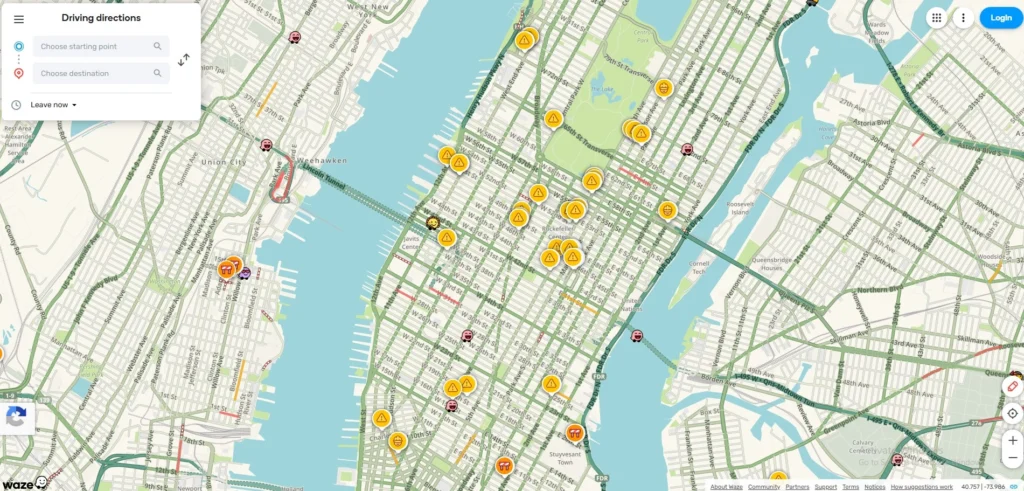
Waze remains the king of community-driven navigation among Google Maps Alternatives. It has deepened its integration with AI to predict traffic patterns before they happen. It relies on millions of “Wazers” who report everything from potholes to police traps in real-time, making it the most dynamic map available for daily drivers.
Key Features:
- Real-time Hazard Alerts: Instant notifications for accidents, construction, and speed cams.
- Waymo Integration: A 2026 update allows Waze to pull automated road-quality data from Waymo autonomous vehicles.
- Planned Drives: Tells you exactly when to leave based on live traffic trends.
Pros
- Fastest re-routing in the industry to save time.
- Crowdsourced data is incredibly accurate for temporary road hazards.
- Fun, customizable interface with various voices.
Cons
- Heavy ad presence can be distracting while driving.
- Significant battery drain due to constant GPS and data updates.
- Lower privacy standards as it is a Google-owned product.
Pricing:
- Free (Ad-supported).
2. Apple Maps
- Website: www.apple.com/maps
- Best For: Apple ecosystem users who prioritize aesthetic design and data security.
- Who owns it: Owned by Apple Inc.
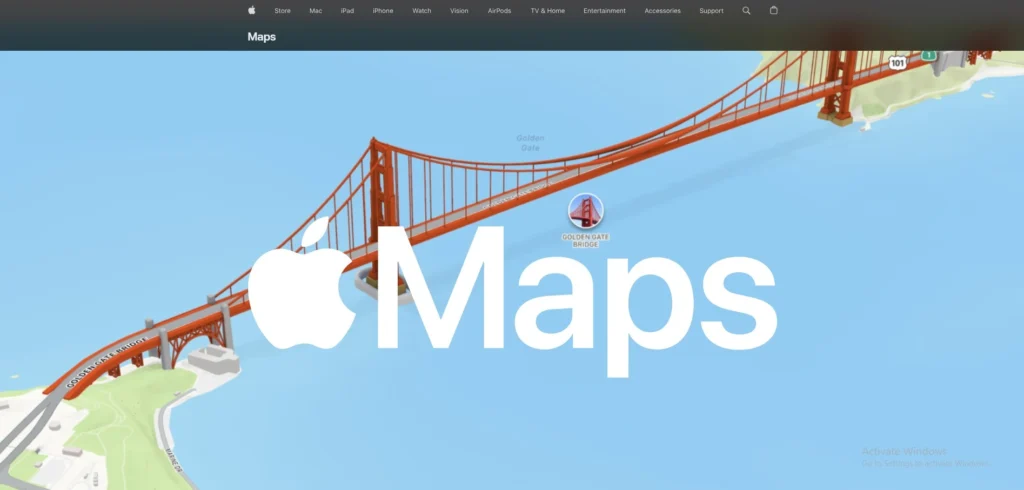
Once the underdog, Apple Maps is a powerhouse of design and privacy. With the “iOS 26” update, it now features stunning 3D “Detailed City Experiences” globally. It focuses on a “Privacy-First” architecture where your location data is decoupled from your Apple ID on the server side.
Key Features:
- Visited Places: A new 2026 feature that intelligently categorizes your history locally on-device.
- Look Around: A high-definition, smooth alternative to Google Street View.
- Inter-device Sync: Seamlessly move a route from your Mac to your iPhone or Apple Watch.
Pros
- Exceptional privacy standards compared to other big-tech maps.
- Clean, minimalist UI that is very easy to read at a glance.
- Superior integration with the Apple Watch and Siri.
Cons
- Not available on Android or Windows platforms.
- 3D “Detailed City” features are limited to major metropolitan areas.
- Search results for small businesses in rural areas can lag behind Google.
Pricing:
- Free.
3. HERE WeGo
- Website: www.here.com
- Best For: International travelers and users with limited or expensive mobile data
- Who owns it: A consortium including Audi, BMW, and Mercedes-Benz.
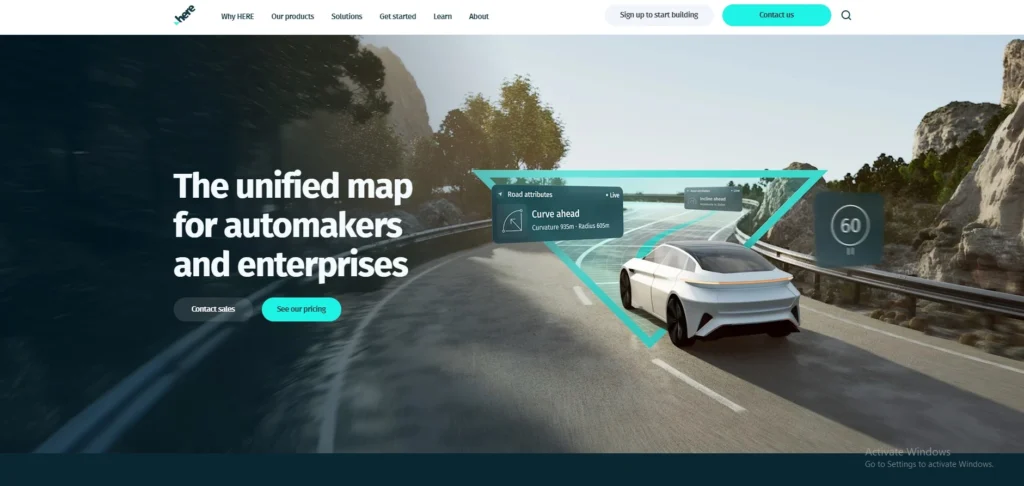
Formerly Nokia Maps, HERE WeGo is a favorite for travelers who move between countries among google maps alternatives. It is one of the few apps that allows you to download entire countries for true offline navigation. It has introduced “3D Spatial Audio” navigation, making voice prompts feel like they are coming from the direction of the turn.
Key Features
- True Offline Mode: Download maps for 100+ countries to use without any data.
- Public Transit: Comprehensive coverage for buses, trains, and subways in 1,300+ cities.
- Visual References: Tells you to “turn after the yellow building” rather than just “turn in 200 meters.”
Pros
- Best-in-class offline reliability for international roaming.
- Extremely accurate for European and Asian city navigation.
- Clean experience with no intrusive advertisements.
Cons
- The interface can feel slightly “corporate” and less “fun” than Waze.
- Requires a massive amount of phone storage for high-detail offline maps.
- Live traffic updates are slightly slower to refresh than Google or Waze.
Pricing:
- Free.
4. OsmAnd
- Website: www.osmand.net
- Best For: Hikers, trekkers, and people who love deep technical data.
- Who owns it: OsmAnd B.V. (Independent/Open-source based).
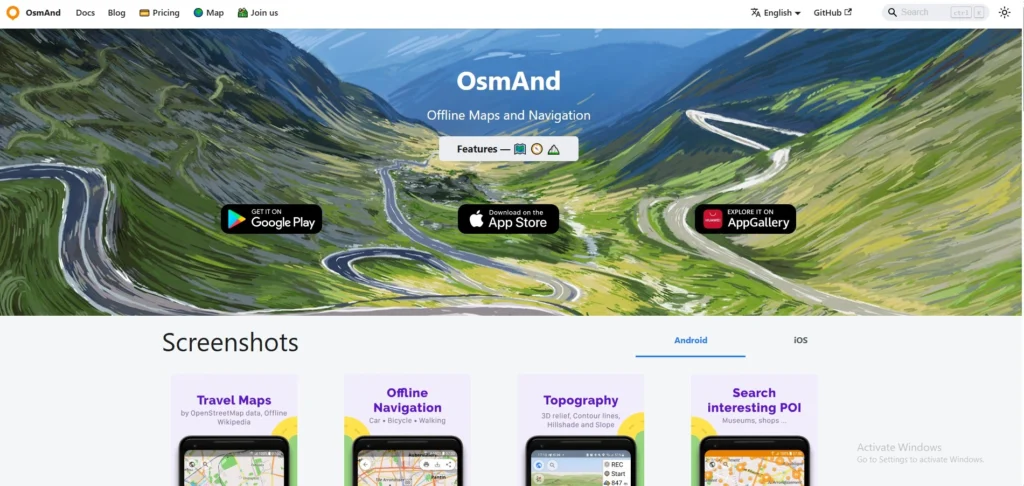
OsmAnd is a highly technical, open-source mapping tool used by hikers, cyclists, and off-roaders. It uses OpenStreetMap (OSM) data, which is essentially the “Wikipedia of Maps.” It has added “Globe View” and “3D Buildings,” making the open-source data feel as premium as paid competitors.
Key Features
- Astronomy Plugin: A unique 2026 feature that shows sun/moon positions and star maps relative to your location.
- Contour Lines: Detailed topographical maps for hiking and mountain biking.
- Highly Customizable: You can toggle hundreds of map layers, from nautical depths to Wikipedia points of interest.
Pros
- Works 100% offline with no internet required for searching.
- Huge community-driven data includes tiny walking paths missed by other apps.
- No data tracking or selling of your personal location history.
Cons
- Very steep learning curve for non-technical users.
- The interface is cluttered with many technical menus and toggles.
- The free version limits the number of map downloads you can have.
Pricing:
| Start | Maps+ | Pro | XV |
| $0 | $10.61/yr | $37.16/yr | $371.63 one time |
5. Organic Maps
- Website: www.organicmaps.app
- Best For: Privacy purists and travelers who want a simple, “no-nonsense” map that just works.
- Who owns it: Open-source community (Non-profit).
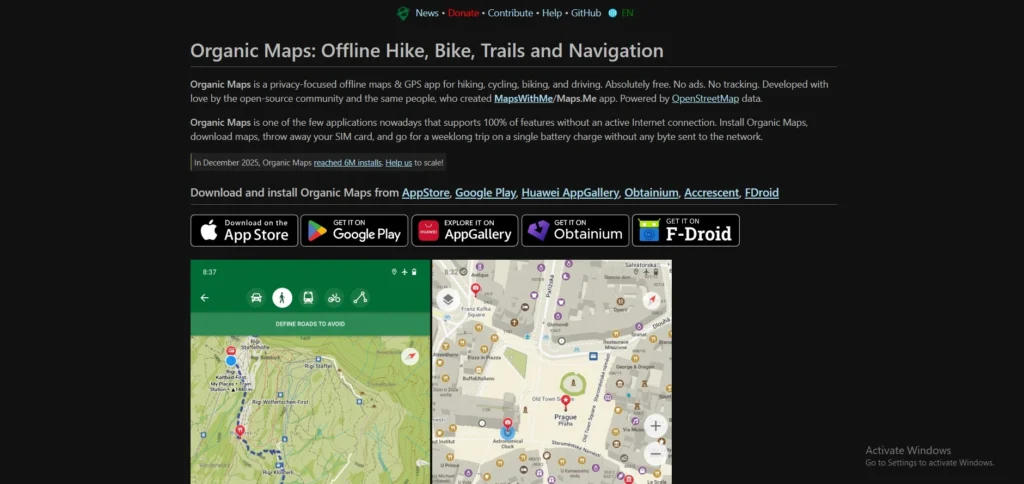
Organic Maps is the “clean” alternative for people who hate bloatware among google maps alternatives. It is a fork of the original Maps.me, created by the same developers but without the ads and tracking. It is fast, lightweight, and focuses on doing one thing perfectly: showing you where you are without needing an internet connection.
Key Features
- Zero Tracking: No registration, no ads, and no data collection period.
- Battery Optimized: Uses significantly less power than Google Maps or Waze.
- Built-in Hiking Trails: Includes paths and trails not found on standard road maps.
Pros
- Incredibly fast and lightweight, even on older smartphones.
- Completely free with no “pro” versions or hidden costs.
- No “sponsored” results cluttering your view or influencing your route.
Cons
- No real-time traffic updates or accident reporting.
- Lacks satellite imagery or “Street View” style photos.
- Search logic isn’t as smart as AI-driven apps for vague queries.
Pricing:
- Free.
6. Mappls (MapmyIndia)
- Website: www.mappls.com
- Best For: Residents and travelers in India who need precise house-level navigation.
- Who owns it: MapmyIndia (C.E. Info Systems Ltd), an Indian company based in New Delhi.
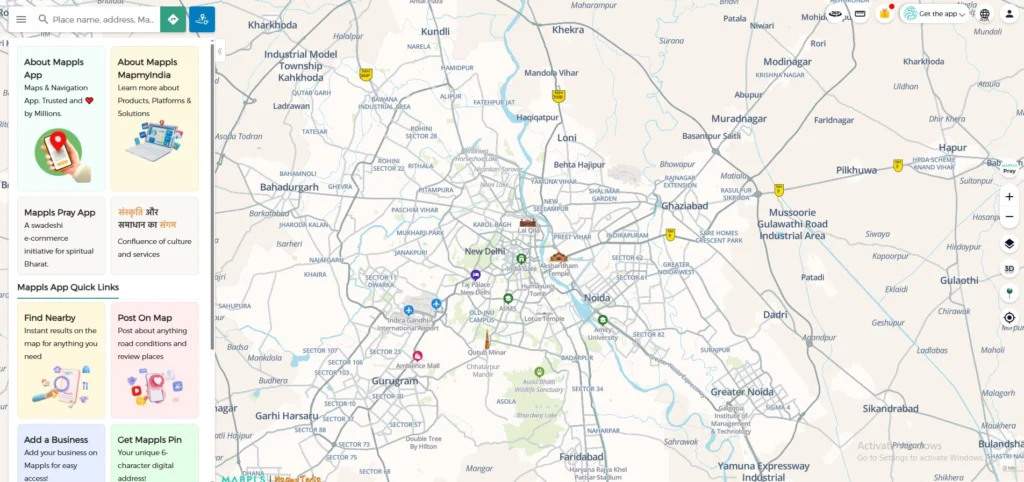
Mappls is India’s most advanced indigenous mapping app, offering detail that often surpasses Google Maps within the subcontinent. It features “RealView” 360-degree panoramic imaging and highly precise 3D junction views. It is famous for its “door-step” accuracy, mapping even the smallest house numbers in complex urban colonies.
Key Features
- Mappls Pin: A unique 6-character digital address code for any precise location.
- Junction View: Displays 3D photo-realistic images of upcoming flyovers and intersections to prevent wrong turns.
- Safety Alerts: Real-time warnings for speed breakers, sharp curves, and accident-prone zones.
Pros
- Unmatched accuracy for Indian house addresses and rural road networks.
- Data is stored on Indian servers, providing better sovereign privacy for local users.
- Includes specialized features like a “Toll Savings Calculator” and “Live Traffic Signal Timers.”
Cons
- The user interface can feel cluttered and “laggy” on mid-range devices.
- Global coverage outside of India is not as detailed as competitors.
- Automatic re-routing for faster paths is occasionally slower than Google or Waze.
Pricing:
- Free.
7. Sygic GPS Navigation
- Website: www.sygic.com
- Best For: Tech-savvy drivers and EV owners who want a futuristic dashboard experience.
- Who owns it: Sygic (a Slovakia-based company).
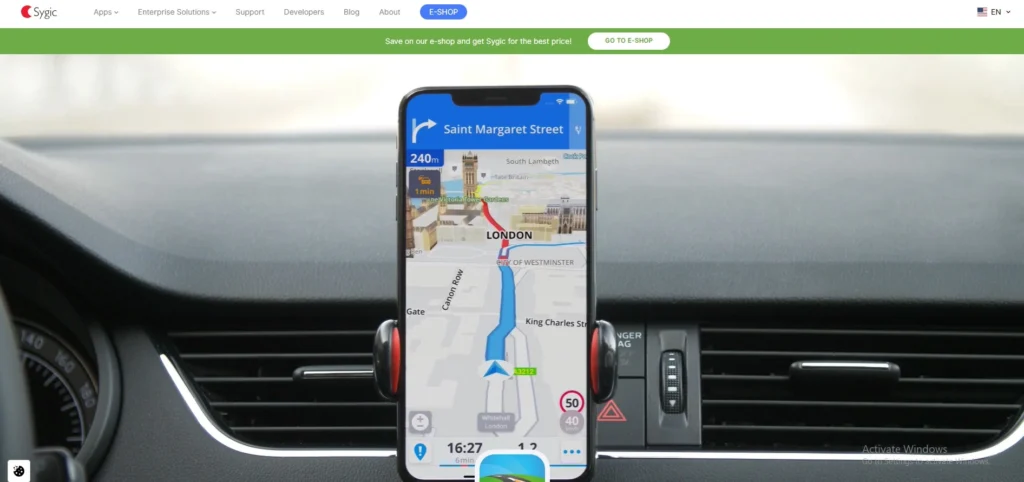
Sygic is a premium navigation app trusted by over 200 million drivers among google maps alternatives. It is known for its high-quality 3D offline maps provided by TomTom. It introduced a dedicated “Motorbike Mode” with twisty route preferences and a “Head-up Display” (HUD) feature that projects navigation onto your car’s windshield at night.
Key Features
- Head-up Display (HUD): Projects essential navigation info onto the windshield so you never look down.
- Dashcam & Sign Recognition: Uses your phone’s camera to record the road and detect speed limit signs in real-time.
- EV Mode: Detailed routing for electric vehicles, including charging station availability and connector types.
Pros
- Visually stunning 3D maps that are very easy to follow in complex cities
- Advanced safety features like “Wrong-way Warning” and “Dynamic Lane Assistant.”
- Frequent offline map updates (multiple times per year).
Cons
- Many “wow” features (like HUD and Dashcam) are locked behind a subscription.
- Voice instructions can sometimes be overly repetitive in city traffic.
- Significant storage space is required for high-detail 3D offline maps.
Pricing:
- $23.42/yr
8. TomTom GO Navigation
- Website: www.tomtom.com
- Best For: Professional drivers, truckers, and commuters who value precision over “free” features.
- Who owns it: TomTom N.V. (Netherlands-based).
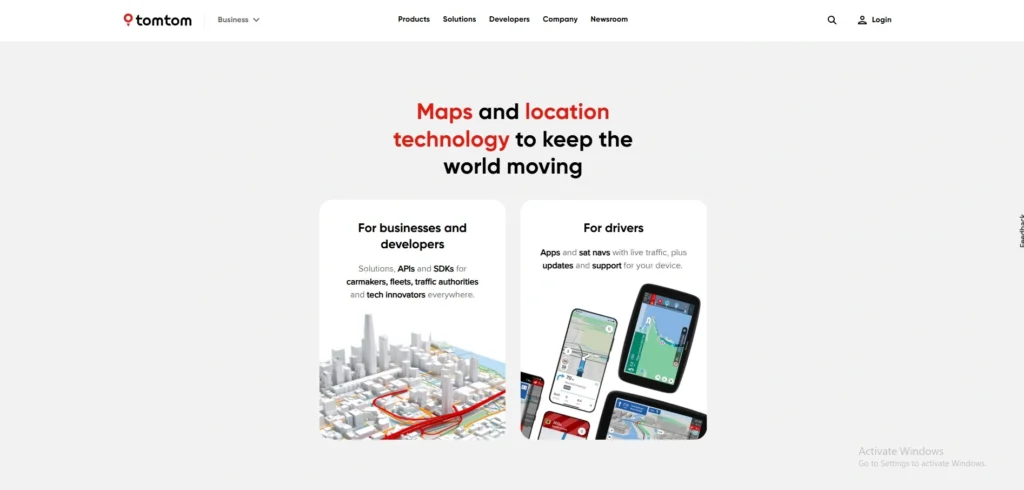
TomTom GO is built on the same professional-grade mapping tech used by major car manufacturers. Unlike free apps, it focuses on extreme ETA accuracy and “Superior Visual Cues.” It has added an “Avoid Low Emission Zones” feature, helping drivers of older vehicles avoid heavy city fines automatically.
Key Features
- Moving Lane Guidance: Crystal-clear animations showing exactly which lane to be in for exits.
- Weekly Map Updates: Maps are refreshed weekly to account for new road closures and speed limit changes.
- Ad-Free Experience: A strictly professional interface with zero distractions or sponsored pins.
Pros
- Some of the most accurate ETAs in the industry, even in heavy congestion.
- Excellent integration with Android Auto and Apple CarPlay.
- Deeply customizable map colors and route lines for better visibility.
Cons
- It is a paid service with a relatively short free trial period.
- Lacks the social/crowdsourced reporting fun found in Waze.
- Requires a stable subscription to keep traffic and speed camera alerts active.
Pricing:
- Available on request
9. Magic Earth
- Website: www.magicearth.com
- Best For: Users who want a professional navigation app that respects their digital rights.
- Who owns it: General Magic (part of the Magic Lane family).
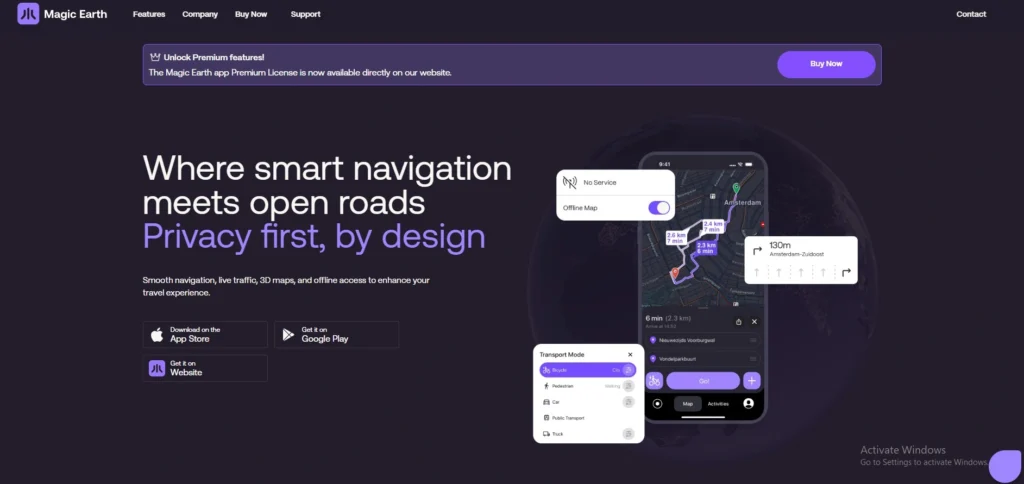
Magic Earth is a hidden gem for the privacy-conscious among google maps alternatives. It uses OpenStreetMap data to provide a full suite of features-including 3D maps and satellite views—without tracking the user. It moved to a “Freemium” model where core navigation is free, but “Premium” adds AI-driven traffic awareness.
Key Features
- AI Dashcam: Uses artificial intelligence to warn you about potential collisions or lane departures.
- Privacy Foundation: Does not profile users, track location history, or monetize personal data.
- Scenic Routing: A new 2026 mode that finds the most beautiful, hilly, or curvy roads for road trips.
Pros
- Completely ad-free, providing a very clean and focused navigation screen.
- High-speed performance with very smooth map panning (120Hz support).
- Includes public transit, cycling, and hiking modes in one app.
Cons
- Real-time traffic is now a paid premium feature.
- Points of Interest (POIs) can sometimes be less comprehensive than Google.
- The community reporting system is smaller than Waze or Apple Maps.
Pricing:
| Essential | Premium |
| $0 | $6/yr |
10. Maps.me
- Website: www.maps.me
- Best For: Backpackers, international tourists, and casual city explorers.
- Who owns it: Daegu Limited (formerly Mail.ru/My.com).
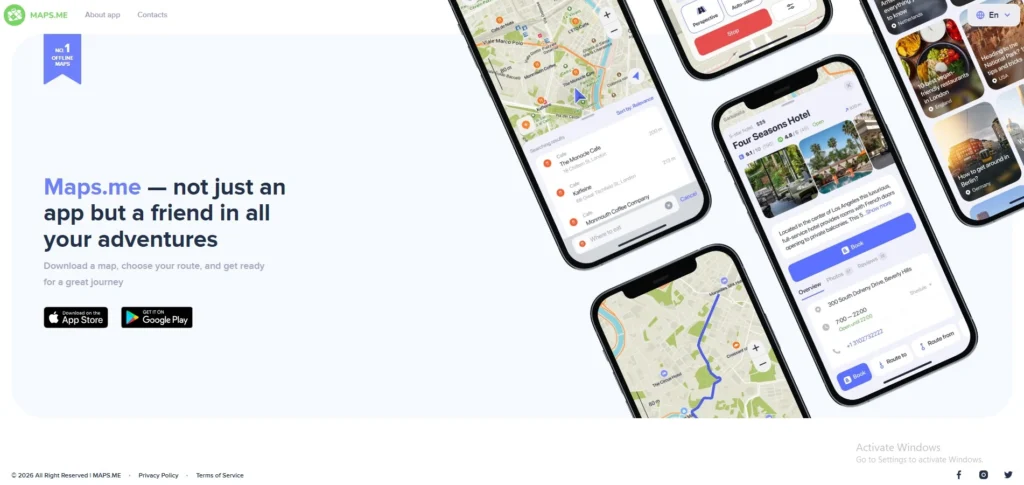
Maps.me is one of the oldest names in offline mobile mapping. While it has gone through various ownership changes, It remains a staple for backpackers. It specializes in “City Guides” and pre-planned travel itineraries that work entirely without a SIM card or Wi-Fi.
Key Features
- Curated Travel Guides: Thousands of ready-to-use routes for sightseeing in world-famous cities.
- Wallet Integration: Allows users to book hotels (via Booking.com) directly within the offline map.
- Compact Map Data: Highly compressed files that save internal phone storage.
Pros
- Excellent for identifying small footpaths and “hidden gems” in tourist areas.
- Very easy to use for non-technical travelers.
- One of the best apps for searching for specific categories (like “pharmacy” or “ATM”) while offline.
Cons
- The app now includes ads and “wallet” features that some users find cluttered.
- Not ideal for car navigation due to limited real-time traffic features.
- The search engine can be finicky if you don’t type the exact name of a place.
Pricing: Free (Ad-supported) with in-app purchases for premium guides.
11. Citymapper
- Website: www.citymapper.com
- Best For: Daily city commuters and tourists visiting major world capitals.
- Who owns it: Via Transportation, Inc.
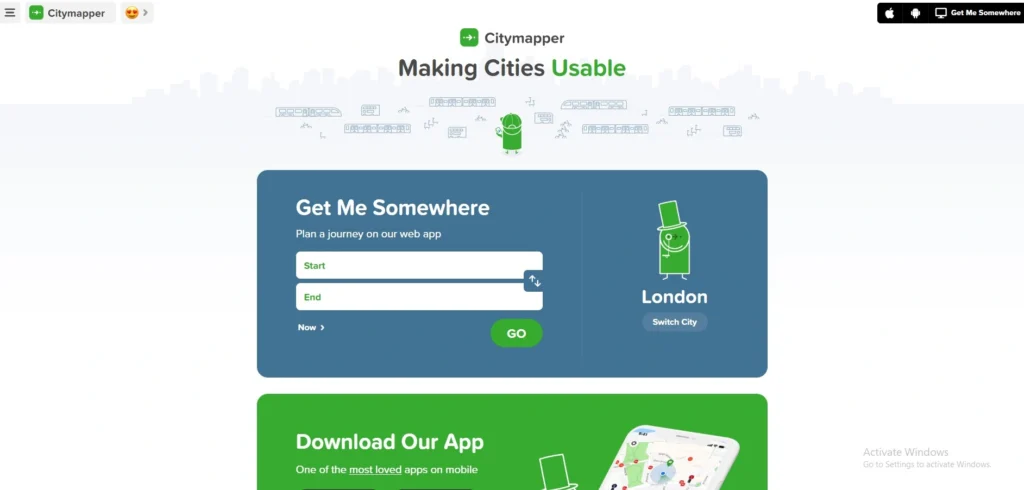
Overview Citymapper is the ultimate “urban survival” app for city dwellers among google maps alternatives. It launched the world’s first AI-powered multimodal journey planner. It doesn’t just show you routes; it provides an AI summary of the tradeoffs between speed, cost, and “sweat factor” (walking distance), helping you navigate complex metro and bus systems with ease.
Key Features
- AI Journey Summary: A 2026 feature that highlights the best route based on real-time service disruptions and your personal travel history.
- Get Off Alerts: Real-time notifications that tell you exactly when to get off your bus or train so you never miss a stop.
- Multimodal Integration: Combines walking, cycling, scooters, cabs, and all public transit in a single view.
Pros
- The most accurate real-time data for subways, metros, and buses in major global cities.
- “Main Entrance” vs “Side Entrance” logic tells you exactly which station exit to use.
- Clean, humorous interface that makes commuting feel less stressful.
Cons
- Limited to major metropolitan areas; it is nearly useless in small towns or rural areas.
- The best AI-driven features are now locked behind the “Citymapper CLUB” subscription.
- Can be heavy on data usage due to constant real-time transit updates.
Pricing:
- Free
12. AllTrails
- Website: www.alltrails.com
- Best For: Casual day hikers and families looking for outdoor weekend activities.
- Who owns it: AllTrails, LLC.
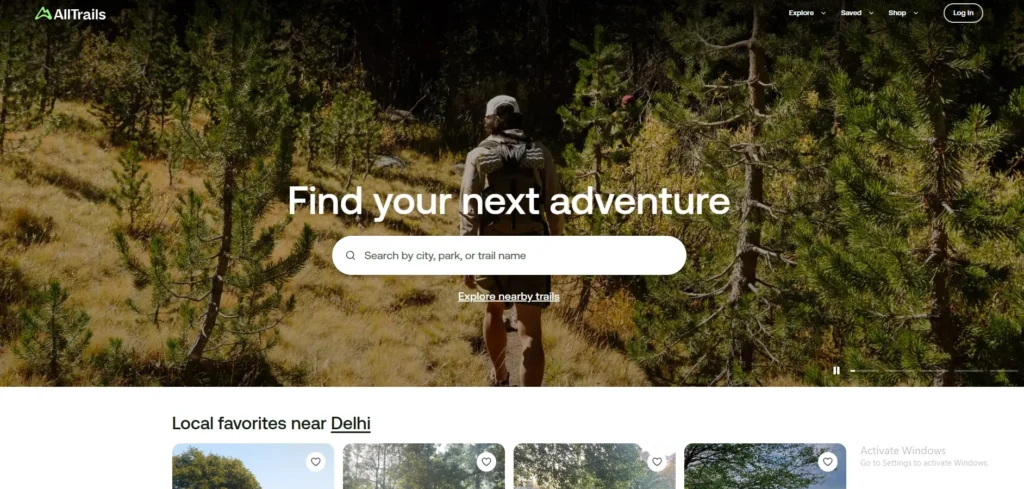
AllTrails is the go-to platform for anyone looking to escape the pavement. With over 500,000 curated trails, it is essentially the “social network for hikers.” It has improved its “Live Share” safety feature, allowing friends to track your progress in the wilderness in real-time.
- Trail Reviews & Photos: Crowdsourced updates from other hikers about current trail conditions (e.g., “very muddy today”).
- Offline Maps: Downloadable topographical maps that work deep in the mountains without a signal.
- Detailed Filters: Search for trails by difficulty, length, elevation gain, and “dog-friendly” status.
Pros
- Largest database of curated hiking, running, and biking trails in the world.
- Extremely intuitive UI that makes discovering new weekend adventures easy.
- Verified trail maps prevent you from taking accidental detours into dangerous terrain.
Cons
- Offline navigation and “wrong turn” alerts require a paid “Plus” subscription.
- Popular trails can become overcrowded because everyone is using the same app.
- Building your own custom cross-country route is limited compared to professional tools like Gaia GPS.
Pricing: Free trial version available. Paid plans cost $10.61.
13. DuckDuckGo Maps

- Website: www.duckduckgo.com
- Best For: Privacy-conscious users who need to find local businesses without being tracked.
- Who owns it: DuckDuckGo, Inc.
DuckDuckGo doesn’t have a standalone app; instead, it integrates high-quality mapping directly into its privacy-focused browser and search engine among google maps alternatives. It uses the Apple Maps framework but strips away all tracking. It is the best choice for a quick search like “Coffee shop near me” without that data being tied to your identity forever.
Key Features
- Strict Privacy: Your searches are never saved, and your location is only used temporarily to find results.
- Apple Maps Framework: Uses the beautiful and accurate MapKit JS for the visual experience.
- Dark Mode Sync: Automatically matches your system-wide privacy and theme settings.
Pros
- Zero “ad-retargeting”-you won’t see ads for “coffee” on Instagram just because you searched for it here.
- Very fast and lightweight; no need to install a separate “heavy” mapping app.
- Completely free with a focus on ethical data use.
Cons
- Lacks a dedicated mobile app with turn-by-turn “voice” navigation.
- No offline map downloads available.
- Not a “full” replacement for driving-it is a search-and-find tool, not a GPS navigator.
Pricing:
- Free.
14. Gaia GPS
- Website: www.gaiagps.com
- Best For: Hunters, off-roaders, and professional outdoor guides.
- Who owns it: Outside Interactive, Inc.
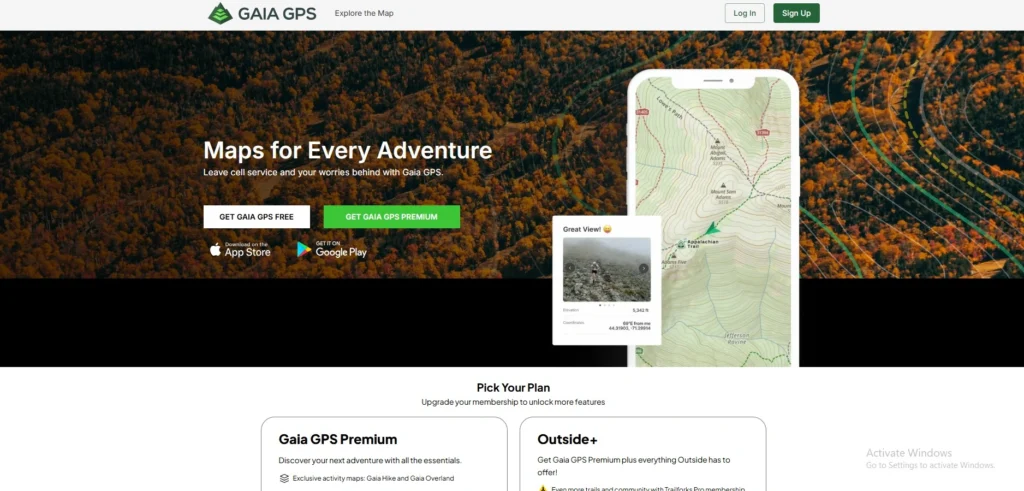
Gaia GPS is the “gold standard” for professionals who work outdoors, firefighters, guides, and serious explorers. It offers a massive library of map layers including public vs. private land boundaries and historical maps. It added “Satellite + Topo” hybrid overlays that are crisp enough for professional surveying.
Key Features
- Public Land Overlays: Clearly shows boundaries for National Forests, BLM land, and private property.
- Custom Route Building: Pro-level tools for planning complex multiday treks across unmarked terrain.
- Weather Overlays: Real-time wildfire and snow-depth layers integrated directly onto your route.
Pros
- The most powerful offline mapping engine for non-road navigation.
- Professional-grade map layers (NatGeo, USGS, NOAA) available in one app.
- Robust “Track Recording” that is highly accurate for scientific or professional use.
Cons
- The user interface has a steep learning curve for casual users.
- High subscription cost for the full “Premium” map library.
- Can be “overkill” if you just need directions to a nearby park.
Pricing:
| Free | Premium |
| $0 | $59.90/mo |
Best Google Maps Alternative for Specific Use Cases
Best for Privacy
When it comes to digital sovereignty and data protection, Organic Maps and DuckDuckGo Maps are the top contenders for 2026. Organic Maps is a completely open-source project that operates with zero tracking, no ads, and no data collection, making it a favorite for privacy purists. Since it is a non-profit initiative, it doesn’t have an incentive to profile you for
advertisers. Similarly, DuckDuckGo Maps allows you to search for local businesses and directions within their private browser environment without tying your location history to a personal identity. These tools ensure that your movements remain your own business, preventing the “ad-retargeting” that typically happens after you search for a location on mainstream platforms.
Best for Offline Use
For travelers and those in areas with spotty network coverage, HERE WeGo is the gold standard for offline navigation. Unlike other apps that only allow you to save small “rectangles” of a map, HERE WeGo lets you download high-quality data for entire countries at once. This includes full turn-by-turn voice guidance and points of interest that function perfectly without a SIM card or Wi-Fi. In 2026, it remains the most reliable companion for international roaming, as it allows users to navigate foreign cities and highways without incurring expensive data charges. Its specialized compression technology ensures that even large country maps don’t overwhelm your smartphone’s internal storage.
Best in India
Mappls (MapmyIndia) has solidified its position as the superior choice for the Indian landscape, offering a level of hyper-local detail that global giants often miss. It is particularly famous for its “Mappls Pin” system, which provides a six-character digital address for every doorstep in India, including those in dense urban slums and remote villages. The app features advanced 3D junction views and safety alerts specifically tuned for Indian road conditions, such as warnings for unmapped speed breakers and sharp curves. Because it is an indigenous company, its data is stored on local servers, and it provides better support for regional languages and unique local landmarks than any other competitor.
Best for Public Transport
For navigating the complexities of modern urban transit, Citymapper is unparalleled. It goes far beyond simple bus and train schedules by offering an AI-powered multimodal journey planner that calculates the most efficient way to combine walking, metros, and ride-sharing services. The app is loved for its “Get Off Alerts” and its ability to tell you exactly which carriage of a train to board so you are closest to your exit. In 2026, its real-time disruption alerts are the most accurate in the industry, saving commuters hours of frustration by suggesting alternative routes the moment a subway line or bus route faces a delay.
Best Free Alternatives
If you are looking for a completely free experience without hidden subscriptions or “Pro” tiers, Waze and Organic Maps are the best options, though they serve different needs. Waze provides a feature-rich, community-driven experience that is entirely free because it is supported by non-intrusive ads. It offers the fastest real-time traffic updates by crowdsourcing data from millions of drivers. On the other end of the spectrum, Organic Maps offers a high-quality offline experience that is free because it is maintained by a global community of developers as a public service. Both apps allow you to access premium-level navigation features without ever having to pull out your credit card.
Best for Hiking & Outdoor
For those who prefer trails to tarmac, AllTrails and OsmAnd are the leading choices for outdoor exploration. AllTrails acts as a massive social directory for hikers, providing crowdsourced photos, difficulty ratings, and recent trail conditions for over half a million paths globally. It is perfect for discovering weekend getaways and family-friendly walks. However, for serious backcountry explorers and off-roaders, OsmAnd provides a more technical toolkit using OpenStreetMap data. It includes essential topographical features like contour lines, hillshading, and nautical charts that work 100% offline, ensuring that you can find your way back even in the deepest wilderness where GPS signal is the only thing you can rely on.
Google Maps vs. Alternatives – Which is Better
Choosing between Google Maps and its competitors is no longer about which app is “better” overall, but rather which tool is better for your specific intent. While Google continues to lead in sheer data volume, specialized alternatives have carved out significant advantages in privacy and efficiency.
| Feature | Google Maps (2026) | Top Alternatives |
| Primary Strength | Massive Business Database | Specialized Utility (Privacy/Offline) |
| Privacy | Low (Heavy data collection) | High (Organic Maps, Apple, Magic Earth) |
| Offline Support | Moderate (Region-based) | Superior (Full countries in HERE WeGo) |
| Accuracy | High for global POIs | Higher for Indian house numbers (Mappls) |
| Advertisements | Heavy (Sponsored Pins) | Minimal or Zero (Organic Maps, TomTom) |
It is important not to criticize Google Maps blindly; it remains the undisputed champion for local discovery. If you need to find the opening hours of a niche cafe in a new city or read thousands of reviews for a local plumber, Google’s ecosystem is still the most comprehensive. Its Street View and Live View AR features also set a high bar for urban exploration.
However, alternatives are better for focused navigation. If you are a daily commuter who wants to beat traffic without seeing ads, Waze is more agile. If you are a traveler heading into the mountains or across international borders, HERE WeGo or OsmAnd offer far more reliable offline security. For those who believe their location history should remain private, switching to a privacy-first alternative is the only way to ensure your data isn’t being used for targeted advertising. Ultimately, Google Maps is best for “searching,” but alternatives are often better for “driving.”
How to Choose the Right Google Maps Alternative for You
Finding the perfect replacement depends entirely on your specific lifestyle. Follow these steps to narrow down your options:
- Identify Your Primary Use Case: Start by defining where you spend most of your time. If you are a daily city commuter, you need an app like Waze or Citymapper for traffic. If you are a long-distance traveler or explorer, specialized tools like HERE WeGo or AllTrails will serve you better than a general-purpose map.
- Determine Your Offline Needs: If you often travel through “dead zones,” rural India, or international locations where data is expensive, prioritize apps that allow for full country or state downloads. Organic Maps and HERE WeGo offer the most reliable offline performance without requiring a constant 4G/5G signal.
- Match the App to Your Device: While most apps are cross-platform, some are optimized for specific hardware. Apple Maps is the seamless choice for iPhone and Apple Watch users, while Petal Maps is highly optimized for battery efficiency on Android and Huawei devices.
- Audit the Privacy Policy: If your goal is to stop location tracking, read the fine print. Look for apps that offer “on-device processing” or “zero-tracking” guarantees. Avoid apps that require a social media login if privacy is your main reason for switching.
- Verify Regional Accuracy: Not all global maps are equal. For users in India, check if the app can handle narrow gully navigation and house-level addresses. Mappls (MapmyIndia) is usually the safest bet for deep-tier Indian geography compared to European-focused alternatives.
- Test the Free Version Before Committing: Many premium maps like Sygic or TomTom offer free trials. Use the app on a familiar route first to see if you like the voice guidance and UI before paying for a subscription.
Also read:
Conclusion
Choosing a Google Maps alternative doesn’t mean you have to stop using Google Maps entirely. Instead, it’s about having the right tool for the right trip. In 2026, we have more choices than ever-whether you want an app that respects your privacy, one that works perfectly without a single bar of signal, or a specialized tool for navigating India’s complex streets.
If you’re tired of constant ads and tracking, try Organic Maps. If you’re planning a road trip through rural India, Mappls is your best bet. And if you just want to get to work faster,Waze remains a solid choice. Every app on this list offers something unique that Google doesn’t.
The best way to find your new favorite is to download two or three that caught your eye and test them on your next drive. You might be surprised at how much smoother—and more private your journey can be.
Frequently Asked Questions
Q1. Can I Use These Alternatives With Android Auto Or Apple CarPlay?
Yes, most modern alternatives like Waze, Sygic, TomTom GO, and Mappls are fully compatible with both Android Auto and Apple CarPlay. This allows you to project the maps directly onto your car’s dashboard. However, some open-source or privacy-focused apps like Organic Maps may have limited features on car head units, so it is best to check the app’s settings before a long trip.
Q2. Do Google Maps Alternatives Save As Much Battery Life?
In many cases, yes. Apps like Petal Maps and Organic Maps are specifically optimized for efficiency. Because they don’t constantly ping Google’s servers to upload your location data or download “sponsored pins” and ads in the background, they can reduce battery drain by 20% to 50% compared to the standard Google Maps app.
Q3. Will My Saved “Starred Places” From Google Maps Transfer To These Apps?
Not automatically. Most mapping apps use different file formats for bookmarks. To move your data, you usually need to use Google Takeout to export your “Saved Places” as a .KML or .JSON file. You can then import these files into professional apps like OsmAnd or Gaia GPS. Simpler apps may require you to manually re-save your favorite locations.
Q4. How Do These Apps Stay Updated If They Are Offline?
Offline apps like HERE WeGo and Sygic release periodic map updates (usually once a month or quarter). When you are back on a Wi-Fi connection, the app will prompt you to download a small “delta” update which includes new road changes, speed limit updates, and newly opened businesses without requiring you to re-download the entire map.
Q5. Are There Any Maps That Work Better For Electric Vehicles (EVs)?
Yes, Sygic and ABRP (A Better Route Planner) are specifically designed for EV owners. Unlike Google Maps, which is still catching up in some regions, these alternatives can calculate your route based on your specific car model, battery degradation, and current weather conditions. They plan your stops at compatible charging stations so you never face “range anxiety.”