Tired of jumping between AI tools, only to find that none of them quite delivers what you need? The right generative AI tools can save hours of work, spark fresh ideas, and turn complex tasks into results in minutes—but finding the ones that are actually worth your time is the real challenge. Generative artificial intelligence has moved well past the experimental phase and into daily infrastructure. According to global industry research from McKinsey, nearly 88% of surveyed organisations now deploy AI across at least one operational department, while enterprise spending on generative software and infrastructure has climbed past $37 billion.
The pace of this transition has outstripped earlier software revolutions. Data from Stanford’s AI Index reveals that generative AI crossed 50% broad adoption faster than both the personal computer and the commercial internet. On the ground, workforce tracking by the Federal Reserve indicates that over 37% of professionals now actively use generative AI tools on the job, reporting average productivity gains exceeding 30% during AI-assisted tasks.
The real challenge today is no longer discovering what AI can do; it is filtering through thousands of repackaged wrappers to find platforms that actually deliver consistent, high-leverage output. Whether your daily work involves production code, media synthesis, deep research, or technical writing, here are the top 15 generative AI tools delivering measurable value right now.
What Defines the Best Generative AI Tools?
The value of the generative AI tools is no longer measured by novel outputs, but by how reliably it solves specific, real-world problems. The industry-leading tools consistently stand out across five critical criteria:
- High accuracy and reduced hallucinations: Foundational model precision paired with verifiable sourcing and transparent reasoning that minimises factual fabrication.
- Context retention and input capacity: Sufficient memory and expansive context windows that handle entire codebases, dense legal briefs, or large datasets without degradation.
- Low latency and continuous uptime: Fast inference speeds capable of supporting real-time drafting, immediate coding iteration, and high-throughput enterprise pipelines.
- Deep ecosystem integration: Direct interoperability with everyday environments—such as IDEs, cloud document suites, APIs, and command-line interfaces—eliminating repetitive copy-pasting.
- Enterprise-grade governance and privacy: Strong data security guarantees ensuring user proprietary inputs are never retained or recycled into public training sets.
Comparison of the Top Generative AI Tools
To help you choose the right platform for your specific workflow, this matrix compares all 15 tools across their core functional domain, primary output modality, technical integration layer, and key distinguishing strength.
| Generative AI Tools | Core Category | Primary Modality | Primary Integration | Standout Advantage |
| ChatGPT | General Intelligence & Analysis | Multimodal (Text, Code, Voice, Vision) | Web, Mobile, REST API | Python code execution sandbox and custom agent builders |
| Claude | Deep Reasoning & Engineering | Text, Code, Vision | Web, Desktop, API | 200k-token context processing and live Artifacts UI |
| Perplexity AI | Research & Discovery | Text, Citations | Web, Mobile, Browser Extension | Real-time web retrieval with verifiable inline sources |
| GitHub Copilot | Pair Programming | Code, Terminal Commands | Native IDEs (VS Code, JetBrains, Visual Studio) | Real-time inline code synthesis and local tab awareness |
| Midjourney | Visual Synthesis | High-Resolution Images | Web Canvas, Discord | Unrivalled aesthetic fidelity and style reference control |
| Runway | Generative Filmmaking | High-Definition Video | Web Video Suite, API | Granular motion brush tracking and directional camera control |
| ElevenLabs | Synthetic Voice & Dubbing | Voice, Foley Audio | Web Studio, Low-Latency API | Human-grade emotional cadence and zero-loss voice cloning |
| Jasper | Enterprise Brand Copy | Marketing Text, Campaigns | Web App, Browser Extension, Surfer SEO | Dynamic brand voice enforcement across multichannel briefs |
| Notion AI | Knowledge Management | Workspace Text, Databases | Native Notion Workspace | Semantic search across internal wikis and database autofill |
| Synthesia | Corporate Video Presentation | Avatar-Led Video | Web Studio, LMS Integrations | Text-to-video production with 140+ lip-synced digital avatars |
| Cursor | AI-First Software Engineering | Code, Repository Architectures | Standalone VS Code Fork | Full-codebase vector indexing and multi-file Composer refactors |
| Suno | Music & Audio Synthesis | Full Song Tracks, Vocals | Web App, Mobile App | Simultaneous generation of lyrics, multi-track instruments, and vocals |
| v0 by Vercel | Frontend UI Engineering | React, Tailwind, Next.js Code | Web Editor, Vercel CLI | Screenshot-to-code synthesis and live interactive React components |
| Descript | Audio & Video Post-Production | Spoken Media, Transcripts | Desktop Application | Text-based video cutting with filler-word removal and voice overdub |
| Kling AI | Physical Simulation Video | High-Fidelity Video | Web Studio, API | Spatio-temporal transformer physics rendering realistic motion |
List of Top 15 Best Generative AI Tools
1. ChatGPT

- Website: https://chatgpt.com
- Best for: Multi-purpose productivity, complex logic reasoning, and dynamic Python-based data analysis.
Developed by OpenAI, ChatGPT remains the most versatile foundational assistant on the market. Powered by the GPT-4o architecture alongside specialized reasoning models like OpenAI o1, it effortlessly handles complex logic, code generation, multimodal inputs, and conversational reasoning.
Beyond simple text prompts, ChatGPT features built-in web browsing, full code execution via Python data analysis sandboxes, voice interaction, and custom GPT builders. It serves as an end-to-end knowledge workbench capable of parsing uploaded documents, building functional lightweight apps, and handling complex math problems through dedicated step-by-step reasoning tokens.
Key Features:
- Advanced reasoning modes capable of breaking down complex, multi-step math and coding problems.
- Multimodal capabilities processing images, audio streams, text files, and datasets simultaneously.
- Built-in Advanced Data Analysis sandbox running actual Python scripts to chart data and process files.
- Custom GPT store allowing teams and individuals to configure task-specific agent workflows.
- Real-time voice mode featuring low-latency, emotionally expressive conversational back-and-forth.
Pros:
- Industry-leading adaptability across writing, complex reasoning, and software debugging tasks.
- Massive ecosystem of third-party plugins, custom GPTs, and integration points.
- Reliable code execution environment that tests logic internally before serving final outputs.
Cons:
- Strict rate limits on top-tier reasoning models even within paid tiers during peak usage.
- Occasional over-refusal errors where benign technical queries are flagged by safety guardrails.
- Interface occasionally suffers from performance throttling during high global demand.
Pricing:
| Free | Go | Plus | Pro |
| $0 | $8/mo | $20/mo | From $100-$500/mo |
2. Claude
- Website: https://claude.ai
- Best for: Long-document synthesis, complex code architecture, and natural, high-register writing.
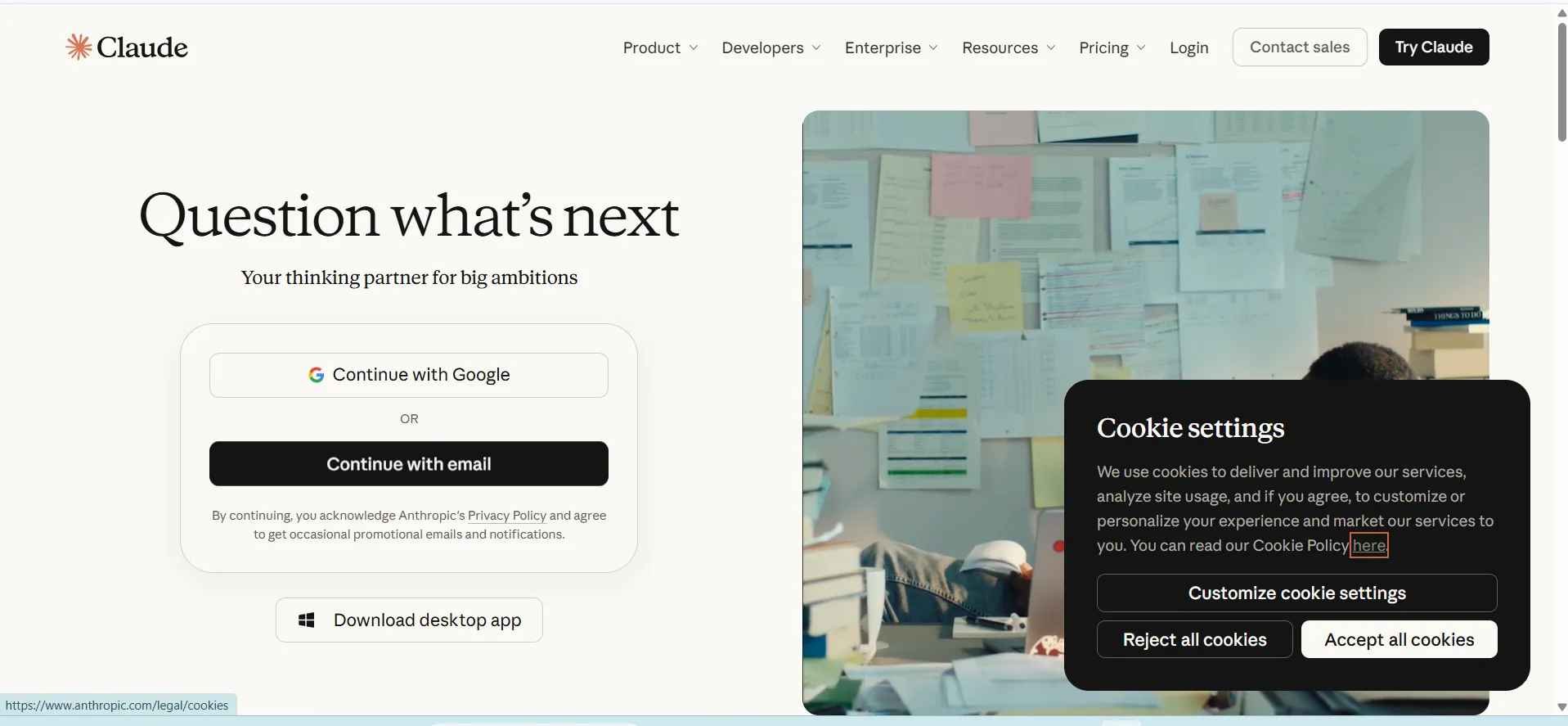
Built by Anthropic, Claude is widely recognised for its exceptional nuance in natural prose, high-level software engineering, and industry-leading context window capacities. Powered by the Claude 3.5 model family (led by Sonnet), it excels at parsing massive multi-hundred-page documentation bundles and enterprise codebases without losing critical context.
Claude introduces the “Artifacts” interface, a dedicated side-by-side workspace that renders interactive web components, SVG graphics, and Markdown documents directly alongside the chat. It is systematically aligned via Constitutional AI, making it remarkably resistant to adversarial prompting and corporate data leakage.
Key Features:
- Expansive 200,000-token context window capable of ingesting entire books, codebases, and financial filings.
- Artifacts UI providing a live preview workspace for interactive code, React components, and diagrams.
- State-of-the-art benchmark performance across complex software engineering and logical reasoning benchmarks.
- Deep contextual memory that avoids the mid-conversation degradation common in smaller-window models.
- Constitutional AI safety alignment built to minimize corporate hallucinations and security vulnerabilities.
Pros:
- Produces the most human, non-formulaic written prose among modern foundational LLMs.
- Superior code generation and architectural refactoring speed for full-stack developers.
- Highly reliable document extraction and synthesis across dense PDFs and spreadsheet archives.
Cons:
- Lacks an integrated image generation engine natively inside the chat interface.
- Usage caps can feel restrictive on complex coding sessions within short time windows.
- Web browsing and external live information retrieval can be more rigid than search-native tools.
Pricing:
| Claude Free | Claude Pro | Claude Max |
| $0/mo | $20/mo | $100-$200/mo |
3. Perplexity AI
- Website: https://www.perplexity.ai
- Best for: Academic fact-checking, real-time market research, and cited technical discovery.
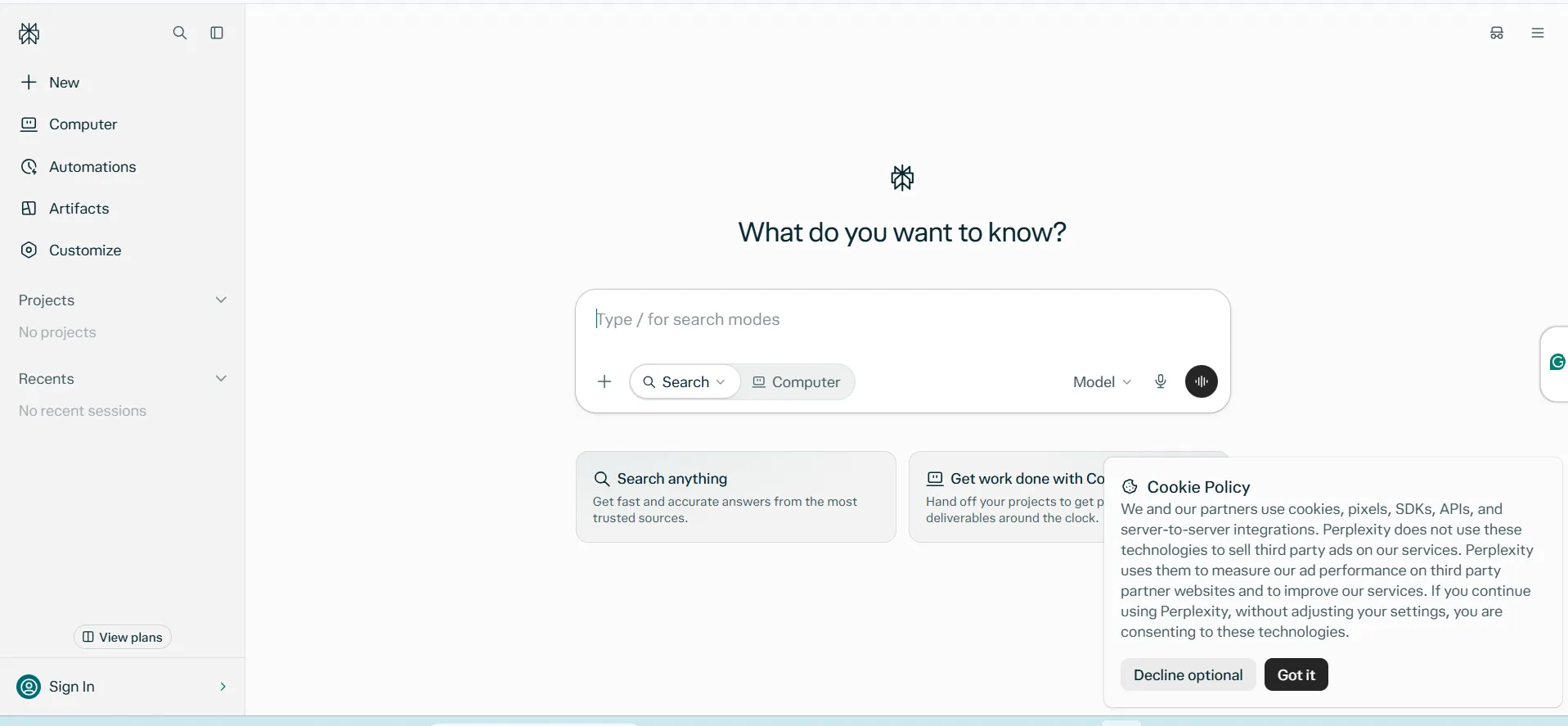
Perplexity AI operates as a conversational answer engine designed to replace traditional link-based web browsing with verified, multi-source synthesis. By fusing retrieval-augmented generation (RAG) with leading foundation models, it parses live internet indexes to answer technical, academic, and market queries with inline numerical citations.
Users can inspect the exact primary sources supporting every claim, significantly mitigating hallucination risks. Its “Spaces” feature enables focused project research, allowing teams to upload internal files, set specific search boundaries, and curate collaborative libraries of live-updated intelligence.
Key Features:
- Direct retrieval-augmented architecture generating real-time web summaries backed by live citations.
- Flexible model routing letting users switch between GPT-4o, Claude 3.5 Sonnet, and custom models.
- Pro Search feature conducting multi-step querying, autonomous follow-ups, and targeted scraping.
- Dedicated Focus Filters narrowing queries strictly to academic papers, GitHub repositories, or financial data.
- Perplexity Pages allowing research threads to be converted into structured, shareable articles instantly.
Pros:
- Eliminates link-hunting by summarizing consensus and niche insights from across the live web.
- Complete auditability with clickable, numbered reference links on every factual paragraph.
- Seamless file analysis that combines private document context with live internet data.
Cons:
- Not designed for end-to-end creative writing or long-form prose generation.
- Vulnerable to low-quality web scraping if source pages contain unverified SEO content.
- Limited native code execution environments compared to dedicated software workbenches.
Pricing:
| Free | Pro | Max |
| $0/mo | $20/mo | $200/mo |
4. GitHub Copilot
- Website: https://github.com/features/copilot
- Best for: Professional software developers needing inline code generation and automated testing inside the IDE.
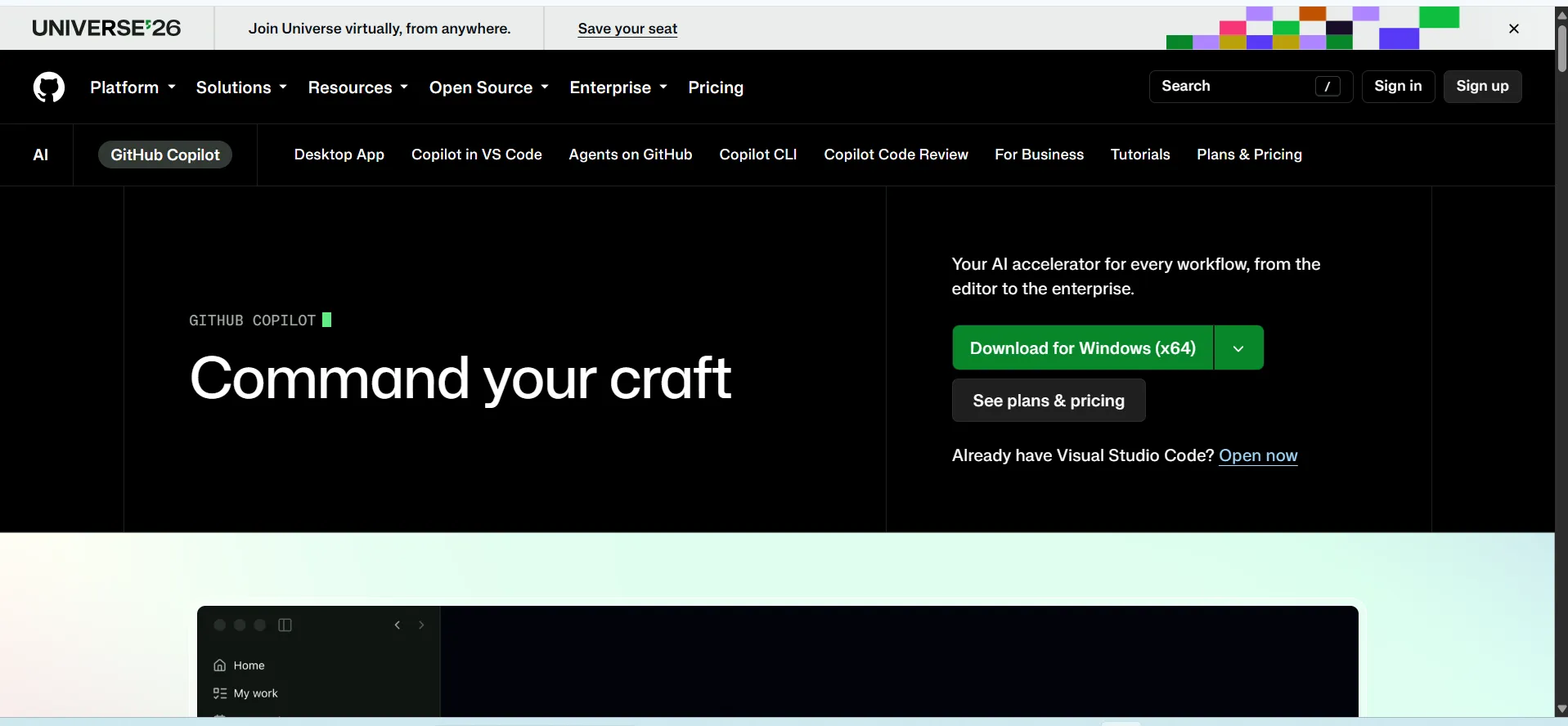
Developed by GitHub in collaboration with OpenAI and Microsoft, GitHub Copilot is the gold-standard AI pair programmer embedded directly inside major IDEs like Visual Studio Code, Neovim, and JetBrains. It continuously analyzes surrounding code files, open tabs, and docstrings to provide inline autocompletions, unit tests, and security refactors in real time.
Its agentic workspace capabilities allow developers to delegate terminal commands, automate pull request reviews, and run codebase-wide refactoring workflows without ever leaving the development environment.
Key Features:
- Real-time inline code synthesis adapting instantly to local repository styles and idioms.
- Deep integration with Visual Studio Code, Visual Studio, Neovim, and JetBrains IDE suites.
- Copilot Chat supporting natural-language debugging, terminal command explanation, and test generation.
- Pull request integration on GitHub that automatically generates diff summaries and highlights regressions.
- Built-in security vulnerability filtering that alerts programmers against generating insecure patterns.
Pros:
- Drastically accelerates daily boilerplate generation and routine API integration tasks.
- Unmatched developer ergonomics due to native keybinding and zero-latency IDE immersion.
- Handles cross-file context seamlessly within modern enterprise repository structures.
Cons:
- Occasionally suggests legacy or deprecated function libraries if not explicitly prompted.
- Can disrupt coding rhythm with overzealous autocompletion on complex business logic.
- Requires manual human verification for performance-critical or sensitive architectural changes.
Pricing:
| Pro | Pro+ | Max |
| $10/mo | $39/mo | $100/mo |
5. Midjourney
- Website: https://www.midjourney.com
- Best for: Concept art, photorealistic product staging, marketing visuals, and creative direction.
Midjourney is a text-to-image synthesis platform renowned for producing photorealistic visuals, nuanced artistic textures, and detailed graphic compositions. Operating both via its web interface and Discord, it accepts natural-language descriptions alongside precise camera parameters, including aspect ratios, shutter aesthetics, stylized weights, and lighting instructions.
Midjourney provides granular image-editing toolsets such as inpainting (“Vary Region”), outpainting (pan and zoom), and consistent character/style reference tagging. This makes it a primary asset for concept artists, digital designers, brand marketers, and game development studios.
Key Features:
- High-coherence photorealistic rendering with accurate lighting, subsurface scattering, and skin textures.
- Style Reference (–sref) and Character Reference (–cref) parameters for visual brand consistency.
- Vary Region inpainting permitting granular edits to selected subsections of an existing generation.
- Comprehensive web editor featuring canvas panning, zooming, upscale generation, and prompt organizers.
- Fine parameter controls for stylization, chaos, raw camera modes, and variable aspect ratios.
Pros:
- Unrivaled aesthetic quality and visual fidelity straight out of initial prompt generations.
- Exceptional ability to understand complex cinematography terminology and art direction.
- Consistent stylistic replication across a full series of visual assets using reference flags.
Cons:
- Lacks a permanent free tier, requiring a paid membership for standard usage.
- Legacy Discord interface can feel unintuitive and chaotic for non-technical enterprise teams.
- Fine-grained typography and complex text inside generated imagery can still require manual touch-ups.
Pricing:
| Basic | Standard | Pro | Mega |
| $10/mo | $30/mo | $60/mo | $120/mo |
6. Runway

- Website: https://runwayml.com
- Best for: Cinematic video generation, AI visual effects, and professional video pre-visualization.
Runway is an applied AI research company building generative media tools tailored for filmmakers, visual artists, and digital production studios. Powered by its high-fidelity video generation foundations such as Gen-2 and the Gen-3 Alpha series—the platform transforms text, reference images, and video clips into cinema-grade video sequences.
Runway provides granular cinematic controls over camera pan, tilt, zoom, and multi-motion tracking across individual scene subjects. Beyond pure generation, it acts as a web-based creative suite featuring automated rotoscoping, depth-aware inpainting, and motion synthesis for high-end digital workflows.
Key Features:
- Video synthesis from text prompts, source images, or reference video clips.
- Camera Control tools to precisely direct pan, tilt, roll, and zoom motions.
- Motion Brush for painting targeted movement paths onto specific elements of a still frame.
- Integrated AI green screen and rotoscoping for instant background separation without chroma keys.
- Generative audio integration producing synced sound effects and ambient dialogue matching visuals.
Pros:
- Industry-leading temporal consistency and lighting continuity in generative video.
- Granular motion controls allow directors to avoid random camera drift.
- Comprehensive browser-based video editing suite reducing external software dependencies.
Cons:
- Video generation consumes heavy computing credits quickly during iterative prompt exploration.
- Rapid or complex human movement can still trigger occasional frame distortion.
- Maximum generation clip durations require manual timeline stitching for long-form sequences.
Pricing:
| Free | Standard | Pro | Max |
| $0 | $12/mo | $28/mo | $76/mo |
7. ElevenLabs
- Website: https://elevenlabs.io
- Best for: Studio-quality voiceovers, automated multilingual video dubbing, and expressive audiobook narration.
ElevenLabs is an AI audio research platform specializing in lifelike text-to-speech synthesis, voice cloning, and multilingual video dubbing. Its neural audio models capture subtle speech nuances, including natural breath pauses, emotional inflections, regional accents, and variable pacing across dozens of global languages.
Creators can generate original voices from scratch or produce high-fidelity voice clones using short audio samples. The platform also features automated speech-to-speech translation with native accent preservation, sound effects generation, and conversational voice agents designed for low-latency interactive applications.
Key Features:
- High-fidelity neural voice synthesis matching context, emotional tone, and natural breathing cadence.
- Instant and professional voice cloning trained on audio reference samples.
- AI video dubbing supports multi-speaker tracking, automatic translation, and lip-sync alignment.
- Text-to-sound effects engine for creating ambient audio and cinematic Foley tracks.
- Low-latency conversational voice agent API built for real-time customer and gaming systems.
Pros:
- Produces the most convincing human-grade emotional inflection in the synthetic voice industry.
- Flawless multilingual translation that retains the speaker’s original vocal identity across languages.
- Scalable developer APIs with enterprise-ready latency for live applications.
Cons:
- Monthly character allowances deplete quickly when rendering long audiobooks or podcasts.
- Strict safety and voice-verification guardrails can require extra authentication steps for cloning.
- Minor pronunciation corrections occasionally require manual phonetic spelling adjustments.
Pricing:
| Free | Starter | Creator | Pro |
| $0 | $1/mo | $11/mo | $99/mo |
8. Jasper
- Website: https://www.jasper.ai
- Best for: Enterprise marketing teams, corporate brand governance, and multi-channel campaign scaling.
Jasper is an enterprise generative AI content platform purpose-built for marketing, brand strategy, and cross-channel campaign scaling. Unlike generic conversational chatbots, Jasper lets marketing organizations configure dynamic “Brand Voices” by uploading brand guidelines, style rules, and company factsheets.
It dynamically queries leading underlying models while enforcing strict brand tone across long-form blogs, omnichannel ad variants, email sequences, and landing pages. Jasper also integrates SEO analytics tools and marketing governance dashboards to keep commercial copy consistent and safe.
Key Features:
- Custom Brand Voice engine that ingests company collateral to govern style, tone, and vocabulary.
- End-to-end Campaign Builder generating multichannel assets simultaneously from a single brief.
- Deep integration with Surfer SEO for real-time keyword scoring and search visibility optimization.
- Library of 50+ purpose-built marketing templates covering ad frameworks, email cadences, and web copy.
- Enterprise security and collaboration hub featuring SOC 2 compliance and role-based review queues.
Pros:
- Solves the generic “AI voice” problem by enforcing distinctive company styling automatically.
- Dramatically shortens production cycles for multi-channel marketing campaigns.
- Intuitive UI designed around marketing workflows rather than open-ended engineering prompts.
Cons:
- Significantly higher cost profile than general-purpose conversational LLMs.
- Requires considerable upfront configuration and brand data input to unlock maximum value.
- Heavy enterprise marketing focus makes it less suited for technical code or pure academic tasks.
Pricing:
| Pro | Business |
| $59/mo | Available on request |
9. Notion AI
- Website: https://www.notion.com
- Best for: Collaborative project management, internal workspace search, and automated team documentation.
Notion AI embeds generative text, document querying, and automated organization directly into the Notion connected workspace. Functioning as a contextual intelligence layer over internal wikis, project databases, and team meeting notes, it can extract action items, summarize sprawling product specs, and draft documents without leaving the canvas.
Its Q&A feature allows team members to search company knowledge bases using plain language, receiving synthesised answers with exact internal citations. Notion AI also manages database properties, automatically autofilling summaries, translation tags, and categorizations across records.
Key Features:
- In-line workspace writing assistant for drafting, summarizing, brainstorming, and editing text.
- Workspace Q&A answering operational questions by retrieving data across all team Notion pages.
- AI database autofill to populate column summaries, tags, key takeaways, and translations automatically.
- Instant action-item extraction from raw meeting notes and customer interview transcripts.
- Multi-language translation directly within documents, preserving nested formatting.
Pros:
- Zero friction from tool-switching; operates directly where team documentation already lives.
- High utility for project management by automating database maintenance and summaries.
- Strong semantic retrieval across messy, multi-layered internal team wikis.
Cons:
- Bound strictly to the Notion ecosystem, providing little utility for outside apps.
- Add-on subscription cost applied per workspace member regardless of individual usage.
- Limited deep technical reasoning compared to standalone development-focused models.
Pricing:
| Free | Plus | Business | Enterprise |
| $0 | $10/mo | $20/mo | Custom |
10. Synthesia
- Website: https://www.synthesia.io
- Best for: Enterprise corporate training, product onboarding demos, and international video localization.
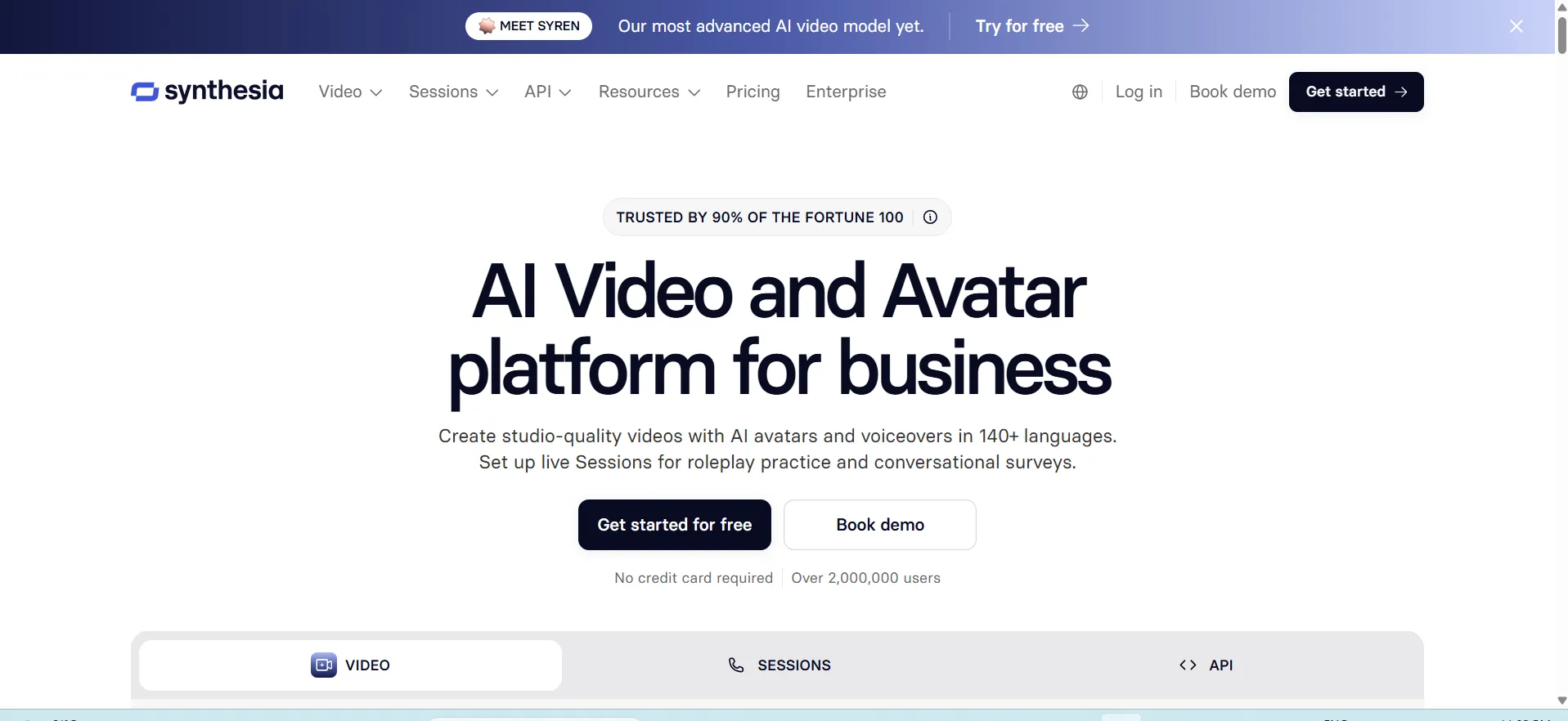
Synthesia is a generative synthetic media platform that converts plain text scripts into professional video presentations featuring lifelike AI avatars. By replacing cameras, physical studios, and production crews, Synthesia allows corporate teams to generate video training manuals, onboarding modules, and sales pitches directly in a web browser.
It provides a library of over 140 photorealistic stock avatars, alongside express custom avatars cloned from company personnel. The platform automatically lip-syncs voiceovers across 140+ languages, enabling global businesses to localize educational and promotional video content in minutes.
Key Features:
- Expansive library of 140+ diverse, photorealistic AI avatars with micro-gesture expressions.
- Multilingual voiceover generation and automated lip-syncing across more than 140 languages and accents.
- Custom avatar creation enables individuals and executives to deploy digital twins for company presentations.
- Slide-based video canvas supporting screen recording, text overlays, shape assets, and stock media.
- AI Script Assistant helping transform raw enterprise documentation and PDFs into structured video scripts.
Pros:
- Eliminates studio rental, filming schedules, and actor hiring costs for corporate videos.
- Near-instant localization of video training materials across international workforce teams.
- Simple text edits allow outdated video slides to be updated and re-rendered without reshoots.
Cons:
- Lacks the dynamic physical interaction, complex staging, and cinematography required for narrative drama.
- Avatar micro-expressions can occasionally present an uncanny valley effect in high-emotion contexts.
- Processing and rendering times scale upward on high-resolution, multi-scene video exports.
Pricing:
| Basic | Starter | Pro | Enterprise |
| $0 | $15.79/mo | $48.97/mo | Available on request |
11. Cursor

- Website: https://cursor.com
- Best for: Professional software engineers seeking full-codebase AI orchestration and multi-file refactoring.
Cursor is an AI-first code editor engineered as a high-performance fork of Visual Studio Code. Rather than acting as a simple passive autocomplete plugin, Cursor indexes entire local repositories to maintain comprehensive codebase awareness. Developers can execute natural-language refactoring across multiple files simultaneously, automatically detect and fix terminal errors, and query complex software architectures.
Its dedicated Composer mode allows engineers to orchestrate multi-file code generation, component scaffolding, and automated unit test authoring directly from a unified canvas, maintaining full compatibility with all standard VS Code extensions and keybindings.
Key Features:
- Full repository indexing using vector embeddings to understand cross-file dependencies and types.
- Composer interface for multi-file editing, scaffolding, and repository-wide code generation.
- Terminal error integration that diagnoses compile-time and run-time stack traces with one click.
- Custom rules configuration via .cursorrules to enforce team-specific conventions and style guides.
- Flexible model selection allows developers to switch dynamically between top foundation models.
Pros:
- Drastically outpaces standard IDE autocompletion plugins by executing cross-file architectural changes.
- Seamless zero-friction onboarding thanks to native fork compatibility with VS Code configurations.
- Highly accurate semantic code search across large legacy projects.
Cons:
- Heavy memory and indexing overhead on exceptionally massive multi-gigabyte enterprise repositories.
- Premium high-speed request quotas exhaust quickly during intensive multi-file Composer refactors.
- Occasional syntax regressions when applying speculative edits across deeply nested dependencies.
Pricing:
| Free | Plus | Premium | Super |
| $0 | $8/mo | $30/mo | $100/mo |
12. Suno

- Website: https://suno.com
- Best for: Rapid musical ideation, video background scoring, and end-to-end song synthesis.
Suno is a generative audio foundation platform capable of synthesizing full-length, broadcast-quality songs directly from simple text prompts. Unlike tools limited to basic instrumental loops, Suno simultaneously composes multi-instrumental arrangements, writes rhythmic lyrics, and synthesizes nuanced human vocals across virtually any musical genre.
Users can supply their own written verses, specify arrangement structures like verses and bridges, or extend existing tracks seamlessly. The platform preserves key signatures, vocal timbre, and production aesthetics from intro to outro, making it an essential creative tool for game composers, content creators, and songwriters.
Key Features:
- Complete text-to-music generation producing integrated vocals, harmonies, and full instrumentation.
- Custom Mode allows manual specification of lyrics, musical structure, BPM, and genre tags.
- Song extension tools to branch, lengthen, or seamlessly construct multi-part musical arrangements.
- Audio input feature to upload organic audio clips or hummed melodies as foundational musical seeds.
- Stem separation capabilities to isolate vocal tracks, percussion, and instrumental stems for DAW export.
Pros:
- Produces remarkably cohesive musical structures complete with realistic vocal performances.
- Extreme genre diversity spanning orchestral, pop, death metal, hip-hop, and ambient electronic.
- Eliminates the barrier of musical theory for rapid melodic ideation and background scoring.
Cons:
- Audio compression artifacts can occasionally appear in complex, high-frequency instrument mixes.
- Precise micro-editing of individual midi notes or timing shifts requires external DAW software.
- Commercial licensing terms vary strictly depending on whether music was generated on paid plans.
Pricing:
| Free | Pro | Premier |
| $0 | $7.16/mo | $21.07/mo |
13. v0 by Vercel
- Website: https://v0.dev
- Best for: Frontend developers, UI/UX designers, and product teams building rapid, production-ready React interfaces.
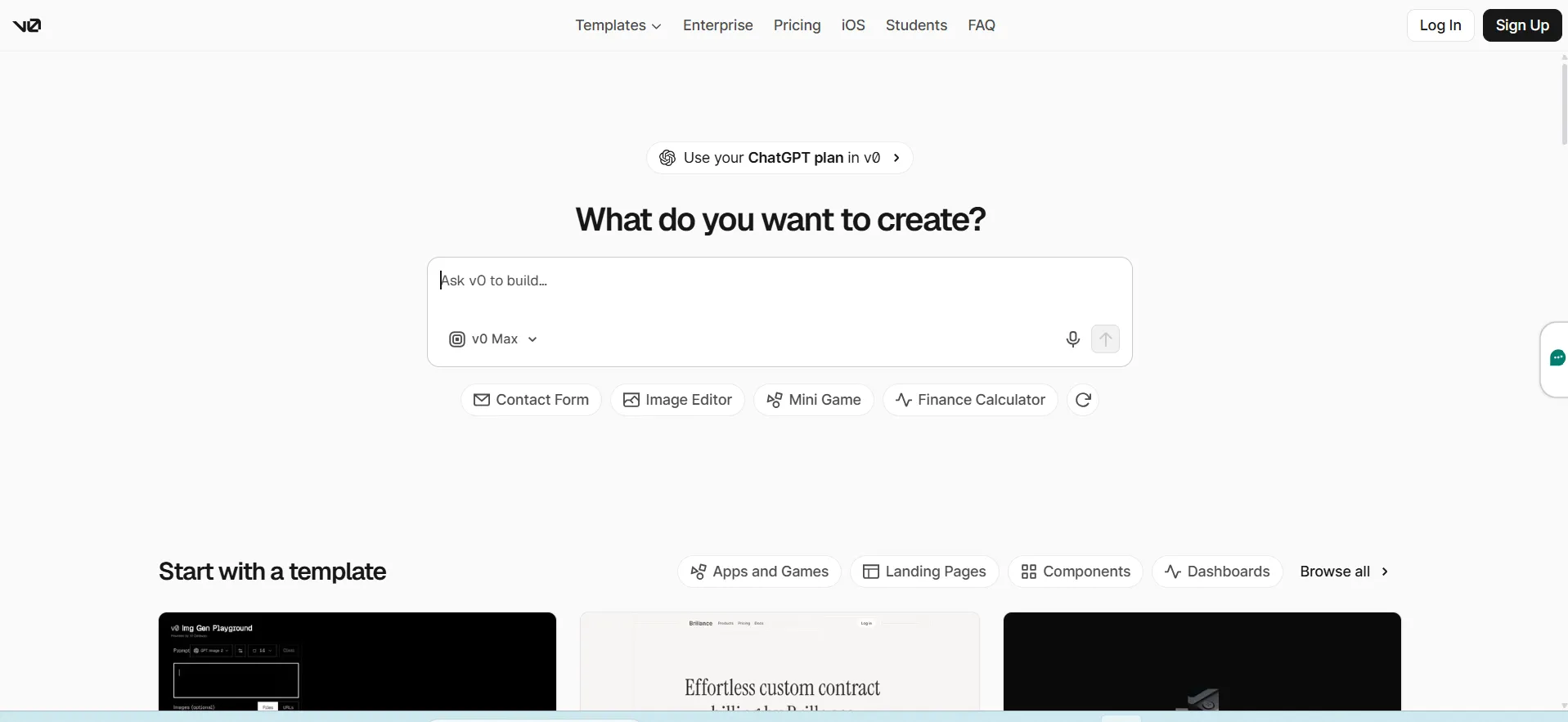
Developed by Vercel, v0 is a generative user interface platform that transforms natural-language prompts and visual design mockups into production-ready frontend code. Built on modern web standards, it generates clean, accessible React components styled with Tailwind CSS and the open-source shadcn/ui library.
Users can inspect, copy, or iteratively refine UI layouts through conversational prompts while viewing a live, interactive browser preview. Designed for rapid engineering handoff, v0 allows developers to push generated components directly into Next.js projects, design systems, and GitHub repositories with minimal boilerplate cleanup.
Key Features:
- Production-grade React and Next.js component generation using Tailwind CSS and shadcn/ui.
- Side-by-side interactive preview environment rendering live UI state changes in real time.
- Screenshot-to-code capability that reverse-engineers visual UI mockups into modular frontend markup.
- Conversational revision system allowing granular visual and layout adjustments on selected blocks.
- One-click CLI command deployment to install generated components straight into local code repositories.
Pros:
- Generates clean, modular, and unbloated code that professional frontend developers actually use.
- Drastically reduces frontend development cycles for dashboards, landing pages, and web apps.
- Fully accessible components out of the box following WAI-ARIA design standards.
Cons:
- Focuses purely on frontend presentation and client state, requiring manual backend API integration.
- Complex bespoke design systems can converge toward generic modern UI aesthetics without custom prompts.
- Generation credits deplete steadily during iterative visual polishing sessions.
Pricing:
| Free | Plus | Business | Enterprise |
| $0 | $30/mo | $100/mo | Custom |
14. Descript

- Website: https://www.descript.com
- Best for: Podcasters, content marketing teams, and video creators editing spoken-word media quickly.
Descript revolutionizes podcast and video post-production by treating audio and video editing like a text document. Upon importing media, the platform generates a precise, synchronized transcription; deleting a sentence or word from the script instantly cuts the corresponding audio and video footage.
Powered by generative tools like its AI editor Underlord, Descript automates tedious tasks such as removing filler words (“um”, “uh”), leveling audio to broadcast standards via Studio Sound, and correcting eye contact to face the camera directly. It also includes synthetic voice regeneration to patch misspoken words without reshooting.
Key Features:
- Text-based media editor where editing written transcript script trims underlying timeline clips.
- Underlord AI assistant providing automated rough cuts, chaptering, and viral clip generation.
- Studio Sound feature isolating voices and eliminating room echo with one-click neural filtering.
- AI Eye Contact tool that shifts diverted gaze back to the camera lens naturally.
- Overdub voice cloning allows creators to type missing or corrected words into their spoken audio.
Pros:
- Eliminates the steep learning curve and timeline friction associated with conventional NLE suites.
- Single-click removal of repeated phrases and filler words saves hours of manual cutting.
- Outstanding audio cleanup quality that makes amateur microphone recordings sound studio-grade.
Cons:
- Heavy local hardware and network bandwidth demands when processing large 4K multi-cam timelines.
- Text-based approach can feel limiting for editors requiring micro-frame rhythmic pacing adjustments.
- Transcription accuracy drops when parsing overlapping speech or heavy background interference.
Pricing:
| Hobbyist | Creator | Business | Enterprise |
| $16/mo | $24/mo | $50/mo | Custom |
15. Kling AI

- Website: https://kling.ai
- Best for: VFX creators, commercial visual directors, and digital animators demanding realistic physics and cinematic camera motion.
Developed by Kuaishou, Kling AI is a high-fidelity video generation platform recognized for its physical simulation capabilities and high-resolution motion rendering. Utilizing a 3D Spatio-Temporal Diffusion Transformer architecture, Kling excels at simulating real-world physical dynamics—such as gravity, fluid motion, friction, and kinetic interactions—over extended video clips.
It allows creators to generate up to 1080p and native 4K video sequences from text or image prompts, with advanced motion brush controls and flexible camera trajectories that keep moving subjects structurally coherent.
Key Features:
- Spatio-temporal transformer engine delivering accurate real-world physics and kinetic simulations.
- Long-duration clip generation maintaining character identity and scene continuity over extended runtime.
- Native 1080p and 4K video output with photorealistic lighting, material textures, and skin detail.
- Granular camera control mimicking professional film gear like cranes, dollies, pans, and tilts.
- Motion Brush and subject reference tools to define exact regional velocities within scene elements.
Pros:
- Exceptional adherence to physical laws, avoiding the rubbery, warping distortions common in AI video.
- Produces some of the longest and most temporally stable continuous shots in generative media.
- Strong character facial coherence across camera pans and rapid angle changes.
Cons:
- Cloud rendering queues can experience significant wait times during peak platform usage.
- High-tier exports and iterative renders require substantial credit consumption.
- Precise multi-subject interactions can occasionally degrade into visual artifacts during rapid movement.
Pricing:
| Standard | Pro | Premium | Ultra |
| $6.99/mo | $25.99/mo | $64.99/mo | $127.99/mo |
How to Select the Correct Generative AI Tools for Your Requirements
Choosing the right generative AI tools requires aligning technical capabilities directly with your day-to-day bottlenecks rather than chasing feature trends. Focus on these five critical evaluation criteria to make an informed choice:
- Identify your primary output modality: Narrow down your selection by isolating whether you need production code (Cursor, GitHub Copilot), verified research (Perplexity), visual assets (Midjourney), or multimodal reasoning (ChatGPT, Claude).
- Verify native environment integration: Choose software that integrates directly into your existing toolchain, such as an IDE extension, CMS connector, or local desktop app to avoid productivity loss from constant context-switching.
- Assess context window capacity: Ensure the tool’s underlying context size and memory retention can comfortably handle your average file sizes, whether that means entire repositories, multi-page PDFs, or short prompt snippets.
- Review data privacy and IP governance: Check enterprise data processing terms to confirm that your proprietary code, customer records, and internal briefs are explicitly excluded from model retraining pipelines.
- Test output editability and handoff speed: Prioritise tools that output clean, modular assets such as raw code files, isolated audio stems, or markdown text that your team can easily modify and deploy immediately.
Common Mistakes to Avoid While Selecting the Generative AI Tools
Many teams invest in generative software without clear frameworks, leading to high subscription churn and negligible productivity improvements. Avoid these five common pitfalls when assessing options:
- Assuming general-purpose LLMs excel at specialized tasks: Relying on general chat assistants for complex specialized jobs such as full-codebase refactoring or cinematic video direction often yields surface-level results compared to dedicated tools like Cursor or Runway.
- Overlooking token consumption and scaling costs: Failing to audit rate limits, credit burns, and per-seat add-on fees can cause monthly operational costs to spike unexpectedly as usage expands across a team.
- Skipping verification for output hallucinations: Deploying generated text or algorithmic logic without cross-referencing primary sources or testing runtime assertions introduces severe accuracy and security vulnerabilities.
- Ignoring the learning curve for advanced controls: Underestimating the technical skill required to master granular tools like camera trajectory prompts in video generators or API-driven workflows often leaves expensive platform features underutilised.
- Neglecting data leakage risks: Entering sensitive corporate data, unreleased creative scripts, or proprietary customer information into consumer-tier tools without enterprise privacy guarantees compromises organizational security.
Conclusion
In conclusion, the modern generative AI landscape has moved past novelty to become a core layer of professional productivity. The fifteen platforms covered in this guide show that the biggest competitive gains come not from relying on a single all-purpose tool, but from building a targeted toolkit suited to your specific craft—whether that means writing production software, generating cinematic video, or conducting deep academic research.
As foundational models continue to advance, the gap between surface-level AI wrappers and high-leverage software will only widen. Evaluating platforms based on output accuracy, ecosystem integration, and enterprise-grade privacy ensures you invest in tools that solve real operational bottlenecks, save measurable hours, and elevate the quality of your finished work.
Frequently Asked Questions
1. Which Generative AI Tools Are Best For Overall Productivity And Daily Work?
For general-purpose daily work, platforms like ChatGPT and Claude are the most versatile options. ChatGPT provides broad utility with an integrated Python code execution environment, custom agent builders, and multimodal inputs. Claude stands out for complex logical reasoning, nuanced technical writing, and managing expansive documents or codebases without losing context.
2. Are Free Generative AI Tools Sufficient For Professional Workflows?
Free tiers are useful for occasional prompting and basic exploration, but professional workflows generally require paid plans. Paid subscriptions provide higher rate limits, access to the latest foundational models, faster cloud rendering queues, higher-resolution exports, and crucial enterprise data privacy protections that prevent your inputs from being used in model training.
3. How Do I Ensure My Proprietary Data Remains Safe When Using Generative AI Tools?
To protect sensitive data, always check the platform’s data privacy agreement and terms of service. Choose enterprise or team tiers that offer zero-data-retention guarantees and explicitly state that customer data is never used to train foundational models. Avoid pasting proprietary source code, confidential client documents, or personally identifiable information into unverified consumer tiers.
4. What Is The Difference Between An AI Code Assistant Like GitHub Copilot And An AI-First Editor Like Cursor?
GitHub Copilot operates primarily as an extension within your existing IDE (like Visual Studio Code or JetBrains), providing real-time inline autocompletion and chat-assisted debugging based on open editor tabs. Cursor is an independent fork of VS Code that indexes your entire repository with vector embeddings, allowing it to execute multi-file architectural refactoring, resolve terminal errors, and run codebase-wide logic edits simultaneously.
5. Can Generative Video And Audio Tools Be Used Commercially Without Copyright Issues?
Commercial usage depends on the specific platform’s terms of service and the subscription tier you hold. Industry-standard tools such as ElevenLabs, Runway, and Suno grant commercial rights to paying subscribers, provided generated media complies with their acceptable use policies. Always review the commercial licensing terms of your specific subscription tier before deploying synthetic media in client projects, public broadcasts, or advertising campaigns.