
A polished product ad can still get ignored.
On TikTok, Instagram Reels, and similar feeds, the opening needs to do more than show the product. It needs to create enough curiosity to earn another second of attention.
That is where Pika on Pollo AI can be useful. Pika supports text-to-video and image-to-video generation, along with effects that can melt, inflate, explode, crush, or otherwise transform objects.
The point is not to add flashy effects to every ad. Used well, Pika can turn a standard product image into a short visual hook that is worth testing.
Why Use Pika on Pollo AI for Product Ads?
Most product ads follow the same basic formula: show the product, explain the benefit, then add a CTA.
There is nothing wrong with that. The problem is that social feeds are crowded with ads using exactly the same structure.
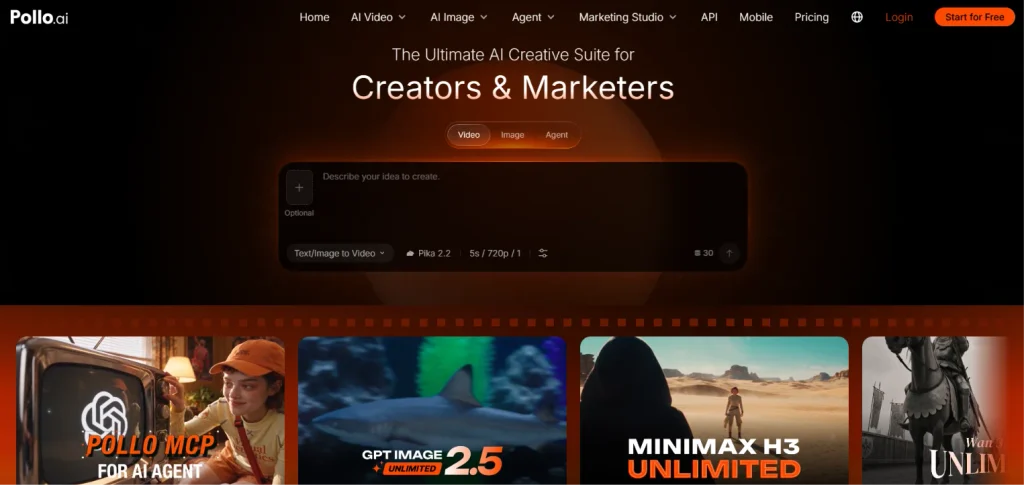
Pika on Pollo AI is better suited to testing more visual, expressive ideas. On Pollo AI, marketers can start with an existing product image or generate a concept from text, then explore different directions without producing each version from scratch.
This makes it useful for product launches, feature-focused social ads, e-commerce creative variations, seasonal campaigns, and short-form ads for platforms such as TikTok and Instagram.
The real value is speed during the testing stage. A team can try several hooks before spending time and budget on a more polished production.
How to Create a Product Ad with Pika on Pollo AI
1. Start with a Product Image
For an existing product, a clean product photo is usually the easiest starting point.
A bottle, cosmetic package, sneaker, food item, or electronic device can serve as the visual anchor. A simple image is often better than an already complicated scene because it leaves more room for testing different ideas.
On Pollo AI, the Pika image-to-video workflow lets users upload an image, describe the desired motion, and generate a video from that reference.
2. Build the Hook Around the Product
The prompt should explain what happens, not just describe what is already visible.
A basic prompt such as:
“A luxury perfume bottle on a table.”
does little beyond identifying the subject.
A more useful direction would be:
“A luxury perfume bottle appears on a dark reflective surface surrounded by soft mist. The camera slowly moves toward the bottle as the lighting becomes brighter.”
Now there is movement, atmosphere, and a clear visual progression.
For something less conventional, a skincare ad could show a jar gently expanding like a balloon before returning to its original shape as the camera moves closer.
The goal is simple: give viewers a reason to wonder what happens next.
3. Use Pika Effects Selectively
Pika’s effects are one of its more recognizable features. Pollo AI lists options including Inflate, Melt, Explode, Squash, Crush, and Cake-ify.
These can work well as opening hooks. A chocolate product could melt before revealing its package, while a soft drink can could expand as the product name appears. A cleaning product could use a transformation to visualize its cleaning power, while a snack package could interact with an exaggerated animated environment.
But the effect should serve the ad.
If viewers remember the animation but cannot remember what was being sold, the creative has probably gone too far. One strong visual idea is often enough.
4. Focus on One Selling Point
AI video makes it tempting to pack several product benefits into one short clip. That usually makes the concept harder to follow.
A better approach is to pick one message and build the scene around it. A running shoe might focus on lightweight design, while a coffee product could focus on texture or freshness.
A useful prompt structure is:
Product → visual action → key benefit → ending shot
For example:
“Close-up of a lightweight running shoe landing on a wet track, water splashing around it. The shoe rebounds quickly as the camera follows. End with a clean product close-up.”
That gives the video a purpose instead of turning it into a sequence of random AI-generated movements.
5. Generate Several Versions
The first generation is rarely the one worth publishing.
AI video can produce unexpected motion, inconsistent details, or simply a weaker interpretation of the idea. That is normal enough to build into the workflow.
Instead of trying to perfect one prompt immediately, marketers can test a few different openings: a straightforward product reveal, a dramatic motion sequence, and an effect-driven hook.
The goal is to find the strongest concept first, then refine it.
What Makes a Pika Product Ad Actually Work?
A strange or visually impressive video is not automatically a good ad.
The strongest concepts connect the hook to the product. A sneaker exploding into confetti may stop someone from scrolling, but it does not tell them anything about the sneaker. Showing that same shoe moving across different surfaces could make a point about flexibility or durability.
That distinction matters when using Pika on Pollo AI for marketing rather than entertainment.
A simple test helps: if the product were removed, would the concept still make sense?
If yes, the effect may be carrying too much of the ad.
Limitations to Keep in Mind
Pika is useful for creative exploration, but it is not a replacement for tightly controlled commercial production.
Generated footage can introduce changes to product shapes, packaging, text, hands, or faces. That can be a serious issue for brands where visual accuracy matters.
Every usable clip should therefore be checked frame by frame. A changing label or distorted product can make an otherwise good ad look fake.
For that reason, Pika is often more useful as a creative generation and testing tool than as a one-click path to final commercial footage.
Final Takeaway
A scroll-stopping product ad does not need to be complicated. It needs a visual hook that earns attention without losing the product message. Pika on Pollo AI gives marketers a way to test those hooks through text-to-video, image-to-video, and visual effects. The most practical approach is to start with a recognizable product, build one clear idea around it, generate a few variations, and keep the versions where the creative actually helps sell the product.
That is where AI video becomes useful: not because every output is ready to publish, but because more creative ideas can be tested before committing to a full production.