
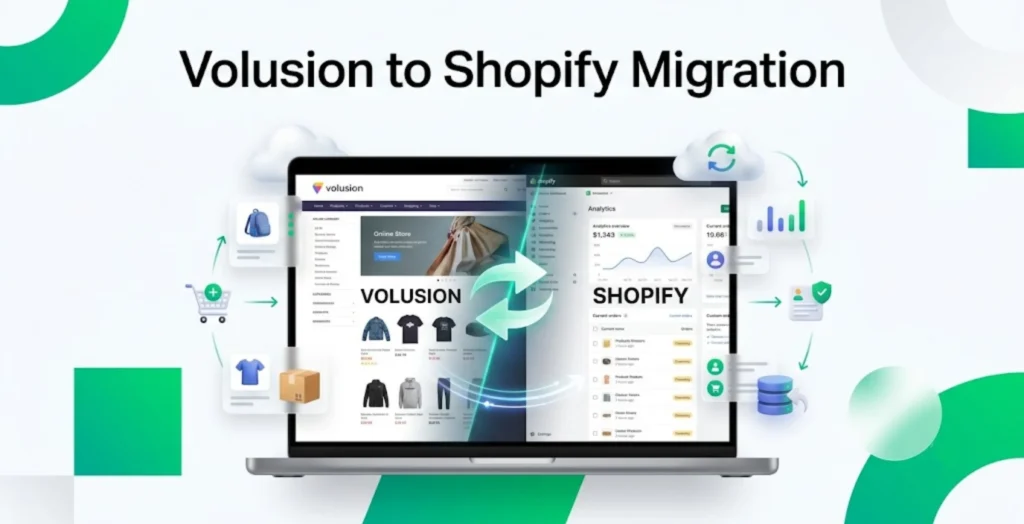
If you have been thinking about migrating your online store from Volusion to Shopify, then you probably understand that this is much more than just transferring products from one platform to another. It provides you with an opportunity to improve the performance of your store, as well as to simplify your day-to-day management, and to, of course, prepare your business for future growth, all of which sounds definitely amazing and all of which you definitely want. Here is more on how this is done.
Now, while you most probably understand the benefits of doing this already, chances are that you understand another important thing. Put simply, you know that without careful planning, a migration like this can lead to some issues, such as broken links and data loss, as well as unnecessary downtime and even SEO problems. And, well, you would definitely much rather avoid all of those issues.
Is avoiding them even possible, though? Well, the good news is that it absolutely is. With the right strategy, you can undeniably make the transition run as smoothly as possible, while at the same time protecting not only your products, but also your customer info and your search rankings, which is definitely important. So, the bottom line is that there is a way to do this without causing any issues along the way.
So, how can you do it? Well, that is what we are here to discuss right now. Keep on reading, therefore, to get familiar with the steps you should take in an effort to complete the migration successfully, and thus get all the benefits from doing so. Without much more ado, let us tell you about the steps you should take and the things you should keep in mind during this actual process.
Key Steps for a Successful Volusion to Shopify Migration
Begin With a Store Audit
Okay, before you start the migration, what you should do is, well, evaluate your existing Volusion store carefully. Take the time you need to take inventory of the products, categories, customers, orders, pages, blog posts, images, coupons, SEO metadata, third-party integrations, and anything else that is important.
This type of an audit is sure to help you determine what it is that should be migrated, as well as updated or removed. As you understand, a lot of stores will contain some outdated products or some unused pages that you don’t have to transform to the new platform, and the audit allows you to find those and to thus understand what you want to transfer and what you don’t want to transfer.
Back Everything Up

It is not a smart move for you to begin the migration without actually creating complete backups. So, what you should do is export and safely store product catalogs, customer records, order history, as well as images, theme files, store settings, reports, and content pages. The backup will give you some peace of mind in case something unexpected and unfavorable happens during the migration process. Sure, there are tools that can help minimize those risks, but the truth is that you should still play it safe and back up everything.
Suggested Read: Shopify Apps
Set Up Your Shopify Store
Once you have done the audit and gone through the backup process, your next step will be to actually set up your Shopify store. You want to create and configure the Shopify store before transferring any data, instead of migrating directly into a live environment. So, set up your business info, payment gateways, shipping zones, tax settings, currency, store policies, collections, as well as basic navigation. This is basically a foundation that you should build first, as doing so will make importing data much easier, and reduce the amount of work you will have to do post migration.
Choose How to Migrate
Okay, having done all of the above, you will be ready to think about the migration yourself. And, well, you should know that there are several ways to move from Volusion to Shopify. For starters, there is the manual method that can be suitable for smaller stores with limited inventories, and that consists of them exporting and importing CSV files manually. You get greater control over the process this way, but it certainly requires a lot of time and attention to detail.
Moving on, you could also use automated migration tools that can transfer products, customers, orders, categories, images, reviews, SEO information and similar data, and that will significantly reduce manual work as well as minimize human error. Of course, when you get a good guide for Volusion migration to Shopify, you will realize that your attention to detail is important here as well. And, furthermore, you may also find that professional migration services may be the right move for you, especially if you have a larger store with custom functionality or with extensive product catalogs, since professionals can make sure that everything runs smoothly and without any issues along the way.
Make Sure to Preserve Your SEO
When it comes to Volusion to Shopify migration, or any kind of platform migration for that matter, SEO is often one of the biggest concerns. After all, changing platforms can alter URL structures, metadata, internal links, category organization and similar. It is important for you, thus, to do your best to protect your search rankings, with proper redirects and similar things, and if you are not sure how to do that successfully, then professional migration services could be best for you.
Review the Product Data & Customer and Order Info Carefully
After the migration, you should carefully review all the data, instead of just assuming that it has been imported perfectly. Review product data, such as the titles, prices, descriptions, images and similar, and also verify customer info and order histories. The idea here is for you to make sure that everything is accurate.
Test Before Launching
Finally, you should remember to test everything before launching. That is one of the most important stages of migration. Verify that everything functions well before going live. This kind of testing will help prevent customer frustration after the launch, and that is certainly important.