Have you ever found the perfect video online, only to realize you can’t watch it offline when you need it most? Whether you’re saving tutorials, music videos, educational content, or your favorite clips for later, having a reliable video downloader can make all the difference. While Videoder has long been a popular choice for Android users, many people are now looking for safer and more dependable alternatives. Since the app is no longer available on the Google Play Store and requires downloading an APK from external sources, concerns about security, malware, and compatibility have become increasingly common.
Fortunately, there are several excellent video downloaders available today that offer better performance, enhanced safety, and additional features across Windows, Mac, Android, and even web browsers. In this guide, we’ll explore the 10 best alternatives to Videoder, comparing their features, advantages, and limitations to help you choose the right tool for your downloading needs.
Why Look For An Alternative to Videoder?
Videoder has earned a loyal user base thanks to its ability to download videos from multiple websites in different formats and resolutions. However, as online security standards and user expectations continue to evolve, many people are beginning to look for more reliable alternatives. Since Videoder isn’t available on the Google Play Store, users must install it through APK files, which can expose devices to security risks if downloaded from untrusted sources.
Additionally, the free version contains advertisements, and the app may struggle with large file downloads or fail to support DRM-protected streaming platforms like Netflix and Disney+. These limitations can affect both convenience and reliability, especially for users who frequently download videos. Choosing a modern alternative can provide better security, smoother performance, regular updates, and additional features that make downloading videos easier and more efficient.
Common Reasons to Choose a Videoder Alternative
- Unavailable on Google Play Store, requiring APK installation.
- Potential security risks from unofficial download sources.
- Advertisements in the free version can interrupt the experience.
- No support for DRM-protected streaming services like Netflix or Disney+.
- Occasional download failures, particularly with large or high-resolution files.
- Limited updates and compatibility compared to newer downloaders.
If these limitations affect your experience, switching to a trusted Videoder alternative can offer improved safety, better performance, and a more seamless downloading experience.
Are Videoder Alternatives Safe?
Yes, most video alternatives are safe to use, provided you download them from their official websites or trusted sources. Since many video downloaders require installing desktop software or APK files, choosing a reputable developer is essential to protect your device from malware, spyware, or unwanted software. Premium desktop applications generally undergo regular updates and security improvements, making them a safer option than modified APKs or unofficial installers found on third-party websites.
Browser-based downloaders eliminate the need for installation, but they may display advertisements, pop-ups, or misleading download buttons that can redirect users to unsafe pages. Before installing any downloader, it’s always a good idea to check user reviews, verify the developer’s website, and ensure the software receives regular updates. Following a few basic safety practices can help you enjoy a secure and hassle-free video downloading experience.
Safety Tips
- Download software only from official websites to reduce the risk of malware.
- Avoid modified or cracked APK files, as they may contain malicious code.
- Keep your antivirus software enabled while downloading and installing applications.
- Update your downloader regularly to receive the latest security patches and bug fixes.
- Be cautious of fake download buttons and pop-up advertisements on free download websites.
Comparison Table of the Best Alternatives to Videoder
| Tool | Best For | Platforms | Max Video Quality | Free Version | Starting Price |
|---|---|---|---|---|---|
| StreamFab Video Downloader | Downloading premium streaming content | Windows, macOS | 8K | Trial | $299.99 |
| VideoProc Converter AI | Downloading, editing & AI enhancement | Windows, macOS | 8K | Limited | $34.95/year |
| 4K Video Downloader+ | YouTube playlists & channels | Windows, macOS, Linux | 8K | Limited | Paid License |
| VideoHunter | High-quality video downloads | Windows, macOS | 8K | Limited | From $29.95/month |
| ByClick Downloader | One-click browser downloads | Windows | 8K | Limited | $19.99 |
| YTD Video Downloader | Basic video downloading | Windows, macOS | HD/4K* | Limited | $19.99 |
| AceThinker Free Online Downloader | Browser-based downloads | Web (All Devices) | Depends on Source | ✅ Yes | Free |
| SaveMedia | Social media video downloads | Web (All Devices) | Depends on Source | ✅ Yes | Free |
| BitDownloader | Free downloads from multiple websites | Web (All Devices) | Depends on Source | ✅ Yes | Free |
List of 9 Best Alternatives to Videoder
1. StreamFab Video Downloader

If you’re looking for a premium video downloader that supports both free websites and subscription-based streaming platforms, StreamFab Video Downloader is one of the best alternatives to Videoder. Unlike traditional downloaders that mainly work with YouTube or social media websites, StreamFab can download videos from popular streaming services such as Netflix, Amazon Prime Video, Disney+, Hulu, HBO Max, and many others.
It also preserves high video quality, subtitles, metadata, and surround sound audio. The software supports batch downloads, making it easy to save entire TV series with just a few clicks. Although it’s a paid application, its extensive features, regular updates, and reliable performance make it an excellent choice for users who frequently download premium content for offline viewing.
Features
- Supports downloads from over 1,000 websites
- Downloads videos from Netflix, Disney+, Prime Video, Hulu, and more
- Saves videos in MP4 format
- Batch downloads entire seasons and playlists
- Downloads subtitles and metadata automatically
Pros
- Supports premium streaming services
- High-quality video and audio downloads
- Fast download speeds
- Batch downloading saves time
- Regular software updates
Cons
- Premium software with paid plans
- Requires frequent updates for streaming support
- Higher system resource usage
- Free trial has limitations
- More expensive than basic downloaders
Pricing
- Standard Price: $429.99
- Discounted Price: $299.99 (30% Off)
- License: Valid for 5 Computers
- Bonus: Includes a $25 Amazon Gift Card
Best For: Users who frequently download videos from paid streaming platforms.
2. VideoProc Converter AI

VideoProc Converter AI is more than just a video downloader, it’s an all-in-one multimedia toolkit. Besides downloading videos from thousands of websites, it allows users to edit videos, convert file formats, record screens, compress large files, and even enhance videos using AI technology. The software utilizes GPU acceleration, significantly reducing processing time for large or high-resolution videos.
Whether you’re creating content for YouTube, editing videos, or downloading tutorials for offline viewing, VideoProc provides everything in one application. Its modern interface and advanced tools make it suitable for beginners and professionals alike. While some premium features require a paid license, the software delivers excellent value for users who need more than simple downloading.
Features
- Downloads videos from 1,000+ websites
- AI-powered video enhancement
- GPU hardware acceleration
- Built-in video editing tools
- Video converter and compressor
Pros
- Complete multimedia solution
- Extremely fast processing
- Supports 4K and 8K videos
- AI enhancement improves video quality
- User-friendly interface
Cons
- Premium features require payment
- Learning curve for beginners
- Large installation size
- Free version has restrictions
- Advanced tools may be unnecessary for casual users
Pricing
- Premium 365
- Price: $34.95 (Regular Price: $59.95)
- Duration: 1-Year Subscription
- License: Up to 3 PCs
- Lifetime License
- Price: $54.95 (Regular Price: $89.95)
- Duration: Lifetime
- License: 1 PC
- Family License
- Price: $79.95 (Regular Price: $159.95)
- Duration: Lifetime
- License: 3–5 PCs
Best For: Content creators and users needing editing and downloading in one software.
3. 4K Video Downloader+

4K Video Downloader+ has earned a reputation as one of the most trusted YouTube downloaders available today. Designed with simplicity in mind, it lets users download individual videos, playlists, entire channels, Shorts, and subtitles with just a few clicks. The software supports resolutions up to 8K, ensuring excellent video quality for offline viewing. One of its standout features is Smart Mode, which automatically applies your preferred download settings to save time.
It also supports automatic downloads from subscribed YouTube channels, making it ideal for users who regularly follow creators. Although the free version has daily download limits, the premium version unlocks unlimited downloads and advanced features, making it one of the best Alternatives to Videoder for users seeking a reliable video downloader.
Features
- Supports downloads up to 8K resolution
- Downloads YouTube playlists and channels
- Subtitle downloading and extraction
- Smart Mode for faster downloads
- Automatic channel subscriptions
Pros
- Very simple interface
- Excellent download quality
- Supports high-resolution videos
- Fast download speeds
- Reliable YouTube compatibility
Cons
- Free version has daily limits
- Playlist downloads require premium
- Doesn’t support Netflix or Disney+
- Premium license required for advanced features
- Limited editing capabilities
Best For: YouTube users who want fast, high-quality downloads.
4. VideoHunter

VideoHunter is a modern video downloader known for its clean design, stable performance, and ease of use. It supports downloading videos from various streaming and social media platforms in resolutions up to 8K while maintaining excellent audio quality. The software also includes a built-in converter, allowing users to convert downloaded files into different formats for better compatibility with smartphones, tablets, and media players.
Batch downloading and audio extraction make it suitable for users who frequently download playlists or music videos. VideoHunter’s intuitive interface makes navigation easy, even for first-time users. Although the free version has daily download limits, the premium edition unlocks its full potential with faster speeds and unlimited downloads.
Features
- Downloads videos up to 8K resolution
- Built-in video converter
- Batch downloading support
- Audio extraction to MP3
- Supports multiple websites
Pros
- Clean and modern interface
- Stable download performance
- High-quality downloads
- Easy to navigate
- Supports multiple formats
Cons
- Free version has limitations
- Premium plans can be expensive
- Limited advanced editing tools
- Some features require internet connection
- Fewer supported websites than competitors
Pricing
- Pro (starts around $29.95/month) for standard video sites,
- Ultimate (starts around $79.95/month)
Best For: Beginners looking for a simple and reliable downloader.
5. ByClick Downloader

ByClick Downloader simplifies the downloading process by automatically detecting videos playing in your web browser. Instead of copying and pasting URLs manually, the software displays a download prompt whenever it detects compatible media, making downloads faster and more convenient.
It supports downloading videos, playlists, channels, and even converting videos directly into MP3 files. ByClick works with major websites like YouTube, Facebook, Instagram, Vimeo, and Dailymotion. Its clean interface and one-click downloading feature make it an excellent option for users who want a hassle-free experience. However, it is currently available only for Windows, and many advanced features are accessible only through the premium version.
Features
- Automatic browser video detection
- One-click video downloading
- MP3 conversion
- Playlist and channel downloads
- Supports major video-sharing websites
Pros
- Extremely easy to use
- Saves time with automatic detection
- Supports multiple video formats
- Fast download process
- Beginner-friendly interface
Cons
- Available only for Windows
- Premium version unlocks key features
- Outdated user interface
- Limited free version
- No built-in video editing tools
Pricing
- Premium Plan
- Discounted Price: $19.99
- Regular Price: $40.00
- Discount: 50% Off
- Premium Unlimited
- Price: $19.99
- Upgrade to 3 PCs
- Discounted Price: $20.00
- Regular Price: $999.00
- Discount: 50% Off
Best For: Everyday users who want quick, one-click video downloads.
6. YTD Video Downloader

YTD Video Downloader is one of the oldest and most recognized video downloading tools available today. Despite its simple design, it remains a reliable option for users who want to download videos from popular websites without dealing with complicated settings. In addition to downloading videos, YTD includes a built-in media player and video converter, allowing users to watch or convert files into different formats without installing additional software.
It supports downloads from platforms like YouTube, Facebook, Vimeo, and several other websites. While the interface feels somewhat outdated compared to modern alternatives, its stable performance and simple functionality make it a practical choice for casual users. The premium version offers faster download speeds and additional conversion options for enhanced flexibility, making it one of the dependable Alternatives to Videoder.
Features
- Downloads videos from multiple websites
- Built-in video converter
- Integrated media player
- Supports multiple video formats
- Simple and beginner-friendly interface
Pros
- Stable and reliable performance
- Easy to install and use
- Built-in media player
- Supports various file formats
- Works well on older computers
Cons
- Outdated user interface
- Free version contains advertisements
- Slower download speeds in free plan
- Limited advanced features
- Premium subscription required for full functionality
Pricing
- Premium Plan
- Discounted Price: $19.99
- Regular Price: $40.00
- Discount: 50% Off
- Premium Unlimited
- Price: $19.99
- Upgrade to 3 PCs
- Discounted Price: $20.00
- Regular Price: $999.00
- Discount: 50% Off
7. AceThinker Free Online Downloader

AceThinker Free Online Downloader is an excellent option for users who prefer downloading videos without installing desktop software. Since it runs entirely through a web browser, it works across Windows, Mac, Linux, Android, and iOS devices. Users simply paste the video URL into the website, and the tool quickly analyzes the link before providing download options.
It supports videos from several popular platforms and is ideal for downloading short clips, tutorials, or social media videos. Because it’s browser-based, there’s no need to worry about software installation or updates. However, download quality and available features are more limited than desktop applications, making it better suited for occasional use rather than heavy downloading.
Features
- Browser-based video downloader
- No installation required
- Supports multiple video websites
- Compatible with all major devices
- Free to use
Pros
- Works in any web browser
- Completely free
- Quick and simple downloading process
- No software installation needed
- Cross-platform compatibility
Cons
- Limited video quality options
- Contains advertisements
- No playlist downloading
- Slower than desktop software
- Few advanced features
Pricing:
- Free
Best For: Users who occasionally download videos without installing software
8. SaveMedia
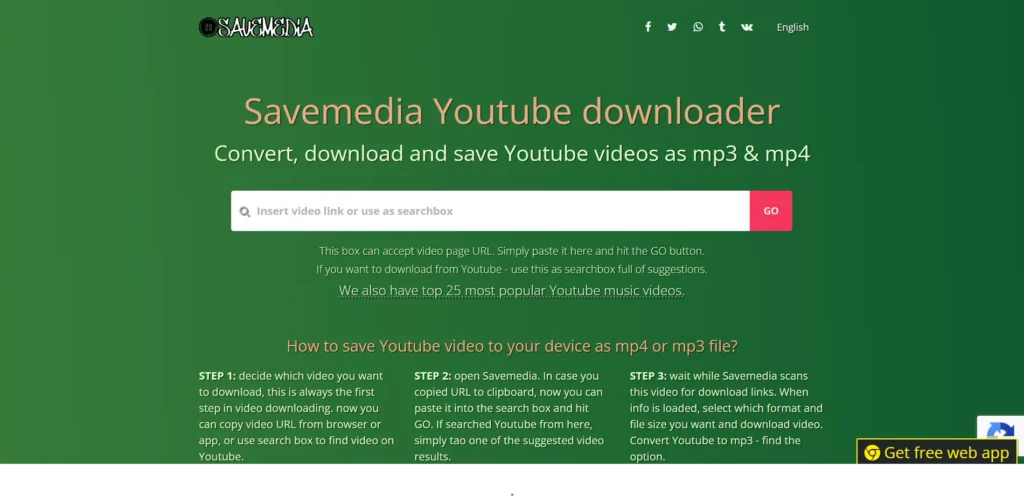
SaveMedia is a lightweight online video downloader that offers a cleaner interface compared to many similar web-based tools. It allows users to download videos from platforms such as Instagram, Facebook, TikTok, and several other social media websites without requiring software installation. The process is straightforward—paste the video URL, choose the available quality, and download the file directly through your browser.
Its simple layout reduces confusion and makes navigation easier, even for first-time users. Although SaveMedia works well for basic downloading needs, it lacks advanced features like playlist downloads, subtitle extraction, or video conversion. Download success rates may also vary depending on the source platform and server availability.
Features
- Supports Instagram, TikTok, and Facebook
- Browser-based downloader
- No installation required
- Simple user interface
- Multiple download options
Pros
- Clean and easy interface
- Free to use
- Works on all browsers
- Fast setup
- Good for social media downloads
Cons
- Limited advanced features
- Inconsistent download reliability
- No subtitle support
- Server speed may vary
- No batch downloading
Pricing:
- Free
Best For: Users who mainly download videos from social media platforms.
9. BitDownloader

BitDownloader is a free online video downloader that supports hundreds of websites, making it one of the most versatile browser-based alternatives to Videoder. It allows users to download videos without creating an account or installing any software, making it accessible from virtually any device with an internet connection. Simply paste the video URL, and the tool provides available download options based on the source website.
BitDownloader supports multiple resolutions and works with a wide range of video-sharing platforms. While it is convenient for occasional downloads, its performance can vary depending on server traffic and website compatibility. Users may also encounter advertisements, and advanced features found in desktop software are not available.
Features
- Supports 800+ websites
- Browser-based downloader
- Multiple video quality options
- No registration required
- Works across all devices
Pros
- Supports a large number of websites
- Easy to use
- Completely free
- No installation needed
- Accessible on any browser
Cons
- Advertisements on the website
- Performance varies by platform
- No advanced editing tools
- Limited download customization
- No playlist or batch downloading
Pricing:
- Free
Best For: Users who need a free online downloader for videos from multiple websites.
How to Choose the Right Alternatives to Videoder?
With so many video downloaders available, choosing the right one can feel overwhelming. The best option depends on what you plan to download, the device you use, and the features that matter most to you. Instead of picking the first downloader you come across, follow these simple steps to find the one that best suits your needs.
Step 1: Decide What You Want to Download
Start by identifying the type of content you usually download. If your primary goal is downloading videos from YouTube, Facebook, Instagram, or TikTok, most free downloaders will work well. However, if you want to save content from streaming services like Netflix, Disney+, Amazon Prime Video, or Hulu, you’ll need software specifically designed to support those platforms.
Step 2: Consider Your Device
The next step is to check which operating system you’re using. Some downloaders are available only for Windows, while others also support macOS, Android, or web browsers. Choosing software that’s compatible with your device ensures smoother performance and a better overall experience.
Step 3: Look at the Features You Need
Not every downloader offers the same functionality. Think about the features that are important to you. Do you need batch downloads for entire playlists? Would you like subtitle support or automatic MP3 conversion? If you also edit videos, an all-in-one tool with built-in editing and conversion features may save you time.
Step 4: Compare Safety and Reliability
Security should always be a priority. Download software only from official websites and avoid unknown APK files or suspicious download pages. Reading user reviews and checking how frequently the software receives updates can help you choose a safer and more reliable option.
Step 5: Compare Free and Paid Versions
Many downloaders offer free versions with basic features, while premium plans unlock faster downloads, higher resolutions, playlist support, and additional tools. If you only download videos occasionally, a free version may be enough. For frequent downloading or professional use, investing in a premium version can provide better value in the long run.
Step 6: Make Your Final Choice
Once you’ve compared compatibility, features, pricing, and security, choose the downloader that best matches your requirements. If you mainly download YouTube videos, a lightweight downloader may be sufficient. If you regularly save content from multiple websites or streaming services, a more advanced solution with additional features will likely be the better investment. Taking a few minutes to compare your options now can save you time and frustration later while ensuring you get a downloader that’s both safe and reliable.
Common Mistakes to Avoid While Downloading Videos
Downloading videos may seem simple, but making a few simple mistakes can compromise your device’s security or result in poor-quality downloads. Keeping these points in mind can help you enjoy a safer and smoother downloading experience.
- Downloading from Unofficial Websites: Always download video downloader software from the developer’s official website. Third-party sources may bundle malware, adware, or modified files.
- Ignoring Security Warnings: Don’t disable antivirus software or ignore browser security alerts just to install a downloader. These warnings often help protect your device from potential threats.
- Choosing the Wrong Video Quality: Downloading the highest available resolution isn’t always the best option. Select a quality that matches your device and storage space to avoid unnecessary file sizes.
- Clicking Fake Download Buttons: Many free download websites display misleading advertisements that look like download buttons. Carefully identify the genuine download option before clicking.
- Not Checking Platform Policies: Some websites restrict downloading copyrighted or DRM-protected content. Always review the platform’s terms of service and download content only when you have permission or it’s legally available for offline use.
Conclusion
Finding the best alternatives to Videoder ultimately depends on your downloading needs, preferred device, and the features you value most. While Videoder remains a familiar choice, many modern downloaders offer improved security, better performance, higher-quality downloads, and support for a wider range of websites.
Whether you need a powerful desktop application like StreamFab, an all-in-one solution like VideoProc Converter AI, or a simple browser-based downloader such as AceThinker or BitDownloader, there’s an option for every type of user. Before making your choice, compare compatibility, safety, supported platforms, and pricing to ensure you select the right tool. Most importantly, always download software from official sources to protect your device and enjoy a safe, reliable, and hassle-free video downloading experience.